
Vidnoz Review: Free AI Avatar Videos Every Day — With a Watermark
What Vidnoz Is
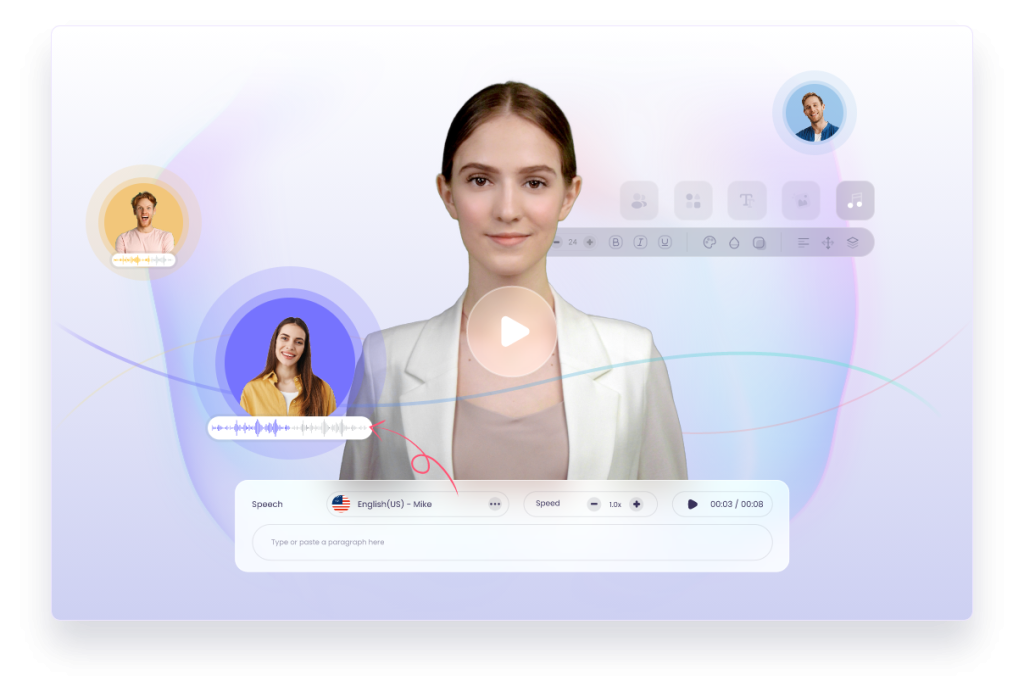
Vidnoz is a browser-based AI video suite built mainly around scripted avatar presentations: type a script, pick a digital presenter from a library of 1,800–1,900+ avatars, choose a voice, and the AI renders a talking-head video. Based on specs, pricing, and early reviews, it’s the budget play in a category led by pricier rivals like HeyGen and Synthesia — breadth and affordability over polish.
What makes Vidnoz unusual is how much else is bolted on: photo and video face swap (including multiple faces), talking photos, an AI dance/photo-animation generator, video translation with lip-sync, text-to-video and image-to-video, an AI script generator, a headshot generator, and thousands of templates. It’s a Swiss-army-knife platform — which also makes it a confusing one, since avatar creation, generative video, and face swap use different workflows and limits.
The company was founded in 2023 and markets aggressively on price. Independent 2026 reviews rate the product itself decently (G2 around 4.5–4.9/5) while Trustpilot tells a harsher story (around 2.3/5) concentrated on billing and support — a split worth knowing before any payment.
What’s Actually Free
Vidnoz’s Free plan ($0, ongoing, no credit card required) was verified across multiple 2026 sources:
- Daily credits: 60 credits per day, roughly 2–3 minutes of standard video (sources vary between “2 min” and “3 min” — budget on the conservative side)
- Credit reset: daily, no rollover — use them or lose them
- Max video length: 3 minutes per video
- Export resolution: 720p
- Watermark: yes, on every free export
- Avatars: 1,800+ AI avatars included on the free tier
- Voices: access to a large voice library (standard voices; premium voices are paid)
- Extras: photo avatars capped at about 10 per day
The daily refresh is what makes this tier special: most AI video tools give you a small monthly allowance, but Vidnoz’s per-day model means a patient user can produce avatar videos indefinitely for free. Paid tiers: Starter around $20/month (annual; monthly billing runs higher, ~$27–30) with ~450 credits/month, 1080p, no watermark; Business around $57/month (annual) with ~900 credits, voice cloning, video translation, and brand kits; Enterprise is custom.
Key Features
1,900+ AI avatars and 2,800+ templates. The largest avatar library in this price tier — presenters across ages, styles, and settings, with editable template scenes for marketing, training, and explainers.
140+ languages, 1,800+ AI voices. Wide coverage for global content, with lip-sync that matches avatar mouths to the script or dubbed audio.
Talking photos. Upload a portrait and animate it to speak your script — popular for social clips and personalized outreach.
Face swap (photo and video). Swap faces in photos, videos, and even multiple faces in group shots — an entertainment/marketing tool with obvious misuse potential, so use it responsibly.
Video translation. Translate an existing video’s spoken content into another language with a new voiceover and synced lip movements (full version on paid tiers).
AI dance / photo animation. Animate photos to dance or move — built for viral social trends.
Branded video pages and CTAs (paid). Turn videos into landing pages with interactive call-to-action buttons for sales and lead gen.
Voice cloning (paid). Create a custom voice from a sample on Business plans.
Pros and Cons
Pros
- ✅ 60 free credits daily, no card required — the most generous recurring free allowance in the avatar category
- ✅ Huge avatar and template library at $0
- ✅ Surprising breadth: face swap, talking photos, translation, and generative tools in one account
- ✅ Cheapest entry point of the major avatar platforms — Starter well under HeyGen/Synthesia pricing
- ✅ Beginner-friendly: type a script, pick an avatar, done
Cons
- ❌ Avatar lip-sync and gestures are good but not great — visibly behind premium rivals
- ❌ Every free export is watermarked at 720p, so you can’t show clients a clean sample before paying
- ❌ Free renders are slower than paid, and some templates look dated
- ❌ Trustpilot billing/support complaints are a real caution flag — start free, test thoroughly, and pay with a protected method
- ❌ Feature sprawl: different tools have different workflows and limits, which gets confusing fast
Who It’s Best For
Educators and trainers who need to re-record course modules without re-filming themselves. Small business owners making occasional product demos or multilingual marketing videos on no budget. Social creators playing with talking photos and AI dance trends. Anyone price-shopping avatar video before committing to HeyGen or Synthesia.
Not the pick for: client-facing work on the free tier (watermark kills it), enterprises needing polish and reliability (Synthesia/HeyGen remain the safer choices), or high-volume content calendars (daily credit caps and render glitches get in the way).
FAQ
Is Vidnoz really free?
Yes — 60 credits per day (about 2–3 minutes of video), refreshed daily, no credit card. Free exports are 720p with a watermark. Paid plans remove the watermark and add 1080p, voice cloning, and translation.
How many avatars and voices are included free?
Around 1,800+ avatars and a large standard-voice library. Premium/expressive voices and the full 1,900+ avatar set are paid-tier perks.
How realistic are the avatars?
Good for AI, especially on paid plans — but lip-sync is inconsistent and gestures can feel repetitive. Fine for internal training and social content; scrutinize before brand work.
Can I use Vidnoz videos commercially?
Full commercial rights come with paid plans. Confirm the exact entitlement for your plan before client work.
Why do Trustpilot reviews look so bad?
The product ratings (G2) and the billing/support experience (Trustpilot) tell different stories. The practical advice from reviewers: stay free until you’ve tested thoroughly, and use a payment method with dispute protection if you upgrade.
Bottom Line
Based on specs, pricing, and early reviews, Vidnoz’s free tier is a genuine standout: daily-refreshed credits, no card, and an enormous avatar library make it the easiest way to try AI avatar video for $0. Treat it as what it is — a perpetual free trial with a watermark — and keep expectations calibrated on avatar realism. If your tests look good enough for your use case, the paid Starter plan undercuts the premium players by a wide margin; just verify current pricing at vidnoz.com and approach checkout with eyes open.