
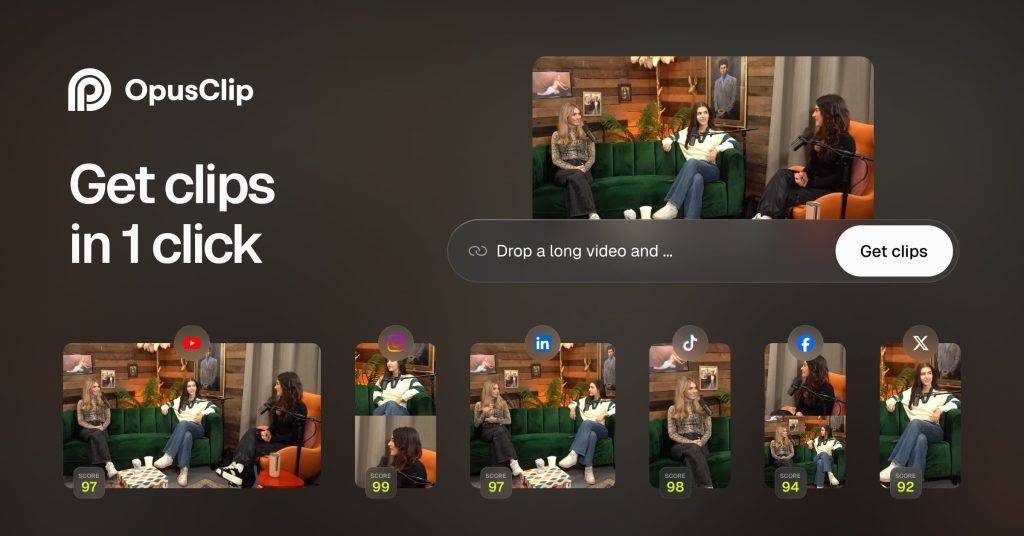
Opus Clip Review: Turn Long Videos Into Shorts for Free (60 Minutes a Month)
What Opus Clip Is
Opus Clip (opus.pro) is an AI video-repurposing platform with one core job: take long-form video and automatically find, cut, and polish the most shareable short clips for TikTok, Reels, YouTube Shorts, and LinkedIn. Based on specs, pricing, and early reviews, it’s the category leader in AI clipping — the tool podcasters and creators use to turn a single recording into weeks of short-form content.
You upload a video (or import from YouTube, Drive, Vimeo, Zoom, Rumble, or StreamYard on paid plans), and the AI analyzes it for hooks, pacing, and viral potential, then returns multiple ready-to-post vertical clips complete with captions and reframing. Its 2026-era engine, ClipAnything, reads visual, audio, and sentiment cues — not just the transcript — so it works on gameplay, sports, and screen recordings too, where transcript-based clippers have nothing to analyze.
The company claims ~10 million users and tens of billions of views generated from its clips. Independent reviewers have found its clip selection noticeably stronger than competitors, though with a real flaw rate: clips sometimes start slightly late and cut off the hook.
What’s Actually Free
Opus Clip’s Free plan ($0, renews monthly — verified against 2026 pricing sources):
- Processing: 60 credits per month (1 credit = 1 minute of source footage)
- Exports: watermarked, up to 1080p
- Captions: basic auto captions included
- Reframing: auto-reframe to vertical (9:16 output on the free tier)
- No editor: text-based and timeline editing are locked to paid tiers
- Storage: clips stop being exportable after 3 days — download promptly
- No credit card required to start
The credit math is the thing to understand: billing is one credit per minute of source footage, whether you keep one clip or twenty. So a single 60-minute podcast consumes the entire free month. Paid tiers: Starter $15/month (150 processing minutes, no watermark, animated captions, virality score, virality analytics); Pro $29/month or $174/year (300 minutes/month or a 3,600-credit annual pool, AI B-roll, social scheduler, XML export to Premiere/Resolve, multiple aspect ratios); Business is custom-priced with API access.
Key Features
AI curation with ClipAnything. Multimodal analysis finds moments worth posting across genres — interviews, vlogs, gaming, sports — with prompt-based clipping and negative prompts for extra control.
Virality Score. Each returned clip gets a 0–100 score (Hook/Flow/Engagement/Trend components) trained on analysis of viral videos. Treat it as a sorting mechanism, not a prediction — independent tests found it mispredicts often.
Animated captions. Word-level, keyword-highlighted captions claimed at 97%+ accuracy across 20+ languages — close to publishable on clean speech in the first pass.
AI reframe. Automatic resizing with object/speaker tracking, so a 16:9 recording becomes 9:16 with the subject kept in frame.
AI B-roll (paid). Contextually relevant stock footage or AI-generated visuals inserted automatically to liven up talking-head clips.
Filler-word removal and cleanup. Automatic removal of “ums” and silences on paid tiers.
Social scheduler (paid). Auto-post and schedule to YouTube, TikTok, Instagram, Facebook, LinkedIn, and X.
Editor and XML export (Pro). Text-based and timeline editing plus one-click XML handoff to Premiere Pro and DaVinci Resolve for finishing.
Pros and Cons
Pros
- ✅ Clip selection is widely rated the strongest in the category, across genres
- ✅ Genuine monthly free plan — 60 processing minutes, no card required, enough to validate quality on your own footage
- ✅ 1080p free exports (watermarked), which beats many free tiers’ 720p caps
- ✅ ClipAnything handles non-talking footage that transcript-based tools can’t
- ✅ XML export and social scheduling on paid tiers make it a real workflow, not a toy
Cons
- ❌ Credits burn per source minute — one long episode can eat the whole free month
- ❌ Free clips carry a watermark and expire after 3 days
- ❌ No editor on the free plan; 16:9 output and most editing controls need Pro
- ❌ Auto-reframe tracking is unreliable on multi-person interviews and screen shares — check clip by clip
- ❌ Trustpilot shows a significant share of one-star reviews around processing failures and cancellation friction — download exports promptly and keep records
Who It’s Best For
Podcasters, coaches, and educators sitting on long recordings who want a short-form pipeline without an editor. YouTubers repurposing long videos into Shorts. Agencies clipping client content at volume (paid tiers).
Not the pick for: creators who don’t already have long footage (nothing to clip), anyone needing a full editor (pair it with Descript or Premiere instead), or perfectionists — expect to trim a share of auto-clips by hand.
FAQ
Is Opus Clip really free?
Yes — the Free plan renews monthly with 60 processing credits, watermarked 1080p clips, auto captions, and vertical output. Clips expire after 3 days. There’s no card required, and a separate 7-day trial (90 minutes) has also been offered for testing.
How do Opus Clip credits work?
1 credit = 1 minute of source footage processed. A 60-minute podcast costs 60 credits whether you keep one clip or twenty. Paid-plan credits don’t behave identically (annual Pro sells a 3,600-credit yearly pool).
Can Opus Clip clip videos without dialogue?
Yes. ClipAnything analyzes visual events, audio, on-screen text, and sentiment — gameplay, sports, music, and action footage all work.
Does Opus Clip post to social media for me?
Paid plans can publish directly to YouTube, TikTok, Instagram, and others, with a scheduler on Pro. The free plan doesn’t include autoposting.
What should I watch out for?
Clips expire 3 days after processing on free (download immediately), the virality score is a hint rather than a forecast, and reported reliability issues mean you should never rely on a single processing run before a deadline.
Bottom Line
Based on specs, pricing, and early reviews, Opus Clip’s free tier is one of the most genuinely useful in this batch — 60 monthly processing minutes at 1080p is enough to discover whether AI clipping works on your content, which is the only question that matters. The watermark and 3-day expiry keep it an evaluation tool, not a publishing pipeline, and the per-source-minute billing means long podcasts burn fast. But as a “test the core magic for free” offer, it’s honest. If your clips earn their keep, Starter at $15/month is the logical next step. Verify current plan details at opus.pro before paying.
Try it free
Turn long videos into shorts free (60 minutes a month).
We may earn a commission if you purchase through our link, at no extra cost to you.