
Descript Review: Edit Video Like a Doc on a Tight Free Plan
What Descript Is
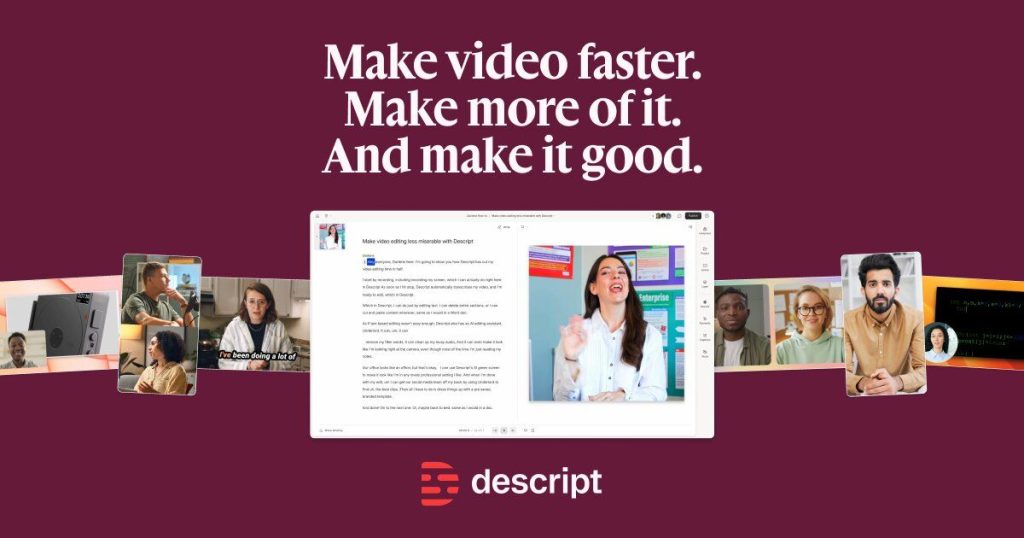
Descript is an AI-powered audio and video editor built around one radical idea: you edit media by editing a transcript. Upload a recording, and Descript transcribes it; delete a sentence in the text, and that part of the video disappears. Move a paragraph, and the video rearranges itself. Based on specs, pricing, and early reviews, this “text as timeline” approach collapses editing time dramatically for dialogue-heavy content — podcasts, YouTube explainers, courses, and tutorials.
Beyond the transcript editor, Descript is a full production workspace: multitrack timeline, screen recording, remote multi-guest recording (Rooms), stock media, captions, and publishing. Its AI layer — branded “Underlord” — handles filler-word removal, silence cutting, eye-contact correction, green screen, and voice cloning via a feature called Overdub.
The company is a mature, well-funded product with a large creator base and extensive tutorials, which matters: this is not a fly-by-night AI wrapper. But pricing changed significantly in a September 2025 overhaul that moved to “media minutes + AI credits” metering, so the free tier needs careful reading.
What’s Actually Free
Descript’s Free plan ($0, ongoing) was verified against descript.com/pricing via multiple 2026 sources. Here’s the breakdown:
- Media minutes: 60 per month (about 1 hour of footage you can edit)
- AI credits: 100, one-time and non-renewing (covers Underlord actions, Studio Sound, AI effects)
- Export resolution: 720p, with a Descript watermark on video exports
- Seats: 1
- Transcription languages: 25+
- Included: text-based editing, screen recording, unlimited projects, web-link exports (limited to 1 hour of content)
The watermark is the real gate: free exports carry it, so the free plan is for learning and testing, not publishing. Note that tier details have conflicted across third-party sources — the figures above reflect the pricing page as checked in 2026, but verify in-app if the numbers matter to you. Paid plans: Hobbyist $24/month ($16 annual) with 10 media hours and 400 monthly AI credits; Creator $35/month ($24 annual) with 30 hours, 800 credits, 4K export, and full Overdub; Business $65/month ($50 annual) with 40 hours, 1,500 credits, and up to 5 seats.
Key Features
Transcript-based editing. The flagship: edit the auto-generated transcript and the media follows. Accuracy is reported around 90–95% on clean audio, lower with noise or heavy accents — you’ll still want to proof it.
Underlord (AI co-editor). An AI assistant that removes filler words and silences in one step, flags bad takes, suggests B-roll, creates highlight clips, and drafts show notes. Note that every action spends from your AI credit pool.
Overdub voice cloning. Train a digital copy of your voice to fix flubs or generate voiceover by typing. Requires a paid plan for real use; free access is limited to testing.
Studio Sound. One-click noise removal and voice enhancement that can make a closet recording sound like a studio take (costs roughly ~10 AI credits per use).
Eye Contact correction. AI that adjusts your gaze to look at the camera — handy for scripted reads where you’re looking at a teleprompter.
Screen recording and Rooms. Built-in recording plus remote multi-guest sessions that count as one media hour regardless of participant count.
Captions, dubbing, translation. Caption generation in 60+ languages, dubbing in 30, and a library of stock AI voices.
Round-tripping. Exports that hand off to Premiere Pro, Final Cut Pro, and Pro Tools for finishing work you can’t do in Descript.
Pros and Cons
Pros
- ✅ Transcript-based editing is genuinely transformative for spoken-word content — 50–70% time savings claimed by many users
- ✅ The free plan’s 60 minutes/month is enough to complete a real short project and learn the tool
- ✅ Record, edit, clean, caption, and clip in one place instead of four tools
- ✅ Deep captioning/dubbing coverage across languages for the free tier
- ✅ Mature product with strong tutorials and community support
Cons
- ❌ Watermarked exports mean you can’t publish professionally on the free plan
- ❌ Two-meter pricing (media minutes + AI credits) is confusing and can produce surprise bills on paid tiers
- ❌ AI features burn through the 100 one-time credits fast — free AI access is brief
- ❌ Cloud-dependent with no offline mode; learning curve is steeper than marketing suggests (expect a few hours)
- ❌ Priced per editor seat, so small teams feel it quickly
Who It’s Best For
Podcasters, YouTubers, and course creators who record spoken content regularly — Descript’s text-based editing is built for exactly this. Tutorial and demo makers benefit from built-in screen recording plus Studio Sound. Multilingual creators get real value from the dubbing depth.
Not the pick for: cinematic or visual-first projects (no generative video to speak of), teams that need offline editing, or anyone whose primary need is pure transcription — dedicated transcription tools are cheaper per hour.
FAQ
Is Descript free forever?
The free plan is an ongoing $0 tier with monthly limits (60 media minutes, 100 one-time AI credits, watermarked 720p exports) — not a trial that expires. But watermark-free export and serious volume require a paid plan.
What counts as a “media minute”?
Roughly an hour of imported/edited media per month on the free plan. A one-hour multi-guest Room session counts as one hour, not one per participant. Unused minutes don’t roll over.
Is Overdub (voice cloning) available on the free plan?
Only for limited testing — real Overdub use needs a paid plan. And only clone your own voice; cloning others without consent is off-limits.
Does Descript work in a browser?
There’s a web-based beta that runs in Chrome and Edge, but the Mac/Windows desktop app is the stable, full-featured experience.
Can Descript replace Premiere Pro?
For dialogue-led podcasts, tutorials, and social videos, often yes. For color grading, animation, complex mixing, or frame-level control, finish in a dedicated NLE — Descript round-trips to Premiere, Final Cut, and Pro Tools.
Bottom Line
Based on specs, pricing, and early reviews, Descript’s free tier is a legitimate on-ramp: 60 media minutes a month is enough to learn the transcript-editing workflow that makes this tool famous, and the core editor really does change how spoken-word video gets cut. The watermark and one-time AI credits keep it honest — this is a trial of capability, not a publishing plan. If you make talking-head content and the workflow clicks, Hobbyist at $16/month (annual) is the natural next step. Check descript.com/pricing before subscribing, since tier figures have shifted before.