
Quick verdict
Uncanny Automator Review 2026: An AI Agent Plus No-Code Recipes Inside WordPress
Uncanny Automator is a WordPress plugin that combines a no-code automation engine, an AI assistant that understands your own site, and an AI page builder in one package — installed on 40,000+ sites, currently at version 7.7.1 on WordPress.org. The free version on WordPress.org includes starter usage of its Uncanny Agent with no API key to configure, and the AI + Automation paid plans start at $240 a year billed annually for one site, with unlimited recipes and no per-task fees.
What it is
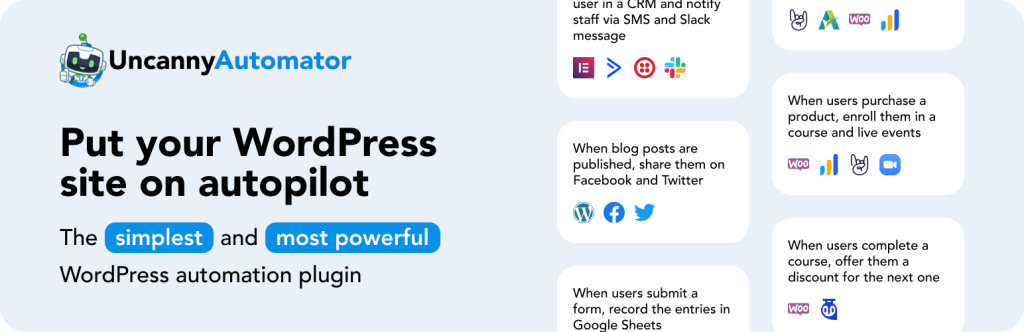
Most WordPress sites are a stack of plugins that do not talk to each other: a store, a form plugin, a course platform, a CRM and a mailing tool, each holding part of the picture. Uncanny Automator (automatorplugin.com) is built to join them up. You build a “recipe” — when this trigger happens, do these actions — in a visual editor, with no code and nothing hosted on a third-party automation platform.
What changed the product is the layer on top of those recipes. Uncanny Agent is a conversational AI assistant that lives in your WordPress dashboard and, in the vendor’s words, understands your site’s content, settings, plugins, users and data. Ask it about your sales trends or course statistics and it answers from your live site rather than generic advice. Describe an automation in plain English and it builds the recipe for you to review. A third piece, Uncanny Page Builder, turns a written description into a page, output as clean HTML and CSS rather than locked-in builder markup.
Key features
- Uncanny Recipe Builder. Connect plugins and apps with triggers and actions, with delays, schedules, conditions, multi-trigger rules and user, post and token loops for bulk work.
- Uncanny Agent, with no API key setup. Automator stresses that there is no separate AI subscription, no API key to paste in and no MCP server to wire up: Agent runs through your Automator account on models the vendor selects and manages, with a starter allowance in the free version.
- Plain-English recipe building. Describe “when a user finishes Course A, enroll them in Course B and tag them in the CRM” and Agent assembles the triggers, actions and conditions for your approval.
- Site-aware help and content. Agent can draft posts, products and pages in your site’s style, complete admin tasks such as creating posts and managing users, troubleshoot plugin and configuration questions, and write HTML, CSS, JavaScript and PHP snippets aware of WordPress hooks.
- Uncanny Page Builder. Prompt-to-page building, screenshot-to-style, click-to-edit fine-tuning and draft-first changes you approve — using the same Agent usage allowance as the assistant, not a separate subscription.
- Scale without per-task fees. Paid plans advertise over 10,000 triggers, actions and tokens, unlimited recipes, unlimited runs and unlimited log retention for one flat annual price.
Pricing
Pricing below is from Automator’s own pricing page for its current AI + Automation plans, billed annually. The free Lite version on WordPress.org costs $0 and includes enough free Uncanny Agent usage to get started, in the vendor’s wording. Basic is $20 per month billed annually at $240 a year for 1 site with standard Agent usage. Plus is $30 per month billed annually at $360 a year for 10 sites and multisite, with twice the Agent usage and addons including Custom User Fields, Restrict Content and User Lists. Elite is $40 per month billed annually at $480 a year for 50 sites, four times the Agent usage, the Plus addons and an Elite Integrations addon covering Salesforce and QuickBooks Online.
Two warnings belong in any honest pricing summary. First, Agent usage is metered in Monthly and Anytime allowances that scale by plan, and extra usage packs cost more — discounted 25% on Plus and 50% on Elite. Second, the same pricing page still sells Legacy automation-only plans at $199, $349 and $599 a year that include the Recipe Builder only, with no Agent or Page Builder. That choice is useful if you want automation without AI, but it makes the page easy to misread, so check which family you are actually buying.
Who it’s for
- Course, membership and WooCommerce site owners whose plugins need to hand work to each other — enrollments, tags, emails, access changes — without a developer or a per-task automation bill.
- Busy site operators who want help inside WordPress rather than in a separate AI app: answers about their own data, drafted content and recipes built from a sentence.
- Agencies running many WordPress sites who can use Plus or Elite site limits, multisite support and reusable recipes across client work.
What to watch out for
- Agent usage is capped, not unlimited. Recipes run without limits on paid plans, but the AI assistant works from Monthly and Anytime allowances; heavy Agent users will buy extra usage packs.
- Two pricing families invite mistakes. Legacy plans look cheaper at a glance and exclude the Agent and Page Builder entirely — the headline reason most new buyers are here.
- It is WordPress-only by design. Automator connects apps to your WordPress site; it is not a general replacement for a cross-SaaS automation platform centred elsewhere.
- Power brings responsibility. Recipes and an agent that can change users, posts and settings can do real damage when misconfigured — the draft-first, approve-each-change design helps, but test recipes before they run live.
- Research-based review. This review is based on Automator’s WordPress.org listing, product and pricing pages; we have not run it on a production client site ourselves.
Pros
- No API keys, no separate AI subscription and no per-task fees on paid plans.
- Agent understands your actual site data, not just generic WordPress advice.
- Recipes, an AI assistant and a page builder in one plugin instead of three subscriptions.
- Page Builder output is clean HTML and CSS, so pages survive deactivating the plugin.
Cons
- Agent usage is metered by plan, with paid packs beyond the allowance.
- AI + Automation versus Legacy pricing is genuinely confusing on one page.
- Deep value depends on running several connected plugins; a simple blog needs little of it.
- No lifetime plan — every paid tier renews annually.
Frequently asked questions
Is Uncanny Automator free?
Yes, in part. The Lite version on WordPress.org is free and includes starter Uncanny Agent usage with no API key required. The AI + Automation paid plans, which add higher Agent usage, app integrations and addons, start at $240 a year billed annually for one site.
Does Uncanny Automator charge per task or per automation run?
No. Automator states that every AI + Automation plan includes unlimited recipe runs, unlimited recipes and unlimited log retention for a flat annual price, with no per-automation, per-task or per-integration fees. The metered resource is Uncanny Agent AI usage, not recipe runs.
What can Uncanny Agent actually do?
According to the vendor, Agent answers questions about your site’s sales, users and content, builds automation recipes from plain-English descriptions, drafts posts and pages, completes admin tasks such as creating posts and managing users, helps troubleshoot issues, and writes code snippets aware of your installed plugins and integrations.