
Quick verdict
MAZATROL SmoothAi Review 2026: AI Programming, Spindle and Thermal Help Inside the Mazak Control
Updated October 24, 2026 – Tested Intelligence
Quick verdict: MAZATROL SmoothAi is Mazak’s AI CNC control: Solid MAZATROL generates programs from 3D models, Smooth Ai Spindle adjusts spindle speed to cut vibration, and Ai Thermal Shield learns heat effects to hold accuracy over a long run. It is a strong reason to shortlist a new Mazak — but it comes with the machine, so there is no standalone price and no way to add it to another builder’s iron.
What it is
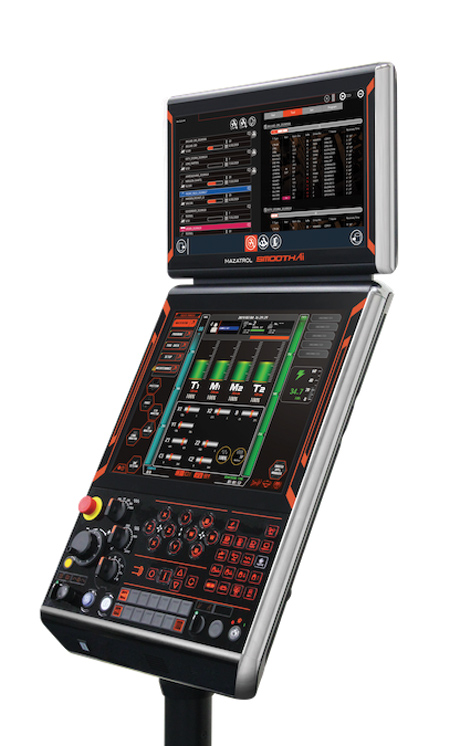
MAZATROL SmoothAi is the CNC control at the top of Mazak’s Smooth Technology platform, fitted to machines including the VARIAXIS C-600 5-axis machining center and INTEGREX multi-tasking machines such as the i-450H S and i-350S NEO. Trade coverage in Cutting Tool Engineering and SME describes it as organized around automation, digital twins and AI.
For a machinist, that shows up three ways: a 3D model can become a program, spindle behavior is adjusted automatically in the cut, and thermal drift on long cycles is modeled and compensated as conditions change.
Key features
- Solid MAZATROL: automatically generates programs from 3D CAD data, learning the machining pattern from previously created programs
- Smooth Ai Spindle: uses sensor feedback to automatically optimize spindle speed, minimizing vibration and chatter for better surface finishes
- Ai Thermal Shield: learns from environmental changes to compensate heat displacement, using spindle speed, temperature, position and coolant state, then learning further from post-machining measurement
- Cutting Adviser: simulates the machining process from accumulated results to help optimize cutting conditions
- MAZATROL TWINS: synchronized digital twins on a PC, through Smooth Project Manager and Smooth CAM Ai
- Automation functions: Smooth Robot Cell Controller and Robot Setup Assist on equipped machines
- Conversational plus G-code: MAZATROL conversational programming alongside EIA/ISO G-code, with realistic simulation
Pricing
Pricing is not public, and there is no standalone SmoothAi subscription. The control is supplied with the Mazak machine it is fitted to, so its cost is inside the machine quotation, alongside model, spindle options, automation and magazine configuration. Get itemized quotes for the exact model, ask which functions are standard versus options, and price MAZATROL TWINS separately if you plan to use it.
Who it’s for
Machinists already shopping for a new 5-axis or multi-tasking Mazak who want programming, vibration control and thermal compensation handled in the control. Shops short on experienced programmers benefit most from Solid MAZATROL; shops running long, tight-tolerance cycles benefit most from Ai Thermal Shield.
Who should skip it
Shops not buying a Mazak cannot buy this control alone, so for a mixed fleet a CAM or monitoring layer such as Mastercam or MachineMetrics is the practical route. Simple, short-cycle, loose-tolerance work also gains least: thermal learning matters little when drift never reaches the tolerance band.
Pros
- Program generation starts from the 3D model, cutting the most time-consuming step for less experienced programmers
- Spindle vibration is handled in the control, automatically, instead of relying on an operator hearing chatter
- Thermal compensation learns from real measurement results, not just a fixed warm-up table
- Digital twins let programmers prove out jobs away from the machine
- Conversational MAZATROL is retained, so experienced Mazak hands keep their workflow
Cons
- Machine-locked: only on equipped Mazak machines, with no version for other builders’ iron
- No public pricing at any level — everything emerges only in a machine quotation
- Function availability varies by model, so a feature shown on an INTEGREX may be an option elsewhere
- AI-generated programs still need a competent review before cutting expensive material
FAQ
What does Smooth Ai Spindle do?
It monitors spindle behavior with sensor feedback and automatically optimizes spindle speed to minimize vibration and chatter during cutting. The goal Mazak states is better surface finish without an operator manually hunting for a quieter speed.
Can I add MAZATROL SmoothAi to a machine I already own?
Not as a standalone product. SmoothAi is a Mazak machine control supplied on equipped new machines. Ask a Mazak dealer about upgrades for an existing Mazak specifically; there is no version for other builders’ machines.
How much does MAZATROL SmoothAi cost?
Pricing is not public. The control’s cost is included in the quotation for the machine it is fitted to, and options and MAZATROL TWINS software can change that quote. Compare itemized machine quotations rather than looking for a control-only price.
Bottom line
MAZATROL SmoothAi is best judged as part of a Mazak machine purchase: Solid MAZATROL shortens programming, Smooth Ai Spindle fights chatter in the cut, and Ai Thermal Shield defends accuracy over long runs. If a new machine is already on your capital list, put all three functions on the demo checklist and make the dealer prove each on your own part — if no purchase is planned, spend the AI budget on layers that work across the fleet you have.