
Speechify Review: The Free Text-to-Speech Reader Worth Actually Using
What Speechify Is
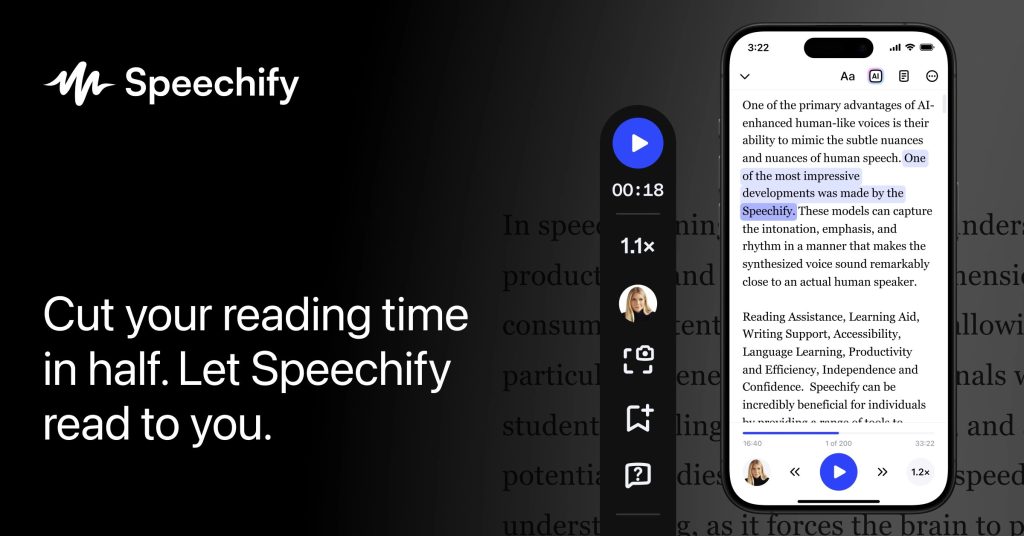
Speechify is the world’s most popular text-to-speech reading app. Unlike voiceover studios built for content creation, Speechify is built for consumption: it turns anything you need to read — PDFs, Google Docs, web articles, emails, even physical books via phone-camera OCR — into spoken audio you can listen to while commuting, exercising, or doing chores.
The company was founded by Cliff Weitzman, who built it to cope with his own dyslexia, and accessibility remains its soul: tens of thousands of users with dyslexia, ADHD, and low vision rely on it daily. It runs on iOS, Android, Mac, Windows, the web, and as a Chrome/Safari extension, with synced libraries across devices.
Important distinction: Speechify (the reader app) and Speechify Studio (a separate voiceover-production product) are different subscriptions with separate pricing. This review covers the reader app’s free tier. Based on specs, pricing pages, and published reviews, Speechify’s premium voices are among the most natural in the reading-app category, but the free tier is deliberately basic.
What’s Actually Free
Speechify’s free plan is permanent (not a trial). Verified from its pricing page and October 2026 reviews, it includes:
- 10 standard/basic voices — functional, but reviewers consistently describe them as robotic compared to premium voices
- Playback up to 1.5x speed (premium goes to ~5x, around 900 words per minute)
- Core text-to-speech across web, mobile, desktop, and browser extension
- A small personal library (around 5 files)
What’s held back for Premium ($29/month, or $139/year — about $11.58/month):
- 1,000+ natural AI voices in 60+ languages, including celebrity-style voices
- Speeds up to 5x
- Scan-and-listen OCR, AI summaries, and offline listening
- MP3 downloads
There’s also a free trial of Premium so you can hear the difference before paying — just watch for the auto-renewal, which generates most of Speechify’s billing complaints.
Key Features
- Read anything aloud — PDFs, Word docs, web pages, emails, Google Drive/Dropbox files, with text highlighted as it’s read
- Scan & Listen — photograph a printed page and hear it read (premium)
- 1,000+ premium voices in 60+ languages (premium tier)
- Speeds up to 5x for power listeners (premium)
- AI summaries and document chat — ask questions about what you’re reading (premium)
- Voice typing — dictate with automatic grammar cleanup (premium)
- Cross-device sync — start on your phone, continue on your laptop
Pros and Cons
✓ Pros
- Genuinely free forever — no credit card, no expiring trial
- Excellent at its core job: turning reading material into listenable audio
- Available on every platform that matters, including a great mobile app
- Life-changing for users with dyslexia, ADHD, or visual impairments
- OCR scanning bridges physical books and digital audio
✗ Cons
- Free voices sound noticeably robotic
- 1.5x speed cap feels slow once you’re used to faster listening
- No MP3 export on the free plan
- Premium is expensive ($29/month) for a reading app
- Frequent upsell prompts and confusing trial-to-paid transitions draw complaints
- Not a voiceover production tool — no timing or editing controls for creators
Who It’s Best For
Speechify’s free tier is best for students and professionals with more reading than time — lecture notes, long articles, and reports become commuter-friendly audio at zero cost. It’s also a meaningful accessibility tool: for anyone with dyslexia, ADHD, or eye strain, free text-to-speech with synchronized highlighting is genuinely useful even with basic voices.
It’s not for creators who need voiceovers — that’s what Murf, PlayHT, and Speechify’s own separate Studio product are for. And if you fall in love with the premium voices, the annual plan ($139/year) is dramatically better value than monthly.
FAQ
Is Speechify really free?
Yes. The free plan is $0 forever with 10 basic voices and speeds up to 1.5x. Natural voices, faster speeds, and advanced features require Premium.
What’s the difference between Speechify and Speechify Studio?
Speechify is the reading app for listening to your own documents. Speechify Studio is a separate product for producing voiceovers, with its own pricing (including a free tier with 600 credits).
Can I download MP3s on the free plan?
No — MP3 downloads and offline listening require Premium.
Does Speechify offer a student discount?
Yes — verified students get 25% off Premium through UNiDAYS or Student Beans, per Speechify’s education guide.
Is there a free trial of Premium?
Yes, but be careful: most billing complaints come from users who thought they were on the free plan while actually sitting on a trial that converted. Set a reminder to cancel if you don’t want it.
Bottom Line
Speechify’s free tier won’t impress you with voice quality — the 10 basic voices are functional, not beautiful. But it nails the job it was built for: making your reading listenable, on any device, for free, forever. For students drowning in PDFs and anyone who absorbs better by ear, that’s worth more than a prettier voice. Try free; upgrade to annual Premium only if the speed cap starts hurting.