
Descript Review: Edit Audio Like a Word Doc — Free Tier Tested
What Descript Is
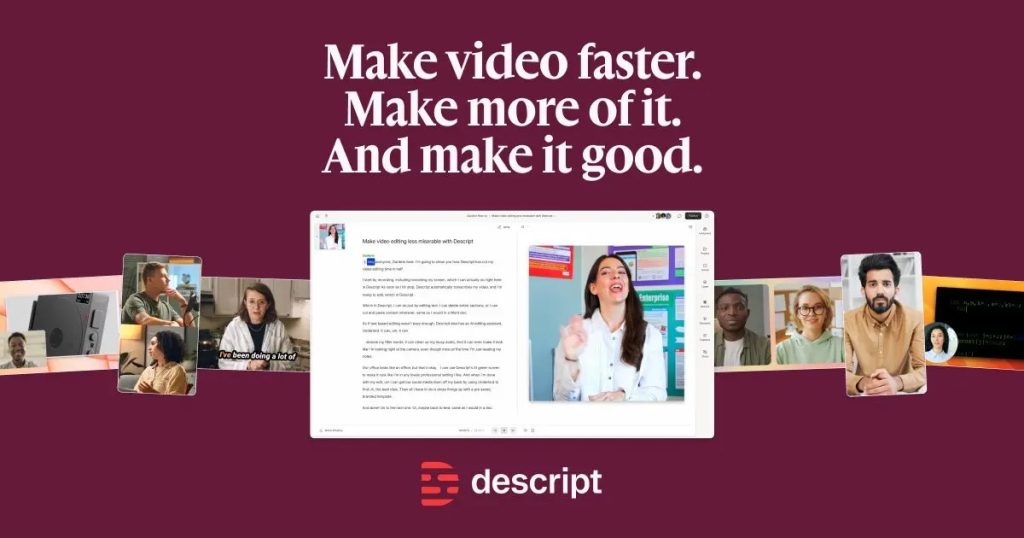
Descript is an AI-powered audio and video editor that threw out the traditional timeline. Instead, it transcribes your recording and lets you edit the text: cut a paragraph, and the audio follows. Rearrange sentences by dragging words. It’s as close to “edit audio like a Word document” as anything on the market, and for podcasters and YouTubers who think in words rather than waveforms, it’s transformative.
Beyond the headline trick, Descript bundles serious AI production tools: Overdub (clone your own voice, then fix mistakes by typing corrections instead of re-recording), Studio Sound (AI noise and echo removal that rescues bad-room recordings), automatic filler-word removal (“um,” “uh,” “like” — gone in one click), screen recording, remote multitrack recording, and one-click publishing to YouTube and podcast hosts.
Based on specs, pricing pages, and published reviews, Descript is the fastest editing workflow for interview and conversation content — though it’s less precise than a traditional DAW for music or sound design, and its credit-based AI features can burn through allowances quickly.
What’s Actually Free
Descript’s free tier is permanent. Verified from its pricing page (checked September 2026) and third-party reviews:
- 60 minutes of media per month (transcription + processed media time)
- 100 one-time AI credits for features like Studio Sound and AI actions
- Full text-based editing workflow
- Basic Overdub — voice cloning with a 1,000-word vocabulary limit
- Automatic transcription in 25+ languages
- Unlimited projects
The catches:
- Watermarked exports — video exports carry a Descript watermark on free
- The 1,000-word Overdub vocabulary is genuinely limiting: use an out-of-vocabulary word and Descript substitutes gibberish sounds, per multiple reviewers
- 60 minutes/month covers testing, not a weekly show
- Studio Sound and other AI features consume credits that don’t refill generously on free
Paid plans: Hobbyist at $16/month (600 min/month, 1080p, no watermark), Creator at $24/month (unlimited transcription, full Overdub, 4K), Business at $50/month for teams.
Key Features
- Text-based editing — edit audio and video by editing the auto-generated transcript
- Overdub voice cloning — train a model of your voice (10–30 min of sample audio, ~24–48h processing) and type corrections instead of re-recording
- Studio Sound — AI dereverbing and denoising for professional-sounding audio from bad rooms
- Filler word & silence removal — one-click cleanup of ums, uhs, and dead air
- Stock AI voices for narration without recording
- Screen recording and remote recording with up to 10 guests
- Dynamic captions, eye-contact correction, and green screen for video
- Direct publishing to YouTube, podcast hosts, and social platforms
Pros and Cons
✓ Pros
- Text-based editing is legitimately 5–10x faster than timeline editing for spoken content
- Free tier includes the full core workflow — not a crippled demo
- Overdub is the most practical voice cloning use case: fixing your own mistakes
- Studio Sound rescues recordings that would otherwise be unusable
- Strong collaboration features feel like Google Docs for media
✗ Cons
- Watermarked exports make free-tier output unusable for publishing
- 60 minutes/month is tight — one long episode can eat it
- Overdub’s 1,000-word vocabulary on free/low tiers breaks on jargon and names
- AI credits deplete fast; overage costs add up
- Overkill (and imprecise) if you do music production or detailed sound design
- Interface has a real learning curve despite the simple premise
Who It’s Best For
Descript’s free tier is best for podcasters and YouTubers curious whether text-based editing fits their brain — 60 free minutes is enough to cut a real episode and feel the speed difference. It’s also the cheapest way to try AI voice cloning (Overdub) and hear what your own synthetic voice sounds like fixing a flubbed line.
If you publish weekly, you’ll outgrow free within a month — the Hobbyist plan is the honest entry point for real production. And if your work is music or cinematic sound design, stick with a traditional DAW.
FAQ
Is Descript really free?
Yes — the free plan is permanent with 60 media minutes per month, text-based editing, and basic Overdub. Exports are watermarked.
What is Descript Overdub?
Overdub clones your voice from a 10–30 minute sample so you can generate new speech by typing. On the free plan it’s limited to a 1,000-word vocabulary; paid plans unlock unlimited vocabulary.
Can I remove the Descript watermark for free?
No — watermark-free exports require a paid plan (Hobbyist and up).
How accurate is Descript’s transcription?
Reviewers report roughly 90%+ accuracy on clear audio, lower with heavy accents, crosstalk, or technical jargon. You can correct the transcript by hand, which is the point.
Does Descript work in the browser?
Descript offers desktop apps for Mac and Windows plus a web-based version that works in Chrome and Edge.
Bottom Line
Descript’s free plan is the rare free tier that lets you experience a product’s core magic — not a teaser, but the actual text-editing workflow, plus a taste of voice cloning. The watermark and 60-minute cap draw a hard line between “trying” and “shipping,” which is fair. If you’ve ever wished editing audio felt like editing a document, spend your free hour here before deciding anything.