
Murf.ai Review: The Best Free Way to Test Studio-Quality AI Voiceovers
What Murf.ai Is
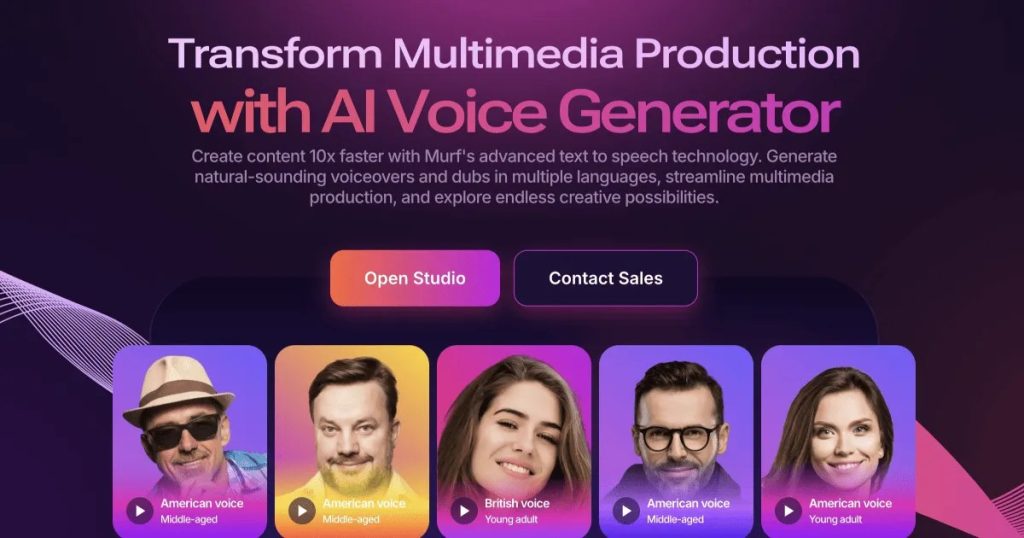
Murf.ai is a browser-based AI voiceover studio. You paste in a script, pick from a library of neural voices, tweak pitch, speed, emphasis, and pauses, and it renders a studio-quality narration in minutes. It’s aimed squarely at content creators, marketers, educators, and businesses that need professional voiceovers without hiring voice actors or booking studio time.
Under the hood, Murf’s voices are trained on tens of thousands of hours of human speech, and the platform has grown well beyond basic text-to-speech: it now includes AI voice cloning, AI dubbing in dozens of languages, a voice changer, and even a built-in video editor so you can sync narration to visuals without leaving the tab. Integrations with Canva, Google Slides, and PowerPoint underline who it’s built for — people making presentations, explainers, ads, and e-learning content.
Based on specs, pricing, and published reviews, Murf consistently ranks among the most natural-sounding voiceover platforms, though it sits a notch below ElevenLabs on raw emotional expressiveness, according to blind listening comparisons.
What’s Actually Free
Murf.ai’s free plan is verified on its pricing page and multiple 2026 reviews. Here’s exactly what $0 gets you:
- 10 minutes of voice generation time — not per month, but a total trial allowance to explore the platform
- 200+ AI voices across 35+ languages
- Voice customization: pitch, speed, emphasis, and pause controls
- Sharing and collaboration features
And the catches, stated plainly:
- No audio downloads on the free plan — you can generate and listen, but you can’t export MP3/WAV files
- No commercial usage rights — free-tier audio can’t be used in monetized or client work
- Voice cloning and the full studio feature set are reserved for paid tiers
Paid plans start with Creator at around $19/month (billed annually), which unlocks unlimited downloads and commercial rights, and scale up to Business at roughly $66/month for teams. But the free tier never expires — it’s a permanent sandbox, not a 7-day trial.
Key Features
- 120–200+ lifelike voices filterable by gender, age, accent, and use case (narration, advertising, e-learning, and more)
- Granular voice control — adjust pitch, pace, and emphasis word-by-word, and insert natural pauses
- AI voice cloning — create a digital replica of a voice for consistent branded narration (paid plans)
- AI dubbing in 40+ languages — translate and re-voice existing video content
- Voice changer — transform an uploaded recording into a different AI voice
- Built-in video and music tools — sync voiceovers to video timelines and layer royalty-free background music
- Team collaboration — shared workspaces, comments, and project sharing
- API access — for developers embedding Murf voices into apps (higher tiers)
Pros and Cons
✓ Pros
- 10 free minutes is enough to genuinely evaluate voice quality on your own scripts
- Voices sound convincingly human for narration, explainers, and e-learning
- Word-level control over emphasis and pauses produces more natural delivery than most rivals
- No credit card required to start the free plan
- Dubbing and voice changing add versatility beyond plain TTS
✗ Cons
- No downloads on free means you can’t actually ship anything without paying
- No commercial rights on the free tier
- Desktop-first — no dedicated mobile app for creating voiceovers on the go
- Some reviewers report occasional stability hiccups with long projects
- Pricing jumps steeply from Creator to Business tiers
Who It’s Best For
Murf.ai’s free plan is best for creators and teams evaluating AI voiceovers before committing money — if you’re choosing between Murf, ElevenLabs, and PlayHT for a YouTube channel, course, or ad campaign, those 10 free minutes let you render your actual script and judge with your own ears. It’s also a solid pick for educators and presenters who want to hear how their slides would sound narrated.
It’s not a free production tool — if you need downloadable, usable audio at zero cost, TTSMaker or PlayHT’s free tier will serve you better. Think of Murf free as the test drive, not the car.
FAQ
Is Murf.ai really free?
Yes — the free plan costs $0 forever with 10 minutes of voice generation, 200+ voices, and full customization controls. Downloads and commercial use require a paid plan.
Can I download audio on the free plan?
No. Audio downloads (MP3/WAV export) are only available on paid plans starting with Creator.
Can I use Murf’s free voices in YouTube videos?
Not legally — the free plan grants no commercial usage rights, and you can’t download the audio anyway. Commercial rights start on the Creator plan.
How many languages does Murf.ai support?
35+ languages for text-to-speech, with AI dubbing available in 40+ languages on paid tiers.
Does Murf.ai have a mobile app?
No — Murf is a desktop-first, browser-based studio. It works in a mobile browser but isn’t optimized for phone-based voiceover creation.
Bottom Line
Murf.ai’s free tier is the most honest free trial in AI voiceovers: 10 real minutes of generation with the same voices paying customers get, no credit card, no countdown timer. The no-download, no-commercial-use limits mean it won’t replace a paid tool for shipping content — but as a zero-risk way to answer “does AI narration work for my project?”, it’s the first place to look. If the voices win you over, the Creator plan is where the real work begins.