
The short version
Upscayl is a free, open-source desktop app that enlarges images up to 4x (and beyond) using AI models like Real-ESRGAN. It runs entirely on your own computer — no uploads, no watermarks, no account, no subscription. The one catch: it needs a Vulkan-compatible GPU, so very old or very basic machines may not run it. If your computer qualifies, there is no reason to pay for an online upscaler.
What Upscayl does
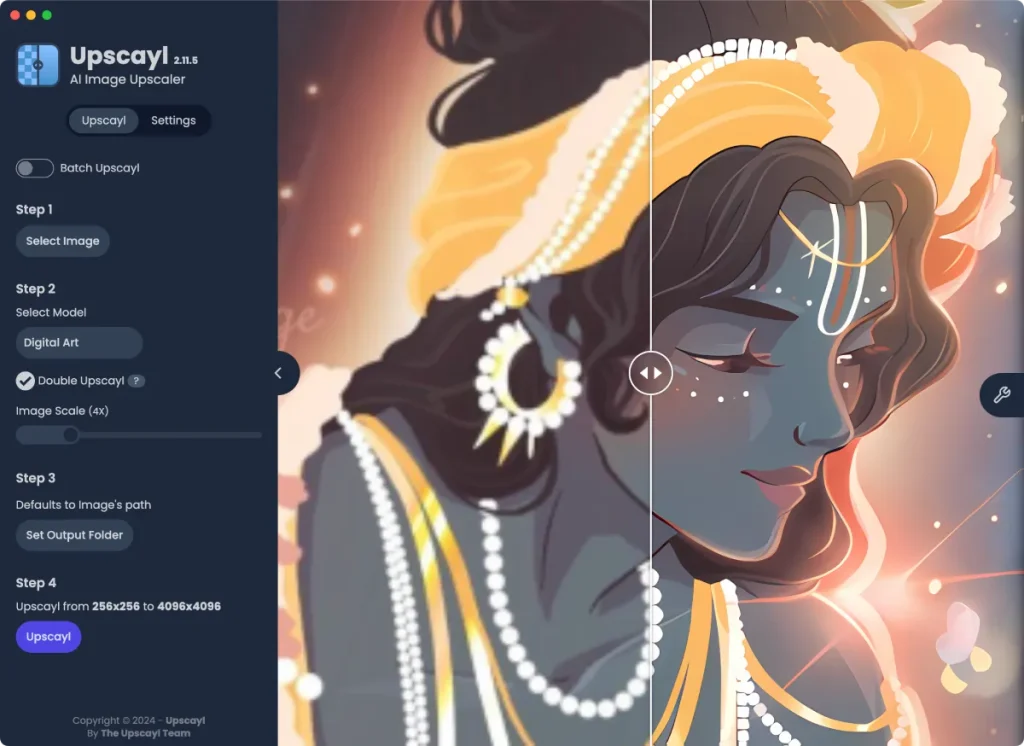
Upscayl takes a low-resolution or pixelated image and rebuilds it at a higher resolution using deep learning models. It is useful for old photos, small web graphics, thumbnails, and AI-generated images that came out at low resolution. You pick an image, choose a model (Standard, Digital Art, Photo, and others), set an upscale factor, and it processes the file locally. Batch upscaling lets you run a whole folder at once.
What is free vs. what costs money
Nearly everything is free. Upscayl is open source (AGPLv3) with 44,000+ stars on GitHub, funded by donations — there is no premium tier of the desktop app, no credit system, and no watermark on output.
- Free forever: the full desktop app for Windows, macOS, and Linux; all included AI models; batch processing; custom model support; unlimited upscales; no account required.
- Paid (optional): Upscayl now offers a cloud version for people whose machines lack a compatible GPU — that is the only thing that costs money. The desktop app itself remains free.
The one real requirement
Upscayl needs a Vulkan-compatible GPU to run its AI models. Most computers from the last decade qualify — including Apple Silicon Macs — but some old integrated graphics chips do not. Check the system requirements on upscayl.org before downloading; if your machine is too old, the free cloud version or a browser-based upscaler is the fallback.
Who Upscayl is best for
- Privacy-conscious users: images are processed locally, so client work and personal photos never touch a server.
- Photographers and designers: up to 4x enlargement with models tuned for photos, digital art, and anime — plus custom models for advanced users.
- Anyone rescuing old images: scanned photos and compressed web images are exactly what Upscayl was built for.
Pros and cons
Pros:
- Completely free and open source — no credits, no watermark, no account
- Runs offline; your images never leave your device
- Batch upscaling and custom AI models
- Cross-platform: Windows, macOS, Linux
Cons:
- Requires a Vulkan-compatible GPU — some old machines are excluded
- No built-in noise reduction in the default models (advanced users add custom models like RealESRGAN with denoising)
- Desktop-only workflow — no browser version of the free app
FAQ
Is Upscayl really free?
Yes. The desktop app is open source and free with no limits on upscales and no watermarks. Upscayl’s paid cloud version exists only for people without a compatible GPU.
Do I need the internet to use Upscayl?
No. Everything runs locally after the one-time download, which is also why it is private.
Will Upscayl work on my computer?
You need a Vulkan-compatible GPU — most modern Windows PCs, Macs (including Apple Silicon), and Linux machines qualify. Check the requirements on upscayl.org if you are unsure.
Is Upscayl better than Topaz Gigapixel?
Independent testers (including PetaPixel’s 2026 roundup) found Upscayl competitive with paid tools like Topaz for typical upscaling, though Topaz still has an edge for RAW photo workflows. For $0, Upscayl is the obvious first try.
Free-tier details checked Oct 2, 2026. System requirements and the cloud offering change — check upscayl.org before downloading. This is a research-based review; no hands-on testing claims.