
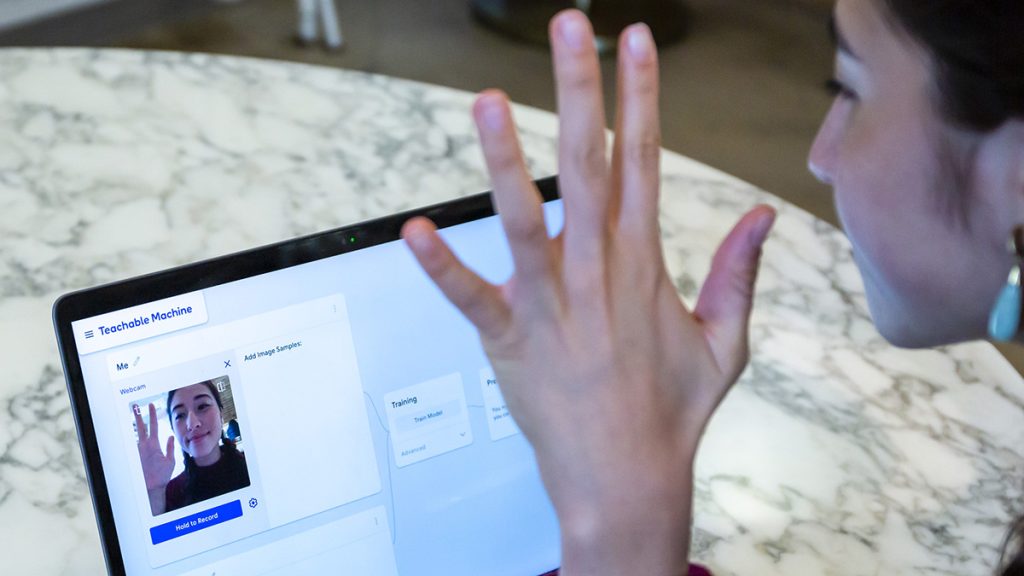
TL;DR verdict: Teachable Machine is Google’s completely free, no-code way to train a real machine learning model in your browser. No paid tier, no account, no sign-up: show it examples of images, sounds, or poses, click Train Model, and export a working model. It teaches a computer to tell things apart — for classrooms and first AI projects, nothing else free is this simple.
Most “free AI” tools mean a capped plan under a paid product. Teachable Machine is different: Google lists no price and no paid plan for it at all. Its official site calls it “a web-based tool that makes creating machine learning models fast, easy, and accessible to everyone.” Checked November 9, 2026, against Google’s own site and FAQ. Research-based review — no hands-on testing claims.
What does Teachable Machine actually do?
Teachable Machine trains a small classifier — a model that sorts new inputs into categories you define. An image project learns from files or your webcam, a sound project from short recorded samples, and a pose project from body positions in front of your webcam. The workflow is always three steps: gather examples into classes, train, then preview live and export. Exported models are real TensorFlow.js models that can be downloaded or hosted online and called from a website or app.
What is actually free?
- Completely free: no paid tier, no credits, no usage caps published by Google
- Train image, sound, and pose classifiers in your browser with no code
- No account or sign-in needed to start training
- Export your model as a TensorFlow.js model, download it, or host it at a link
- Use it entirely on-device, without webcam or microphone data leaving your computer
Teachers will recognise the fit alongside MagicSchool AI’s free teacher tools and Knowt’s free flashcards and notes: Teachable Machine is the hands-on counterpart — instead of using AI, students build a tiny piece of it. For leveled reading, pair it with Diffit rather than expecting it to handle text.
What the homepage doesn’t make obvious
Google’s own FAQ carries the two facts that matter most. First, training happens in your browser tab “without sending anything to any servers” — the homepage confirms you can use it “entirely on-device, without any webcam or microphone data leaving your computer.” Second, that privacy cuts both ways: nothing is saved automatically. The only step that needs a Google sign-in is saving a project to Google Drive, which stores your samples in your own Drive. Close the tab without saving or downloading, and the project is gone. Save early, especially in a classroom.
Pros and cons
- Pro: Completely free with no paid tier, no credits, and no account required
- Pro: Training runs in the browser, so examples stay on your device by default
- Pro: A first working model takes minutes, with no code and nothing to install
- Pro: Exports are real TensorFlow.js models you can put in a website or app
- Con: It only classifies — no text generation, no chat, no image generation
- Con: Unsaved work is lost when you close the tab; saving means using Google Drive
Who is Teachable Machine best for?
Teachable Machine is best for teachers, students, parents, and curious beginners who want to understand how machine learning learns — by feeding it examples and watching it get confused. It is the wrong tool if you need a chatbot, a writing assistant, or a model trained on thousands of examples.
Frequently asked questions
Is Teachable Machine really free? Yes. Google lists no price or paid plan for it. You open the site, click Get Started, and train — no account, no card, and no credits.
Do I need a Google account? No, not to train or export a model. A Google sign-in is needed only if you want to save a project to Google Drive so you can reopen it later.
What can I do with a trained model? Export it as a TensorFlow.js model, download it, or host it at a link and call it from a website or app.
Bottom line
If you want one free tool that shows how AI learns, Teachable Machine is it. Remember the save catch: export and save to Drive before you close the tab.