
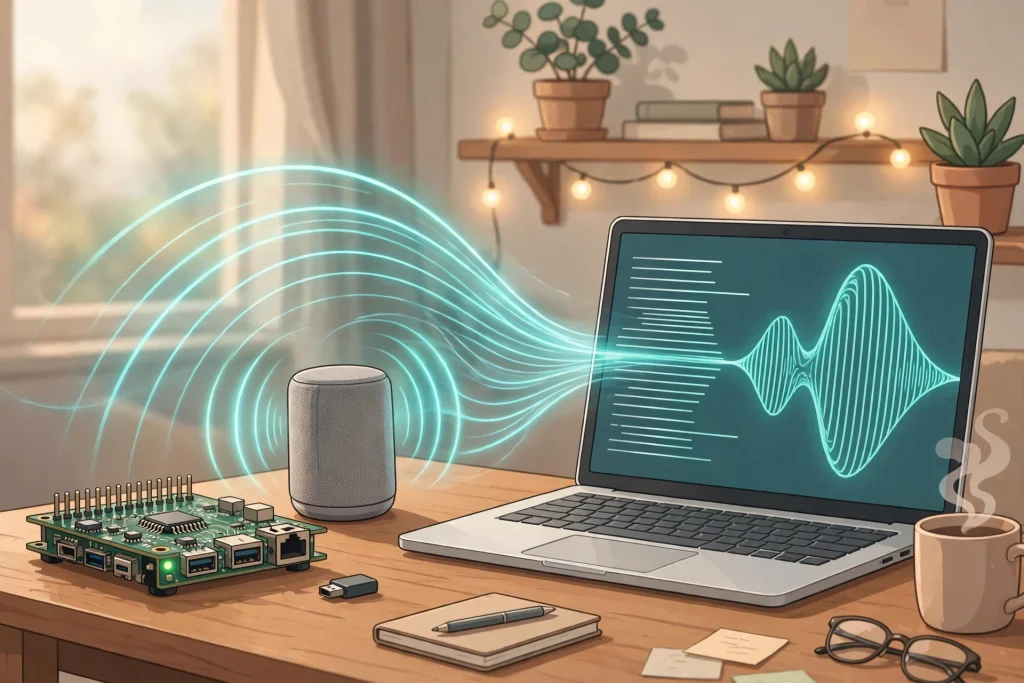
TL;DR: Piper is a completely free, open-source text-to-speech engine that turns text into natural-sounding speech entirely on your own device — no cloud, no account, and no per-character bill. It runs in real time on hardware as modest as a Raspberry Pi and offers voices across 44 language and locale combinations. The one catch is licensing: the engine is free for any use, but each voice carries its own dataset license, and the most popular voice family is research-only.
What is Piper?
Piper is a fast, local neural text-to-speech engine that embeds espeak-ng for phonemization. It began inside the Rhasspy offline voice-assistant project and is now maintained by the Open Home Foundation — the nonprofit behind Home Assistant — in the OHF-Voice/piper1-gpl repository. Install is a single command (pip install piper-tts), after which you download the voice files you want and generate speech with no network connection at all.
This is proven, everyday software rather than a demo: the project’s README lists Home Assistant and NVDA (NonVisual Desktop Access, the free screen reader used by blind and low-vision users worldwide) among the projects running on Piper.
What is actually free?
The engine is free, full stop. Piper is released under the GPL-3.0-or-later license, with no paid tier, no account, no usage caps, and no per-character pricing — a sharp contrast with cloud voices that meter every word. Included at $0:
- Real-time synthesis on CPU-only hardware, including Raspberry Pi-class devices
- Voices across 44 language and locale combinations listed in the official voices doc — English (US and GB), Spanish, German, French, Welsh, Hindi, Swahili, Chinese, and many more
- Command-line interface, a built-in web server, and Python and C/C++ APIs
- Tools and documentation for training your own voices
- Sample pages and a browser demo to audition voices before downloading
Each voice needs two files — an .onnx model and its .onnx.json config — downloaded from the project’s Hugging Face voice repository. Voice quality varies by voice, since each was trained on a different dataset.
What the download page doesn’t make obvious
Piper’s own licensing documentation contains the single most important fact about this tool, and it is the one most coverage skips: the project grants no license over its voices at all. Each voice ships a MODEL_CARD whose License line covers only that voice’s own training dataset — not the voice it was fine-tuned from. The docs instruct you to walk the fine-tune chain card by card to see the full picture.
That matters because the most common base voice, en_US-lessac-medium — the voice in most demos — was trained on the Lessac Blizzard 2013 corpus, whose license limits use to “research and exploration of speech technologies” and excludes commercial use. A large share of Piper voices are fine-tuned from it. The project does maintain a commercial-use page listing voices whose entire chain rests on permissive recordings (such as the CC0 rdh base and the CC BY 4.0 Hi-Fi TTS base), so commercial-safe voices exist — but you have to choose one deliberately. For personal projects, none of this restricts you; the docs note Piper is intended for personal use and text-to-speech research.
One more honest note: the README currently carries a “Looking for Maintainers” banner from the Open Home Foundation. Piper is actively used and released (v1.8.0 shipped in September 2026), but its long-term maintenance bench is thin.
Pros and cons
Pros
- Completely free with no caps — generate a million characters or ten, the price is the same
- Fully offline and private: text never leaves your device
- Fast enough for real-time use on a Raspberry Pi; no GPU required
- 44 language/locale options, plus screen-reader and home-assistant pedigree
Cons
- No voice cloning — voices are fixed; a new voice must be trained, not sampled
- Voice quality is good, not studio-grade; clearly synthetic next to premium cloud voices
- Per-voice licensing is genuinely confusing, and the default demo voice is research-only
- Setup is a command line and model files — no polished consumer app
Who is Piper best for?
Piper is best for Home Assistant users who want local voice responses, accessibility setups built on NVDA, Raspberry Pi and maker projects, and anyone narrating personal projects who refuses per-character pricing. If you want more expressive, modern neural voices and don’t mind a slightly heavier local model, Kokoro is worth comparing, and Chatterbox covers the voice-cloning end of the free local spectrum. Working in the other direction — speech to text, locally — Superwhisper is the companion piece.
Frequently asked questions
Is Piper really free?
Yes. The engine is open source under GPL-3.0-or-later, with no paid tier, no account, and no usage limits. You run it on your own hardware.
Does Piper work offline?
Completely. After you download the engine and a voice, synthesis happens on your device with no internet connection.
Can I use Piper voices commercially?
It depends on the voice. The engine is GPL, but each voice’s rights come from its training data. The popular lessac-derived voices are research-only; the project’s commercial-use documentation lists voices whose full fine-tune chain is permissively licensed. Check the MODEL_CARD chain for your specific voice.
How many languages does Piper support?
The official voices document lists 44 language and locale combinations, from English, Spanish, and German to Welsh, Hindi, Telugu, Swahili, and simplified Chinese.
Can Piper clone my voice?
No. Piper speaks in its pre-trained voices. Creating a new voice requires training one with the project’s training tools — it cannot copy a voice from a short sample.
Free tier and licensing verified against the official Piper documentation (OHF-Voice/piper1-gpl) on November 17, 2026. Research-based review; no hands-on testing claims.