
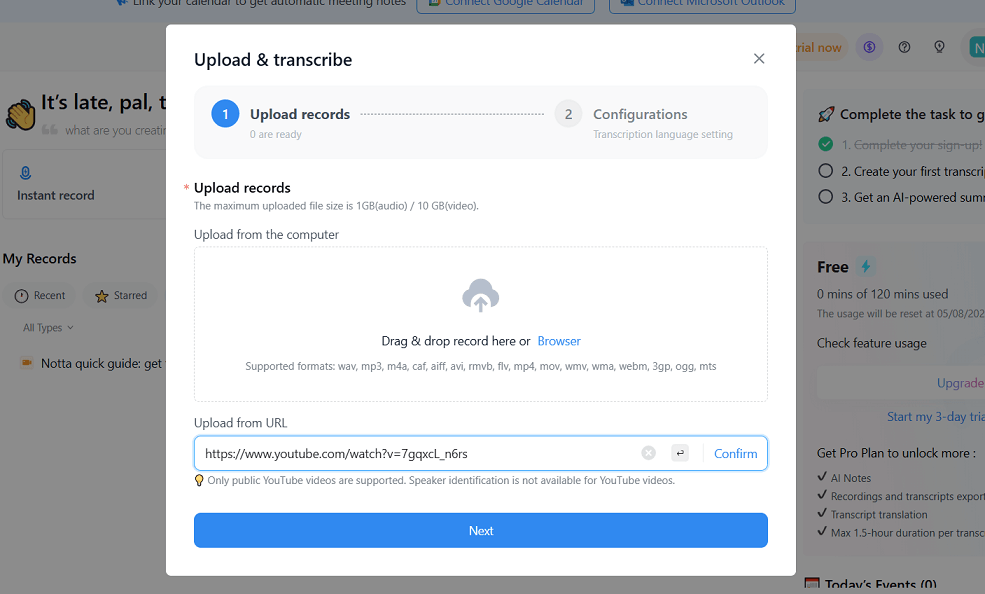
Bottom line: Notta’s free plan is real — $0, no credit card required, 120 transcription minutes a month — but it comes with the tightest catch in this category: each conversation can be at most 3 minutes long. That makes the free plan a good way to judge Notta’s transcription quality on short clips, and almost useless for transcribing actual meetings, which start at Pro ($8.17 a month billed annually, per Notta’s pricing page).
What does Notta do?
Notta is an AI transcription and meeting-notes service. It records and transcribes online meetings on Zoom, Google Meet, Microsoft Teams, and Webex, transcribes uploaded audio and video files, and works across web and mobile apps so recordings sync between devices. It identifies speakers, and Notta’s own materials put its transcription language support at 58 languages, which is why it shows up so often on multilingual teams’ shortlists. Paid plans add the workflow layer — transcript exports, translation, custom vocabulary, and AI summaries in volume.
What is actually free on Notta?
Everything below comes straight from Notta’s official pricing page:
| Free plan item | What you get |
|---|---|
| Price | $0, no credit card required, 1 seat |
| Transcription quota | 120 minutes per month |
| Per-conversation limit | Up to 3 minutes per conversation |
| File uploads | 50 file uploads per month |
| AI summaries | 10 AI summaries per month |
| Included features | Meeting transcription and speaker identification |
Put those numbers together and the shape of the free plan is clear. The monthly minute total sounds respectable, but the 3-minute-per-conversation ceiling means you can only spend it on voice notes, short clips, and test recordings — a single 45-minute meeting cannot be transcribed on the free plan at all. Notta’s own FAQ adds a related warning for anyone downgrading later: on the free plan you can only view the first 3 minutes of a transcript, so export anything you need before dropping down.
Pros and cons of Notta’s free plan
Pros
- $0 with no credit card required, so testing it costs nothing but time.
- 120 minutes a month is a fair sample size for short recordings.
- Speaker identification and meeting-platform transcription are included, not held back.
- Strong language support — 58 languages per Notta — for multilingual transcription tests.
Cons
- The 3-minute limit per conversation rules out real meetings, interviews, and lectures.
- Only 10 AI summaries a month on the free plan.
- Exports, translation, and custom vocabulary sit on paid plans.
Who is Notta’s free plan best for?
Notta’s free plan is best for someone evaluating transcription quality before paying — run your own voice, your accent, your meeting audio (in short chunks) through it and judge the output yourself. It also works for genuinely short jobs: voice memos, quick voice notes, and brief clips. If your recordings run longer than three minutes, which most do, budget for Pro instead of fighting the free plan’s ceiling.
Frequently asked questions
Is Notta free to use?
Yes, Notta has a free plan at $0 with no credit card required. It includes 120 transcription minutes per month, capped at 3 minutes per conversation.
Why did Notta only transcribe part of my recording?
That is the free plan’s 3-minute-per-conversation limit. Longer recordings need a paid plan — Pro allows up to 5 hours per recording.
How much does Notta Pro cost?
Pro is listed at $8.17 a month billed annually on Notta’s pricing page, with 1,800 transcription minutes a month, 100 file uploads, and 100 AI summaries.
Does Notta work with Zoom and Google Meet?
Yes. Notta transcribes meetings on Zoom, Google Meet, Microsoft Teams, and Webex, and also transcribes uploaded audio and video files.
Verdict: An honest free sample rather than a free meeting tool — excellent for testing transcription quality on short clips, and clearly designed to send regular meeting-recorders to Pro.