
Quick verdict
ImageSEO Review 2026: AI Alt Text, Filenames and Social Cards for WordPress Images
ImageSEO is a WordPress plugin that uses AI to analyze your images and write their alt text, titles, captions and SEO-friendly filenames for you — on upload, or in bulk across an existing media library. It is free for 10 images a month; paid plans on the vendor’s own pricing page start at €4.99/month, or €47.99/year, for 100 images a month. Its WordPress.org listing (version 3.2.16, updated August 2026) carries a warning label you should read before the feature list: a 3.4-star average from 57 ratings, with recent one-star reviews complaining about credits and support — the idea is proven, the service record is the question.
What it is
ImageSEO is listed on WordPress.org as “Image SEO – AI-Driven Image SEO Optimizer.” The vendor’s pricing page cites 94,000+ downloads from WordPress.org. The workflow is simple: install the plugin, create an ImageSEO account from the dashboard to get an API key, then either let it optimize each image as you upload it or run a bulk optimization across the library you already have. The vendor’s premise is the one in its own materials — more than 20% of Google searches come from Google Images, and images with blank alt text and camera filenames are invisible there, and increasingly invisible to AI assistants that read alt text to understand a page.
The AI looks at the image itself and fills in the alt tag, title, caption and filename together, rather than asking you to write four fields per picture. Alt text is generated natively in your site’s language — the vendor lists English, French, German, Spanish, Italian, Portuguese, Dutch and more — not machine-translated from English afterwards. Everything can still be edited manually from the Media Library if the AI’s version misses.
Key features
- AI alt text, titles, captions and filenames. One analysis writes all four fields, on new uploads automatically and for existing images in a bulk run, with a dashboard view of how many alt texts are still missing.
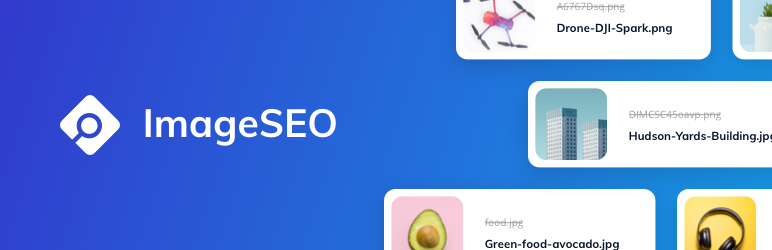
- Semantic filenames. The vendor’s example is the whole pitch: IMG_4273.jpg becomes a descriptive, keyword-bearing filename, instead of a camera default that tells search engines nothing.
- Social media preview cards. ImageSEO generates Open Graph social cards for posts, pages and galleries for Twitter, Facebook, LinkedIn and Pinterest — a second job most pure alt-text plugins do not attempt.
- Gallery and WooCommerce compatibility. Stated compatibility with WooCommerce, featured images and the NextGEN, Photo Gallery, Responsive Photo Gallery and FooGallery plugins, across full-size, WebP and thumbnail versions of each image.
- Bulk processing on paid tiers. Higher plans add a bulk processing queue — the vendor advertises rewriting a large existing library in one run rather than image by image — plus top-up credit packs that never expire if you exceed a month’s quota.
Pricing
Pricing is from ImageSEO’s own pricing page, in euros. The Free plan is €0: 10 images a month, 1 project, AI alt text and filenames, no credit card, with credits resetting monthly. Starter is €4.99/month, or €47.99/year: 100 images a month, 1 project and email support. Standard is €115/year: 250 images a month, 1 project, bulk alt text generation and filename rewriting. Premium is €24.99/month, or €239.99/year: 1,000 images a month, 10 projects, the bulk processing queue and priority email support. Enterprise is €59.99/month, or €575.99/year: 2,500 images a month and unlimited projects. Annual billing saves about 20% against monthly, every paid plan carries a 14-day money-back guarantee, and one-time top-up packs are available from the dashboard if you run over a month’s image quota.
Who it’s for
- Photographers, bloggers and news sites with big, untagged libraries — the vendor names exactly these users, and a bulk backfill of years of missing alt text is the strongest use case.
- WooCommerce and gallery sites whose product and gallery images drive image-search traffic, provided the stated gallery-plugin compatibility covers the stack they run.
- Multilingual sites that need alt text written natively in French, German, Spanish or another supported language rather than translated after the fact.
What to watch out for
- The rating is the review’s headline caveat. A 3.4-star average from 57 WordPress.org ratings is well below what this category’s leaders hold, and the recent reviews visible on the listing include users reporting credits consumed without results, cancelled subscriptions stripping purchased credits, and support messages going unanswered. Those are user reports, not our findings — but there are enough of them that a paid plan should follow a successful free-tier test, never precede it.
- The free tier is a test, not a solution. Ten images a month will not clean up any real library; even Starter’s 100 a month is a slow drip for a photo-heavy site, so do the library-size maths before choosing.
- It is a connected service. The plugin needs an ImageSEO account and API key, and images are analyzed by the vendor’s AI service — your optimization quota and results depend on that account staying active.
- AI alt text still needs a spot-check. Alt text is an accessibility feature first; auto-generated text should be sampled for accuracy, especially on product and instructional images, and the plugin does let you edit any field manually in the Media Library.
- Research-based review. This review is based on ImageSEO’s WordPress.org listing and its own pricing pages; we have not run it across a production media library ourselves.
Pros
- Writes alt text, title, caption and filename together, on upload and in bulk.
- Native multilingual generation, not after-the-fact translation of English alt text.
- Open Graph social cards included — a job most alt-text rivals leave to another plugin.
- Cheap to test properly: free tier with no card, Starter from €4.99/month, 14-day money-back guarantee on paid plans.
Cons
- Low WordPress.org record: 3.4 stars from 57 ratings, with recent reviews reporting credit and support problems.
- Free tier is only 10 images a month; meaningful library cleanups require a paid plan.
- Requires a vendor account and API key; optimization depends on the external service.
- Pricing is in euros, which US buyers should factor into comparisons.
Frequently asked questions
Is ImageSEO free?
Partly. The WordPress plugin is free and the Free plan covers 10 images a month for one project, including AI alt text and filenames, with no credit card. Paid plans start at Starter, €4.99/month or €47.99/year for 100 images a month, and the vendor offers a 14-day money-back guarantee on paid plans.
What does ImageSEO actually write?
Four fields per image: the alt text, the title, the caption and an SEO-friendly filename, generated by analyzing the image itself. It works on new uploads automatically or in bulk across your existing library, and it also generates Open Graph social media preview cards for posts, pages and galleries.
Does ImageSEO work with WooCommerce and gallery plugins?
The vendor states compatibility with WooCommerce, featured images, and the NextGEN, Photo Gallery, Responsive Photo Gallery and FooGallery plugins, and says it works with full-size, WebP and thumbnail versions of each image. Given the plugin’s mixed review record, test that compatibility on a small batch of your own product images first.