
Quick verdict
Image Generator Review 2026: Templates, AI and Stock Photos for Automatic Featured Images
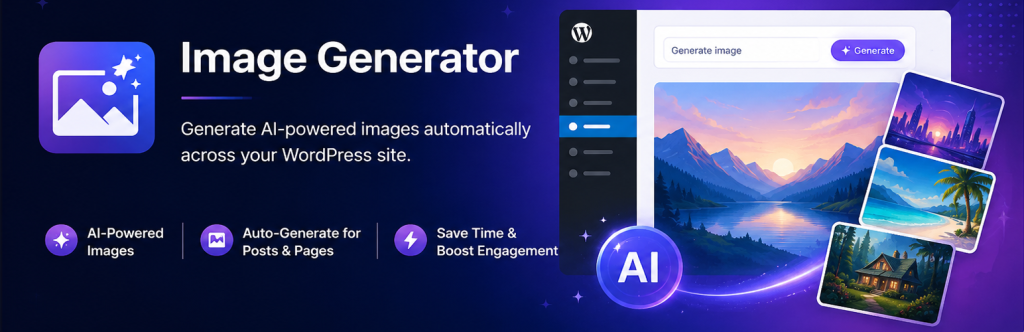
Image Generator is a free WordPress plugin that makes sure no post ships without a featured image: it can render one from a reusable design template on your own server, generate one with AI using your own OpenAI key, or pull a matching free stock photo — automatically, whenever a post or page is saved without one. A paid Pro version from Beautiful Plugins adds higher-quality generation and premium support, but the core idea works free: build the look once, then let every new post inherit it.
What it is
Image Generator is listed on WordPress.org by BeautifulPlugins (version 1.8.1, updated October 2026, around 20 active installs). It tackles a mundane but constant publishing problem: posts published with no featured image, or with a thumbnail that looks nothing like the rest of the site.
Its answer is to combine three image sources in one workflow: templates rendered on your server with PHP’s GD library (no API key, no per-image cost), unique images generated from a prompt with OpenAI’s image models using your own key, or free stock photos imported from inside WordPress with the photographer’s credit carried into the caption. Finished images land in the Media Library with alt text, so themes, CDNs and SEO plugins treat them like normal uploads.
Key features
- Visual Template Studio. A canvas editor for reusable image designs — layered backgrounds, images, shapes and text, with merge tags such as post title, category, author and date filled in per post. Ten ready-made designs are included, and templates can be imported and exported as JSON.
- Automatic featured images. When a post or page is saved without a featured image, the plugin creates one — from a template, from AI, or from a stock photo matched to the title — with fallback options between methods. AI and stock work runs in the background so saving is not held up.
- AI generation in the editor. A button on Image and Media & Text blocks and a sidebar panel generate images from a custom prompt, or from a prompt template built from the post’s title, excerpt, category and tags. Pick the shape and style, generate up to four variations, and keep the one you like.
- Stock photos without leaving WordPress. Search Unsplash, Pexels and Pixabay from the editor or Media Library with a free API key from each library, and import in one click.
- Cost controls. Choose which roles may generate AI images and set an hourly limit per user; automatic AI waits until publish, so drafts spend nothing.
Pricing
The WordPress.org plugin is free, and template rendering costs nothing beyond your hosting. AI generation uses your own OpenAI API key, billed at OpenAI’s rates. The vendor’s Pro version, sold on beautifulplugins.com, is priced per year: Personal is $29/year for one website, Developer is $79/year for five, and Agency is $199/year for unlimited sites. Each tier states all premium features unlocked, a year of updates and support, and a 14-day money-back guarantee; the vendor describes the upgrade mainly as higher-quality images and priority support, so read the current feature split before paying.
Who it’s for
- High-volume publishers that need every article to have a consistent, on-brand thumbnail without opening a design tool each time.
- Affiliate, roundup and agency sites that want a repeatable hero-image look across dozens of posts or client sites.
It is a weaker fit if you need proven reliability at scale today, or accurate photography of specific real products and people.
What to watch out for
- Very small install base. Around 20 active installs and no ratings on WordPress.org yet means few real-world reports to learn from. Test template rendering and auto-generation on staging before relying on it across a live archive.
- Three systems to configure. Templates, AI and stock each have their own setup, including separate API keys per stock library. The template-only path is simple; the full setup takes a sitting.
- AI costs are yours. The plugin is free or cheap depending on tier, but OpenAI image calls bill to your key. The role and hourly-limit controls exist for a reason — set them.
- Research-based review. This review is based on the plugin’s WordPress.org listing and the vendor’s own site and pricing page; we have not run Image Generator on a production site ourselves.
Pros
- Templates render on your own server — on-brand featured images with no API key and no per-image cost.
- Three image sources (templates, AI, stock) in one modal, with automatic featured images on save and background processing.
- Stock imports carry photographer credit into the caption automatically.
- Sensible cost controls: role permissions, per-user hourly limits, no AI spend on drafts.
Cons
- Around 20 active installs and no WordPress.org ratings — very early days.
- Full setup means juggling several API keys (OpenAI plus one per stock library).
- Pro value is loosely described by the vendor; the free version may cover most needs, and automatic generation is scoped to posts and pages.
Frequently asked questions
Is Image Generator really free?
The WordPress.org plugin is free, and its template system renders images on your own server at no per-image cost. AI generation needs your own OpenAI API key and bills at OpenAI’s rates, and stock search needs a free API key from Unsplash, Pexels or Pixabay. A Pro version adds premium features and support from $29/year for one site.
What happens when I publish a post with no featured image?
With automatic generation enabled, the plugin creates one using your chosen method — template, AI image, or matching stock photo — with fallbacks if the first method is unavailable. AI and stock images are fetched in the background and attached when ready.
Do the images work with my theme and SEO plugin?
Yes: every image is saved to the standard Media Library with alt text, so themes, optimisers, CDNs and SEO plugins see a normal attachment.