
Quick verdict
The short answer
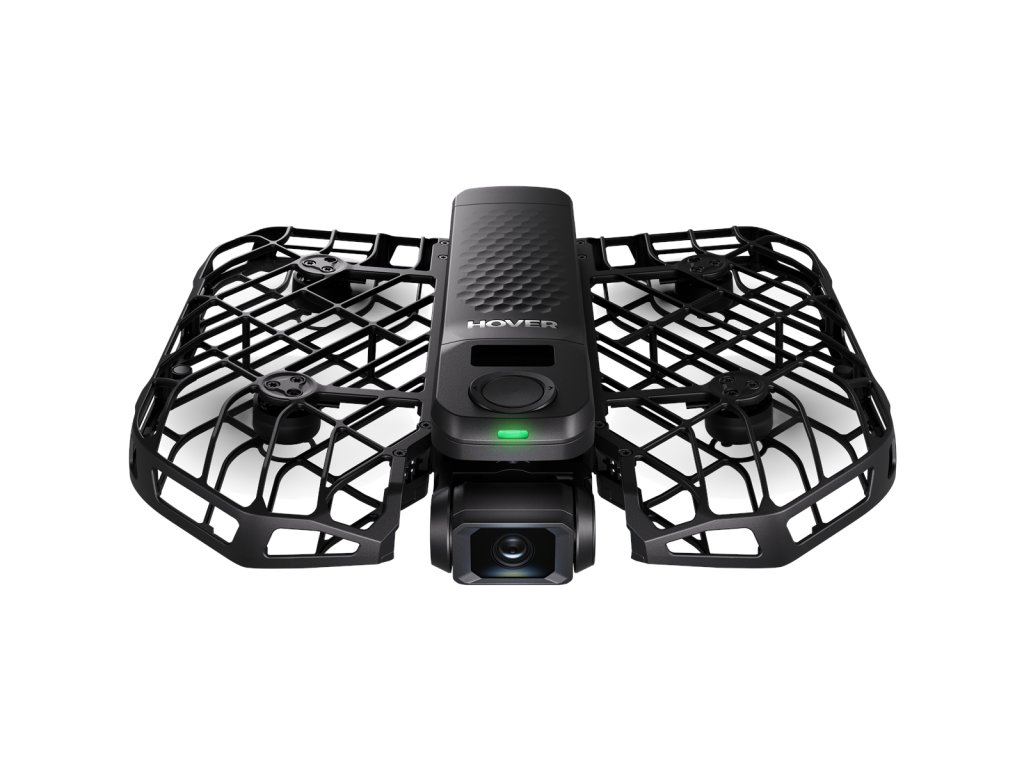
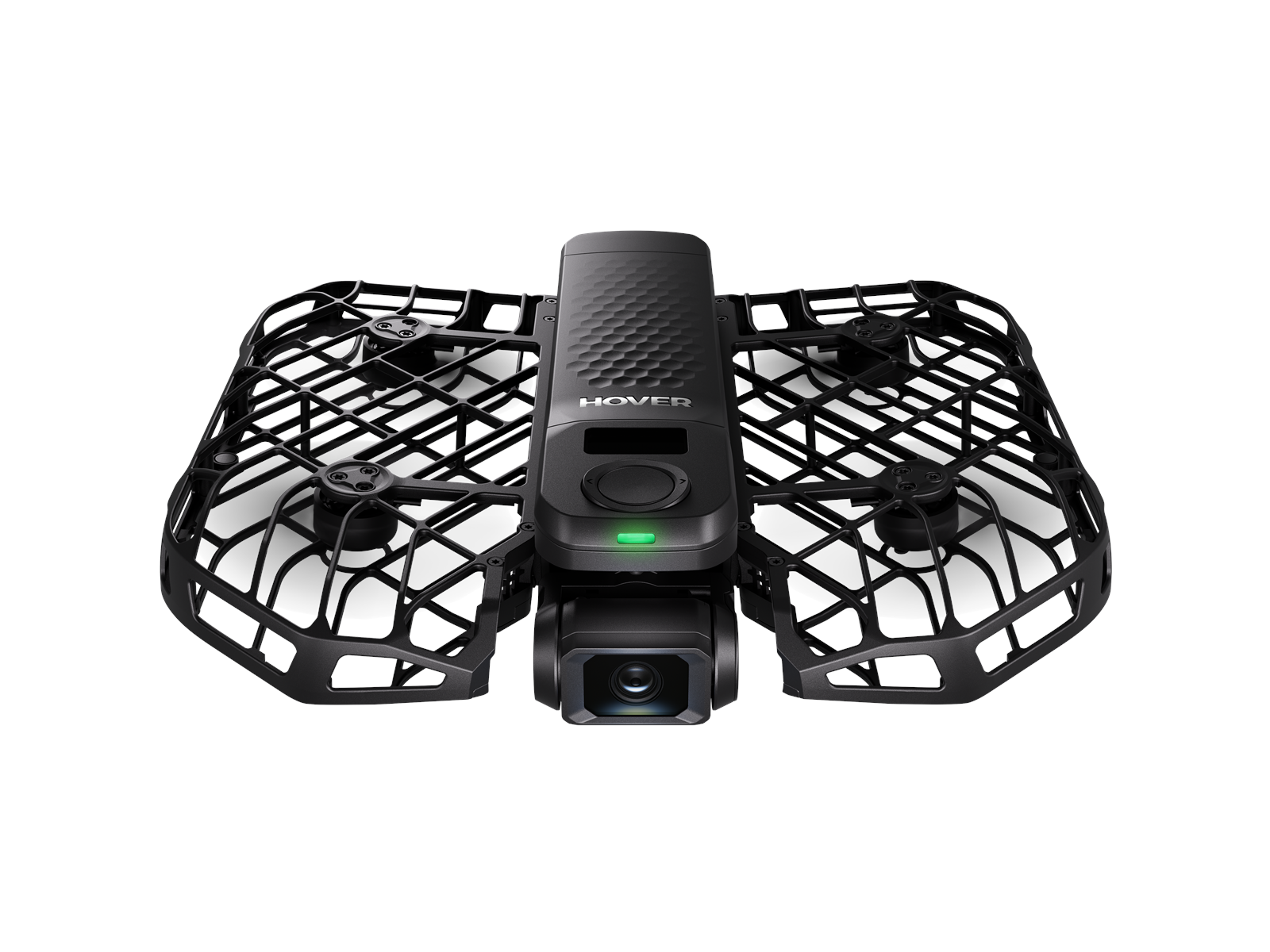
The HoverAir X1 Pro is the best “drone as cameraman” you can buy: a pocketable, caged self-flying camera that launches from your hand, tracks you at up to 42 km/h, and shoots stabilized 4K/60fps video with no controller, no phone, and no piloting skill required. It is built for solo athletes and creators — cyclists, skiers, runners — who want a follow-cam without a second person. The trade-offs are real: 16-minute flight time, no GPS navigation, no front-facing obstacle avoidance, and an accessory ecosystem (Beacon, controller, extra batteries) that pushes the real cost well past the $499 base price. Its sibling, the $699 X1 ProMax, adds 8K/30fps and a larger sensor in the same body.
This is a research-based review. We have not tested the HoverAir X1 Pro hands-on; every fact below comes from the manufacturer’s published specs, pricing, and independent reporting. Prices and specs checked September 30, 2026.
Key specs
| Spec | Detail |
|---|---|
| Takeoff weight | 192 g |
| Camera sensor | 1/2-inch CMOS, 12 MP (per Tom’s Guide; some launch coverage cites 1/1.3-inch — confirm on hoverair.com) |
| Lens | f/2.8, 104° FOV |
| Max video | 4K/60fps horizontal; 2.7K/60fps vertical; FHD/120fps slow motion |
| Stabilization | 2-axis gimbal + EIS (SmoothCapture 2.0), horizon leveling |
| Max flight time | 16 minutes |
| Tracking speed | Up to 42 km/h (26 mph); bursts to 60 km/h |
| Navigation | No GPS; vision-based positioning with OmniTerrain (snow, water, cliffs) |
| Range | 500 m (extendable with optional Beacon) |
| Flight modes | 10+ automated: Hover, Follow, Dolly Track, Zoom Out, Orbit, Bird’s Eye and more |
| Storage | 32 GB internal + microSD slot |
| Size (unfolded) | 173 × 149 × 39 mm |
Price and availability
HoverAir (Zero Zero Robotics) lists the X1 Pro starting at $499 for the standard drone, with the 8K-shooting X1 ProMax starting at $699. Combos with extra batteries, the Beacon, and the modular controller push prices higher — a Fly More-style combo was listed around $1,073 at import retailers in September 2026, and a September 2026 review noted a $679 price point, though it was unclear which bundle that covered. Confirm current bundle pricing on hoverair.com, since the accessory ecosystem is a significant part of the cost. The X1 Pro is sold direct and through Amazon and authorized retailers.
What it’s good at
- Truly hands-free filming. Take it out of your pocket, unfold it, press a button, and it launches from your hand and follows you — no controller, no phone, no piloting. For solo creators this is the entire pitch, and reviewers say the AI tracking is excellent.
- Fast enough for real sports. 42 km/h tracking (60 km/h bursts) keeps up with cycling, skiing, and running — speeds that leave the DJI Neo’s tracking far behind.
- Stable, good-looking 4K. The 2-axis gimbal plus EIS and horizon leveling produce smooth footage, and reviewers rate the video quality as impressive for a drone this small.
- Safe, caged design. Fully enclosed propellers and a 192 g weight make it approachable to fly near people and indoors, with no registration needed in the US.
- All-terrain positioning. OmniTerrain vision positioning lets it hold position over snow, water, and cliffs where GPS drones can struggle with reflections.
- Useful automated modes. 10+ one-touch flight patterns (Dolly Track, Orbit, Zoom Out, Bird’s Eye) cover the cinematic moves most creators actually want.
Where it falls short
- No GPS. Position holding is vision-based, which limits long-range reliability and means no true return-to-home from distance. It is a follow-cam, not an exploration drone.
- No forward obstacle avoidance. Multiple reviewers note it can fly directly into obstacles during automated flight — you must keep its path clear.
- Short flight time. 16 minutes per battery is tight for sports sessions; extra batteries and the two-bay charging hub add cost.
- Expensive once accessorized. $499 is the starting price; the Beacon (for extended range) and controller push a full kit toward $1,000. Some reviewers report connection issues with the Beacon and controller.
- Sensor spec confusion. Reviewers and launch coverage disagree on whether the sensor is 1/2-inch or 1/1.3-inch — confirm on hoverair.com before treating either figure as fact.
Who should buy it
Solo athletes and creators — cyclists, skiers, runners, hikers — who want a reliable follow-cam without recruiting a camera operator. It is also a good pick for travel vloggers who value the pocketable, caged, no-controller workflow. If you want 8K, the X1 ProMax is the same drone with a bigger sensor and 64GB storage.
Who should skip it
Pilots who want manual control and long-range exploration (get a DJI Mini), budget buyers (the DJI Neo does basic follow-me for far less), and anyone expecting DJI-level transmission range or obstacle avoidance. If you need GPS return-to-home, this is not your drone.
How it compares
The obvious comparison is the $699 X1 ProMax: identical body, flight time, and tracking, but 8K/30fps video, a larger 1/1.3-inch sensor, and 64GB of storage. One long-term reviewer concluded they’d spend their own money on the Pro — most of what makes the drone great (tracking speed, 4K/60, hands-free operation) carries over, and 8K files are heavy to edit and store. The DJI Neo ($199) is the budget alternative for basic follow-me clips, but it can’t touch the X1 Pro’s 42 km/h tracking or 4K/60fps video. The original HoverAir X1 ($349) is cheaper still, but tops out at 2.7K video with slower tracking. Choose the Pro for the best balance of price and capability; the ProMax only if you specifically need 8K.
Verdict
The X1 Pro is the finest self-flying follow camera in its class: genuinely hands-free, fast enough for real sports, and beautifully simple. The missing GPS, short battery life, and pricey accessory path keep it from universal recommendation, but for its intended job — filming you, alone, in motion — nothing else does it this well. 4.0/5
FAQ
Can I fly the X1 Pro manually?
Out of the box, no — it flies automated modes only. An optional modular controller adds manual joystick control, and the Beacon extends range, but both are paid extras that reviewers have flagged for occasional connection issues. If manual flight matters to you, a DJI Mini is the better buy.
Does the X1 Pro work indoors?
Yes — and it’s better indoors than most drones. The fully caged propellers make it safe around people and furniture, and since it navigates by vision rather than GPS, it doesn’t need satellite signal. Reviewers list indoor use as a supported scenario. Just keep the flight path clear of obstacles, since there’s no forward collision sensing.
What is the difference between the X1 Pro and X1 ProMax?
The bodies are nearly identical. The $699 ProMax shoots 8K/30fps (vs 4K/60fps on the $499 Pro), has a larger 1/1.3-inch sensor, and doubles internal storage to 64GB. Everything else — flight time, tracking speed, weight — is the same.
Do I need a controller or phone to fly the X1 Pro?
No. It launches from your hand and runs automated flight modes from its onboard button, using facial and body recognition to track you. The app, Beacon, and modular controller are optional extras.
Does the HoverAir X1 Pro have GPS?
No. It uses vision-based positioning (OmniTerrain) rather than GPS, which is why it is limited to about 500 m of range without the optional Beacon and has no true long-range return-to-home.
Is 16 minutes of flight time enough?
For short action clips, yes — most follow-me shots are seconds long. For longer sessions, budget for extra batteries and the charging hub; the accessory cost adds up.
Where to buy
As an Amazon Associate we earn from qualifying purchases.