
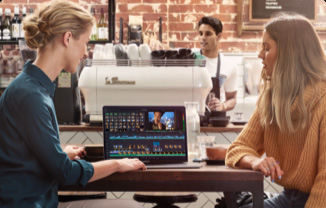
Bottom line: DaVinci Resolve is the rare “free” tool that is not a demo. The free download from Blackmagic Design is a complete professional editor — editing, color grading, Fusion visual effects, Fairlight audio, and the new Photo page in Resolve 21 — with no time limit and no watermark on normal exports. The real line is not features you use every day. It is resolution, frame rate, and AI: free caps you at Ultra HD 3840 x 2160 at 60fps with 8-bit formats, and the DaVinci Neural Engine AI tools sit in the paid Studio version.
What is DaVinci Resolve?
DaVinci Resolve, from Blackmagic Design, is an all-in-one post-production app for Mac, Windows, and Linux. Instead of separate apps for editing, color, effects, and sound, it uses “pages”: Media, Photo, Cut, Edit, Fusion for visual effects and motion graphics, Color, Fairlight for audio post, and Deliver. It is the editor used on feature films and TV shows, and Blackmagic gives the standard version away to sell its cameras, panels, and the Studio upgrade.
What is actually free?
| Feature | DaVinci Resolve (free) | DaVinci Resolve Studio (paid) |
|---|---|---|
| Price | $0, no time limit | One-time purchase (listed at €205, was €255, on Blackmagic’s page checked November 11, 2026) |
| Maximum resolution / frame rate | Ultra HD 3840 x 2160 at up to 60fps | Resolutions beyond 4K, up to 120fps |
| Video formats | Virtually all 8-bit formats | Adds 10-bit video |
| Editing, Color, Fusion, Fairlight, Photo pages | Included | Included |
| Multi-user collaboration and HDR grading | Included on free | Included |
| DaVinci AI Neural Engine | Not included | Included |
| Text-based editing, Magic Mask, AI noise reduction | Not included | Included, plus film grain, optical blur, and dozens more Resolve FX |
| Watermark | None on normal exports | None |
Pricing and limits checked on Blackmagic Design’s own DaVinci Resolve product page on November 11, 2026.
What the product page doesn’t make obvious
Most “free AI video editor” coverage gets this backwards. The AI is the paywall, not the editor. Blackmagic’s own “Two Great Versions” split lists the DaVinci AI Neural Engine — the system behind facial recognition, object detection, smart reframing, Speed Warp retiming, Super Scale, and auto color matching — as a Studio-only addition, along with text-based editing, Magic Mask, and temporal and AI spatial noise reduction. The new AI tools Blackmagic promotes for Resolve 21, such as IntelliSearch and CineFocus, belong to that same Studio-side AI toolset story. What surprises people the other way: multi-user collaboration and HDR grading, which many editors assume are pro upsells, are included in the free version.
If you mainly need to cut, grade, and deliver YouTube, client, or social video at up to Ultra HD, free Resolve is hard to beat. Compare it with browser editors if your machine is modest: our VEED free review covers a 720p free plan with a watermark, and Clipchamp offers unlimited 1080p exports free. Resolve is the opposite trade: far more power, but it is a heavy desktop install with a real learning curve. For a wider shortlist, see our guide to the best AI video editors in 2026.
Pros and cons
Pros
- A complete pro editor for $0: editing, color, VFX, audio, and photo in one app
- No watermark and no time limit on the free version
- Exports up to Ultra HD 3840 x 2160 at 60fps — enough for most creators
- Multi-user collaboration and HDR grading included free
- Studio, if you ever upgrade, is a one-time purchase, not a subscription
Cons
- The headline AI tools — Neural Engine features, Magic Mask, text-based editing, AI noise reduction — are Studio-only
- Free is capped at 8-bit formats, 60fps, and Ultra HD; 10-bit and higher frame rates need Studio
- Steep learning curve and demanding on older hardware compared with browser editors
Who is DaVinci Resolve free best for?
Resolve free is best for YouTubers, filmmakers, and small production teams who want one serious editor without a subscription and who deliver at Ultra HD or below. It is less ideal if you specifically want AI shortcuts like automatic transcription-based editing or one-click subject masking — those are exactly what Studio charges for — or if you need a lightweight editor in a browser tab.
Frequently asked questions
Is DaVinci Resolve really free?
Yes. Blackmagic Design offers a free download with no time limit. It includes the editing, color, Fusion, Fairlight, and Photo pages, multi-user collaboration, and HDR grading, for virtually all 8-bit formats up to Ultra HD at 60fps.
Does the free version of DaVinci Resolve have a watermark?
No watermark is listed for normal free exports. The free limits are resolution (Ultra HD), frame rate (60fps), 8-bit formats, and the Studio-only AI and effects tools.
What AI features are missing from free DaVinci Resolve?
The DaVinci AI Neural Engine is a Studio feature on Blackmagic’s product page. That covers tools such as facial recognition, smart reframing, Speed Warp, Super Scale, text-based editing, Magic Mask, and AI noise reduction.
When is Studio worth paying for?
When you need 10-bit footage support, delivery above Ultra HD or above 60fps, or the Neural Engine AI tools regularly enough that a one-time purchase beats working around them.
Verdict: Download the free version first. For most creators it is the finished product, not a trial — just go in knowing the AI toolbox is the part Blackmagic kept for Studio.