
BuildPass Review 2026: Site Safety and Compliance That Grew Into an End-to-End Platform
Updated November 12, 2026 – Tested Intelligence
Quick verdict: BuildPass started in Melbourne digitising inductions, sign-ons and safety paperwork, and is now an end-to-end platform for head contractors, with estimating and finance as the Win & Pay add-on. The standout is pricing: you pay only for admin logins – projects, workers, subcontractors and history are unlimited, and the AI is included on every plan. The catch: prices are not published, so there is no comparison-shopping without a demo call.
What it is
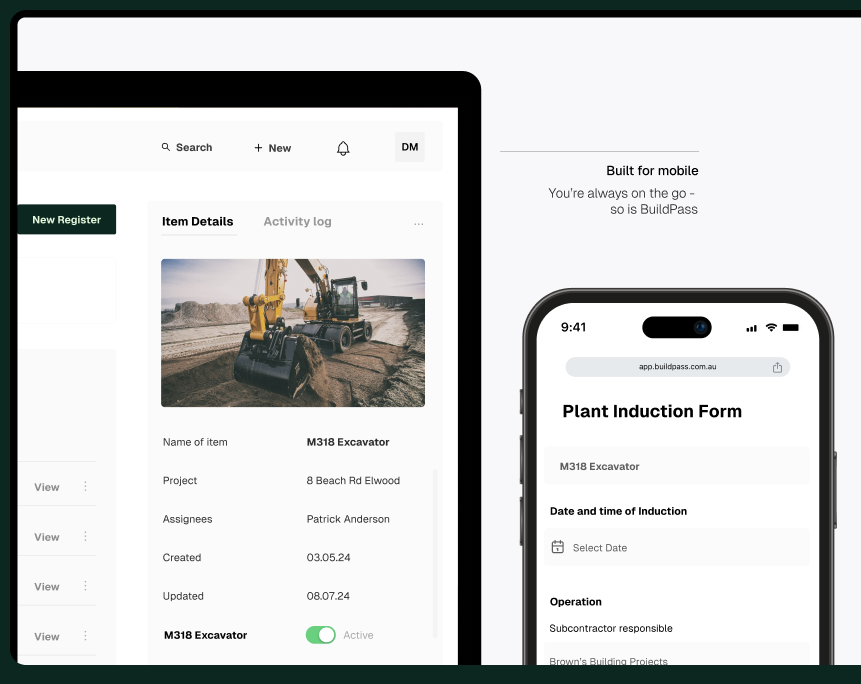
BuildPass is a cloud platform for builders and head contractors, founded in Melbourne and now sold in the US too. The core (Build in Australia, Core in the US) runs the site: inductions, sign-ons, insurances, incidents, tickets, a SWMS builder, site diaries, forms and timesheets. Higher plans add drawings, RFIs, submittals, defects, permits and pre-qualifications.
On top sits Win & Pay, an add-on for any plan: takeoff, estimating and quote comparison before the job, then job costing, invoice automation, progress claims, WIP and cash forecasting during it – all sharing the same jobs, documents and cost codes.
What the pricing page does not make obvious: there is no price to find. BuildPass states on its US plans page that it does not publish prices because cost depends on the plan and admin logins. Verified on its Pro page, the meter is admin users only – people in the main app, not the free worker app. Workers and subcontractors cost nothing, and every plan includes unlimited projects and full history.
Key features
- Site basics on every plan: digital inductions (no app required for workers), sign-ons, insurances, incidents, tickets and a SWMS builder
- BuildPass AI and Agent: an in-account agent that searches live records, drafts RFIs, logs defects and builds reports – and waits for approval before changing anything
- Drawings on Pro: sheets split on upload, markups carry forward through revisions, RFIs pinned to a spot on the page
- RFIs and submittals on Pro: RFIs assignable to consultants with no login; submittals with staged approvals and ball-in-court tracking
- Safety on Pro: permits for high-risk work, subcontractor pre-qualifications and emergency evacuations from the app
- Win & Pay add-on: takeoff, estimating, levelled quote comparison, budgets, progress claims, WIP and cash forecasting
Pricing
Pricing is not public. The vendor’s plans page says so plainly: a flat monthly subscription based on the plan (Lite, Standard, Pro in Australia; Core, All In and Enterprise in the US) and the number of admin logins – not project value, project count or site headcount. Plans and admin counts can change at any time. Directories list figures starting around $175 per month for Lite; those are directory-sourced, not vendor-published, and are to-verify until BuildPass quotes you.
Who it’s for
Small to mid-sized builders and head contractors – Australian firms first, US firms now too – who want inductions, safety paperwork, site records and, on higher plans, drawings, RFIs and defects in one system, without per-worker or per-project charges.
Who should skip it
Anyone who needs a published price before talking to sales. Skip it too if you mainly need estimating or finance – those live in the Win & Pay add-on, not the core.
Pros
- Admin-login pricing with unlimited projects, workers and history – easy to model
- AI, Agent and MCP access included on every plan, not gated behind the top tier
- The Agent works inside your permissions, waits for approval, and BuildPass says it does not train AI on your data
- Genuine breadth on Pro: 36 modules, permits to drawings and submittals
Cons
- No published pricing – every comparison starts with a sales conversation
- Drawings, RFIs, submittals, defects and permits are Pro-only; lower plans are safety-and-records
- Estimating and finance cost extra as the Win & Pay add-on
- Compliance content is Australian in origin (SWMS), so US buyers should check state forms carefully
FAQ
How much does BuildPass cost?
BuildPass does not publish prices; it charges by plan and admin logins, with workers and subcontractors free. Directory figures from $175 a month for Lite are not vendor-published and need a direct quote.
Is the AI an extra charge?
No. The Pro page states BuildPass AI, the Agent, MCP access, phone calls, the template library and integrations are on Lite, Standard and Pro alike – not an upgrade.
Does BuildPass charge per project or per worker?
No. Every plan runs unlimited projects, subcontractors, workers and history. The only meter is admin users – people in the main app, not the worker app.
Bottom line
BuildPass suits a head contractor drowning in induction, SWMS and site paperwork who wants one flat subscription instead of per-head or per-project-value pricing. Judge it on the demo – that is the only place the price exists – and price the plan with the modules you need, since RFIs and drawings start at Pro.