
Quick verdict
BetterDocs Review 2026: The AI Knowledge Base That Writes, Summarizes and Answers From Your Docs
BetterDocs is a WordPress knowledge base plugin by WPDeveloper that has rebuilt itself around AI: it drafts documentation and FAQs with a “Write With AI” writer, summarizes docs automatically, exposes your whole knowledge base to Claude, ChatGPT and Cursor through a free built-in MCP server, and — with a separately priced add-on — answers visitors’ questions from your docs in a chat widget. It is listed on WordPress.org at version 4.9.6, updated in November 2026, with 30,000+ active installs and a 96/100 rating across 500+ reviews.
What it is
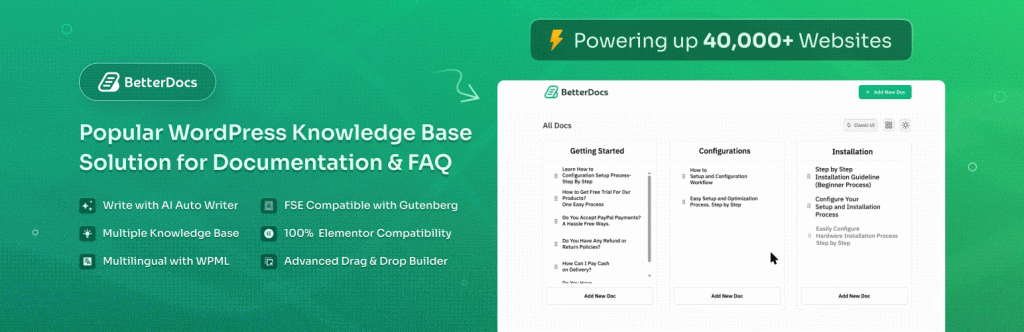
At its core BetterDocs is a complete knowledge base: ready-made landing, archive and single-doc templates, a sticky table of contents, live search as visitors type, an FAQ builder with schema, glossary tooltips, and layouts for Gutenberg, Elementor and full-site editing. That foundation matters because the AI features sit on top of a real docs system rather than replacing one — every AI feature also has its own switch for teams not ready to use it.
The AI layer works at three points in a doc’s life. At creation, Write With AI turns a title into a full doc or FAQ using your own model key, and the Bulk Documentation Generator can draft categories, articles and FAQ groups from your real pages and products. For readers, the AI Doc Summarizer produces a quick overview of a doc’s content, and every doc is also published as clean Markdown (add .md to its URL) so AI assistants and crawlers can read it properly. And through the free MCP server, you can connect Claude, ChatGPT or Cursor to your documentation over an OAuth-based setup and have the assistant draft, edit and reorganize docs — as you, with your approval, revocable at any time.
Key features
- Write With AI and AI FAQ Builder (free). Generate full docs and FAQ entries, then improve, expand, fix grammar or change tone on selected passages, using reusable instruction guides for your house style.
- Free MCP server. AI assistants like Claude, ChatGPT and Cursor can read and write your documentation directly through the Model Context Protocol — no coding or manual API configuration, per the vendor.
- Bring your own model. Writing and editing call the provider you choose with your own key — OpenAI, Claude, Gemini, DeepSeek, OpenRouter or any OpenAI-compatible endpoint — and you can swap models per feature, a cheap model for summaries and a strong one for long-form docs.
- AI Analytics and Content Intelligence (Pro). Reading completion rather than pageviews, the searches that came up empty clustered into topics with a draft of the missing doc, stale and duplicate content flags, and a per-doc content health score.
- AI Instant Answer (Pro). Surfaces the right doc from whatever page a visitor is on, rather than leaving them to search.
- AI Chatbot add-on (separate). A widget that answers from your entire knowledge base and site content with the source linked, pulls WooCommerce and FluentCart product and shipping details, logs every conversation in wp-admin, and hands off to your support contact when it cannot answer.
- Developer-docs depth (Pro). API references generated from an OpenAPI spec with a try-it playground, and two-way Git sync with GitHub or GitLab so docs can live with the code.
Pricing
BetterDocs is free on WordPress.org, and unusually, the free tier includes the MCP server, Write With AI and the AI FAQ Builder. Pro pricing on the vendor’s own pricing page: Starter $69/year for 1 site, Innovator $149/year for unlimited sites, and Visionary $299 one-time for unlimited sites with lifetime updates and support. All three Pro tiers include the same feature set — AI Analytics and Content Intelligence, AI Instant Answer, API documentation and Git sync, and multiple and internal knowledge bases — differing by site count and term, not by features. The page was showing Black Friday discounts (roughly $48 / $97 / $179) when we checked.
What the pricing page doesn’t make obvious: the AI Chatbot is not in any Pro tier. It is a separate add-on at $69/year or $8.99/month per site, and it requires BetterDocs Pro. A one-site owner who wants the full “AI writes, organizes and answers” stack is therefore paying Pro plus the chatbot add-on — about $138 in year one at list prices — and the chatbot meter is per site even on the unlimited-sites Pro plans. Your own model API key is a third, usage-based cost on top for the writing features.
Who it’s for
- Product and SaaS teams drowning in repeat tickets — searchable docs, Instant Answer and the optional chatbot attack the same questions before they become tickets.
- Teams whose readers include AI assistants — the MCP server and per-doc Markdown make your documentation a source AI tools can actually cite and work with.
- Developer-focused products — OpenAPI-generated references and Git sync keep docs next to the code instead of rotting in a separate tool.
What to watch out for
- The chatbot costs extra, per site. It is an add-on on top of Pro, not a Pro feature — budget for both before planning a rollout.
- AI writing runs on your key and your bill. Bring-your-own-model keeps keys on your server (the vendor says keys are stored in WordPress, stripped from exports and never sent to BetterDocs), but generation costs are yours and vary by model.
- Content Intelligence is Pro-only. The gap analysis, stale-content flags and health scores that make the AI layer compound over time sit behind the paid tiers.
- AI drafts still need an editor. Bulk generation from your pages is a first draft engine; publishing unreviewed AI docs into a support knowledge base trades ticket volume for trust risk.
Pros
- Free tier is genuinely AI-capable: MCP server, Write With AI and the FAQ builder are included, not teased.
- Bring-your-own-model design with per-feature model choice and keys that stay on your server.
- Pro tiers differ by sites and term, not features — no feature-gating maze inside Pro itself.
- Content-gap analytics close the loop: failed searches become drafted docs.
Cons
- Visitor-facing AI Chatbot is a separate per-site add-on that also requires Pro.
- Writing quality and cost depend entirely on the model and key you bring.
- The deepest analytics and developer-docs features are Pro-only.
- A lot of surface area — templates, builders, AI suite, MCP, analytics — to learn and govern.
Frequently asked questions
Is BetterDocs free?
Yes. The free WordPress.org plugin is a complete knowledge base and includes the MCP server, Write With AI and the AI FAQ Builder. BetterDocs Pro ($69/year for one site, $149/year unlimited, or $299 one-time for unlimited with lifetime support) adds AI Analytics and Content Intelligence, AI Instant Answer, API documentation with Git sync, and multiple and internal knowledge bases.
Does BetterDocs include an AI chatbot?
Only as a separate add-on. The BetterDocs AI Chatbot costs $69/year or $8.99/month per site on the vendor’s pricing page and requires BetterDocs Pro. It answers visitors from your knowledge base and site content with sources linked, supports WooCommerce and FluentCart product questions, and logs conversations in wp-admin. Pro’s built-in AI Instant Answer — surfacing the right doc — is different and is included in Pro.
Can ChatGPT or Claude work with my BetterDocs documentation?
Yes, and it is free. BetterDocs ships an MCP server on your own domain; turn it on under BetterDocs → MCP, copy the connection URL into Claude, ChatGPT, Cursor or VS Code, and approve the connection on your site. The assistant can then draft, edit, reorganize and read analytics for your docs, acting as you, with access you can revoke.