
Quick verdict
Houzz Pro Review 2026: AI Estimates, Takeoffs and 3D Plans for Remodeling Carpenters
Updated October 25, 2026 – Tested Intelligence
Quick verdict: Houzz Pro is Houzz’s all-in-one platform for remodelers, and its AI does real carpentry-office work: drafting estimates from a voice description or a 3D floor plan, scanning plans for takeoffs, and turning an approved estimate into a schedule. Carpenters who sell on presentation feel it fastest — but Design and Pro include one user, and the floor planner is a sales tool, not a permit-drawing tool.
What it is
Houzz Pro is Houzz’s professional software: CRM, estimates, takeoffs, 3D floor plans, selections, mood boards, invoicing and payments, scheduling, daily logs and a client portal, in one cloud platform. Houzz Pro is the paid tier for builders, remodelers and specialty contractors; Houzz says over 3 million professionals use its platform (a vendor figure).
The AI layer, documented feature by feature in Houzz’s help centre, is why it belongs here now: it drafts documents from a typed or spoken description, converts 3D plans into estimates with suggested labour and material costs, scans plans for takeoff measurements and counts, and powers the AutoMate voice assistant. For a shop where the owner is also the estimator, that hands off hours of desk work.
Key features
- AI documents: describe the job by text or voice; AI drafts estimates, proposals, invoices, change orders
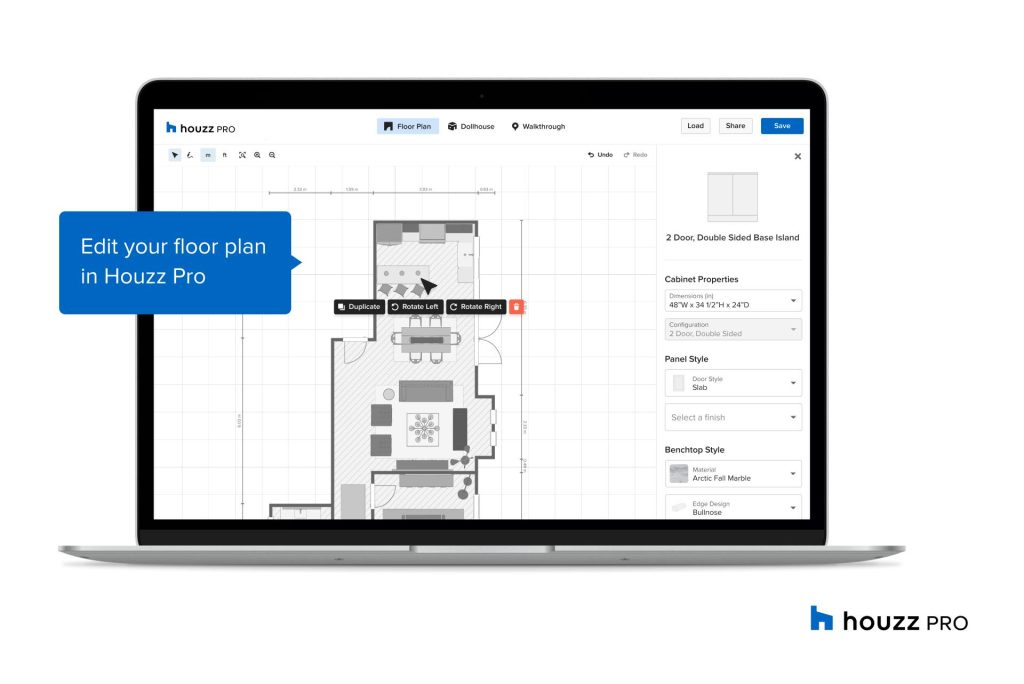
- AI 3D floor plans: a 2D plan becomes a 3D plan, then an estimate with suggested labour and material costs
- AI takeoffs: scans plans, measures area and length, detects icons for counts (simplified floor plans only, desktop only, per Houzz)
- AI estimate-to-schedule: an approved estimate becomes a schedule with phases, items and milestones
- AutoMate Assistant: voice-activated estimates, notes, tasks, daily logs and change orders in the app (US and Canada)
- AI Clipper and Selection Boards: paste a vendor link; AI extracts product details and images for selections
- AI Mood Boards: text-prompt image edits, e.g. changing a cabinet finish
Pricing
Houzz publishes three plans. Design is $99/month for 1 user: 3D floor plans, selections, Clipper and library, mood boards, CRM, estimates and proposals, invoices, online payments. Pro is $199/month for 1 user, adding takeoffs, bid management, change orders, budget management, contracts, project schedule and daily logs. Teams starts at $399/month with unlimited users, adding AI note-taking, a premium profile, email marketing, a custom website and dedicated support. Multi-person offices should price Teams first.
Who it’s for
Remodeling carpenters, kitchen-and-bath shops and design-build firms that win work in the showroom as much as on site — 3D plans, selections and mood boards are client-facing sales tools, and AI drafting suits an owner-operator who measures in the morning and quotes at night. Shops already getting Houzz marketplace leads get the CRM loop from enquiry to signed proposal as well.
Who should skip it
Carpenters who need construction documents: the floor planner presents layouts and finishes — roofs, framing and permit sets are not its job, so SketchUp or Chief Architect still sits beside it. Shops needing deep field and subcontractor management should compare dedicated construction platforms; Houzz Pro’s strength is the front office.
Pros
- Documented, specific AI: estimates from voice or a 3D plan, plan-scanning takeoffs, estimate-to-schedule
- One platform from lead to final invoice, with a client portal and selections workflow
- 3D presentation tools that help a small carpentry shop look like a design-build firm
- Published, simple pricing with a clear contractor tier (Pro, $199/month)
Cons
- Design and Pro include only 1 user; growing teams are pushed to Teams pricing
- AI takeoffs limited to simplified floor plans and desktop use, per Houzz’s help pages
- Presentation plans only — not permit-ready drawings or CAD files for an engineer
- Best value assumes you use the Houzz ecosystem, not just estimating
FAQ
What does Houzz Pro’s AI actually do?
Per Houzz’s documentation, the AI drafts estimates and other documents from a text or voice description, builds 3D plans from 2D plans and prices them, scans plans for takeoffs, converts estimates into schedules, clips product data from vendor links, scans receipts, and drafts client messages.
How much does Houzz Pro cost?
Design is $99/month (1 user), Pro is $199/month (1 user) and Teams starts at $399/month (unlimited users). Pro is the tier with takeoffs, change orders, budgets, contracts and scheduling. Houzz advertising packages are a separate cost on top.
Can Houzz Pro replace my design software?
For presentations, largely yes — its 3D plans and mood boards are built to sell the job. For documentation, no: no permit sets or framing plans, so shop drawings and permit work still need a dedicated design program.
Bottom line
Houzz Pro earns its look when a remodeling shop’s problem is the office, not the tools: slow estimates, selections scattered across emails, clients who cannot picture the finished kitchen. Its AI drafting, takeoffs and presentation tools attack exactly that, at a published $199/month. Trial it on one live job, check the AI estimate against your own numbers, and keep it only if the draft survives.