
Quick verdict
SeedProd Review 2026: The Page Builder With AI Writing and Images Built Into the Editor
SeedProd is a drag-and-drop WordPress website and landing page builder whose AI assistant writes headlines and body copy and generates custom images without leaving the editor. The free Lite plugin is on WordPress.org (version 6.20.10, 600,000+ active installs, rated 4.9 out of 5 from 4,699 ratings); paid plans on the vendor’s pricing page are normally $79 to $599 a year, with introductory discounts at checkout and renewals at full price. The caveat is in that structure: the AI assistant is a paid add-on bought at checkout, on top of a premium plan.
What it is
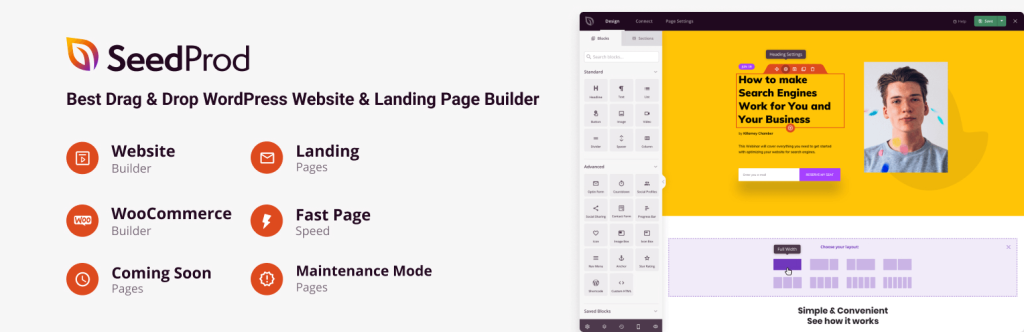
SeedProd is listed on WordPress.org as “Website Builder by SeedProd — Theme Builder, Landing Page Builder, Coming Soon Page, Maintenance Mode.” It started life as a coming-soon plugin and is now a full builder: a visual drag-and-drop editor, landing page and section templates, a theme builder on higher plans covering headers, footers, archives and single posts, and built-in coming-soon and maintenance modes with access controls. Everything runs inside your own WordPress install — no hosted platform, no separate dashboard.
The AI layer is what earns it a place in this section. SeedProd’s own AI guide describes the workflow: select any text block, click “Edit with AI,” and the assistant drafts a headline or paragraph from your prompt, with options to shorten, lengthen or simplify it; drag in an Image block, click “Add with AI,” and it generates a custom image from a description, which you can refine with variations or by brush-editing part of the picture. The vendor also offers an AI website generator that drafts a starting site from a short business description, and says the writing assistant can translate content into 50+ languages. The AI is not in the free plugin: you need a premium plan, and the AI add-on is added during checkout.
Key features
- AI writing assistant in the editor. Generate headlines, body copy and FAQ answers from a prompt inside any text block, then shorten, lengthen or simplify the result — no copy-pasting between a chatbot tab and your page.
- AI image generation and editing. The Image block’s “Add with AI” creates a custom visual from a text description; “Edit with AI” produces variations or reworks a highlighted area, so imagery is made in the builder rather than hunted in stock libraries.
- Drag-and-drop builder with deep templates. 90+ Pro page blocks on every paid plan, 50 Pro templates on Basic rising to 300+ on Pro and Elite, plus 100+ pre-built section templates on Plus and above.
- Theme builder and website kits (Plus and up). Website kits and a theme builder for headers, footers, blog and archive layouts, so the same tool builds a whole site, not just landing pages.
- Coming soon, maintenance and access controls. The feature the plugin was founded on is still on all plans: polished holding pages, subscriber management, and controls for who can bypass them while you build.
- Marketing integrations. Email integrations from Plus; 3,000+ Zapier integrations and dynamic text on Pro and Elite; Elite alone adds WooCommerce support and domain mapping.
Pricing
Pricing is from SeedProd’s own pricing page, in USD, billed yearly. The Lite plugin on WordPress.org is free, covering coming-soon, maintenance and basic landing pages — without the AI assistant. Paid plans show introductory pricing at checkout; the page lists the regular prices every plan renews at, and those are the numbers to budget on. Basic is normally $79/year for 1 site: 50 Pro templates, 90+ Pro blocks, subscriber management and standard support. Plus is normally $199/year for 3 sites, adding website kits, the theme builder, 100 Pro templates and email integrations. Pro is normally $399/year for 5 sites, with 300+ templates, priority support, dynamic text and Zapier integrations. Elite is normally $599/year for 100 sites, adding WooCommerce support and domain mapping. Two costs sit outside those figures: renewals are at the full price after the introductory term — roughly double the common first-year discount — and the AI assistant is a separate add-on selected at checkout. Paid plans carry a 14-day money-back guarantee.
Who it’s for
- Marketers and small businesses building landing pages often — sales, opt-in, webinar and thank-you pages are the template library’s home turf, and AI copy plus images remove the two slowest steps.
- Non-designers who need a whole site, not just pages — Plus and above add website kits and the theme builder, and the AI website generator can draft the starting structure.
- Anyone launching or rebuilding in public — the coming-soon and maintenance modes with subscriber capture are reasons to install it even before the builder earns its keep.
What to watch out for
- Budget on renewal prices. The vendor’s page is explicit: special introductory pricing, all renewals at full price. Basic renews at $79/year and Elite at $599/year — the year-two number is the real price.
- The AI is an add-on, not a plan feature. SeedProd’s AI guide states the assistant is added at checkout on top of a premium plan. If AI copy and images are why you are buying, confirm the add-on’s price before comparing headline plan prices against rivals.
- WooCommerce is Elite-only. Store owners who want SeedProd-built shop pages must buy the 100-site top tier even for one store; theme building likewise starts at Plus, not Basic.
- WordPress only, and self-hosted at that. SeedProd does nothing for a site on a hosted builder, and the free Lite version is a holding-page tool rather than a way to trial the AI.
- Research-based review. This review is based on SeedProd’s WordPress.org listing, its own pricing page and its published AI guides; we have not built a production site with it ourselves.
Pros
- AI writing and AI images live inside the editor — copy and visuals for a page are made in one place.
- Huge, proven install base: 600,000+ active installs and a 4.9-star average from 4,699 WordPress.org ratings.
- Free Lite version covers coming-soon and maintenance pages properly, with no time limit.
- Scales from a single landing page to a full theme-built site on the higher tiers.
- 14-day money-back guarantee on paid plans.
Cons
- Renewals are at full price — roughly double the introductory rates most buyers first see.
- AI assistant costs extra as a checkout add-on, on top of a premium plan.
- WooCommerce support is locked to the Elite tier at $599/year regular price.
- Theme builder requires Plus or higher; Basic is landing pages only.
Frequently asked questions
Is SeedProd free?
The Lite plugin on WordPress.org is free and covers coming-soon pages, maintenance mode and basic landing pages. The full builder starts at Basic, normally $79/year for one site (introductory pricing is lower at checkout; renewals are at full price), and the AI assistant is a paid add-on selected at checkout, not part of the free version.
What can SeedProd’s AI actually do?
Two things inside the editor: write text and make images. In a text block, “Edit with AI” drafts headlines and copy from a prompt, with shorten, lengthen and simplify options; in an Image block, “Add with AI” generates a custom image from a description, with variations and brush-editing. The vendor also offers an AI website generator that drafts a starting site from a short business description.
Does SeedProd work with WooCommerce?
Yes, but only on the Elite plan — normally $599/year for 100 sites — which adds WooCommerce support and domain mapping. If you only need landing pages that link to an existing store, the lower tiers are fine; if you want SeedProd to build the shop pages themselves, Elite is the price of entry.