
Quick verdict
WPForms Review 2026: The AI Form Builder That Drafts the Form From a Prompt
WPForms is a drag-and-drop WordPress form builder whose newest headline feature is AI: describe the form you need in plain language and WPForms AI builds it, then refines it through conversation, while AI Choices writes the answer options for your dropdowns, checkboxes and multiple-choice fields. The free Lite plugin is at version 2.0.3 on WordPress.org, installed on 5,000,000+ sites and rated 4.8 out of 5 from more than 14,300 reviews. Paid plans start at $49.50 a year at introductory pricing.
What it is
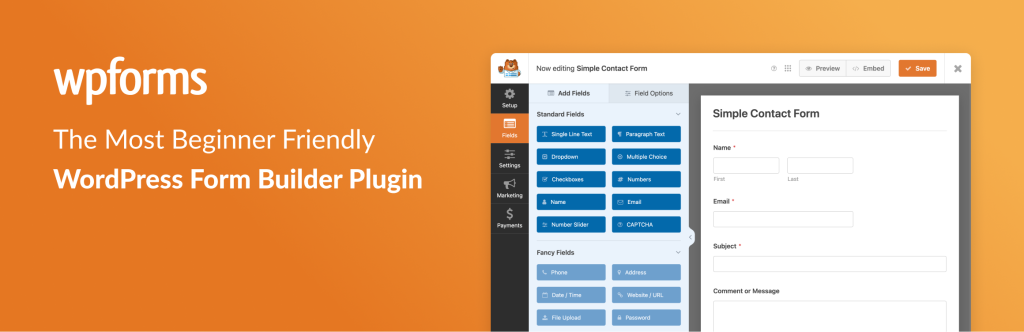
WPForms (wpforms.com) started as a beginner-friendly contact form plugin from the team behind WPBeginner, and the WordPress.org listing now titles it an “AI Form Builder” outright. The core is unchanged and still the point: a visual drag-and-drop builder, 2,100+ pre-built templates for everything from quote requests and bookings to surveys, quizzes and payment forms, and no code at any stage. You pick fields off a palette, arrange them, set notifications, and embed the form in any page, post or page-builder layout.
The AI sits on top of that foundation in three places. AI Forms creates and refines a complete form from a conversational prompt, so “a job application form with a file upload and a start-date picker” is a starting point instead of an afternoon of field-adding. AI Choices populates the options inside Multiple Choice, Checkbox and Dropdown fields — the tedious part of surveys and booking forms. And the Quiz addon uses AI to generate questions for graded and personality quizzes. None of it replaces the builder; it drafts, and you edit the draft in the same drag-and-drop canvas.
Key features
- AI Forms. Generate a complete form from a natural-language description and keep refining it in conversation, instead of assembling fields one by one.
- AI Choices. Automatically populate Multiple Choice, Checkbox and Dropdown options — useful for surveys, polls, booking preferences and quiz answers.
- 2,100+ templates and a drag-and-drop builder. Contact, payment, donation, registration, survey and booking forms ready to import, all editable without code and fully responsive.
- Payments without an e-commerce plugin. Stripe, Square, PayPal, Authorize.Net and Mercado Pago integrations cover one-off and recurring payments, donations and order forms; WPForms is a Stripe Verified Partner.
- Conversion addons on higher tiers. Conversational Forms, distraction-free Form Pages, Lead Forms, form abandonment capture and User Journey reports all target completion rate, not just collection.
- Spam protection and integrations. Built-in anti-spam plus hCaptcha, reCAPTCHA and Cloudflare Turnstile, and connections to Mailchimp, HubSpot, Salesforce, Google Sheets, Zapier, Slack and dozens more on paid tiers.
Pricing
Pricing is from WPForms’ own pricing page. Lite is free on WordPress.org, with unlimited forms and the AI builder in the listing, Stripe payments included — but with a 3% WPForms platform fee on transactions while you are on the free version or an inactive licence. Paid plans are billed yearly and shown at a 50% introductory rate: Basic is $49.50 a year (normally $99) for 1 site, adding entry management in the dashboard, conditional logic, file uploads and multi-page forms. Plus is $99.50 a year (normally $199) for 3 sites, adding email-marketing integrations such as Mailchimp, Klaviyo and Brevo.
Pro is $199.50 a year (normally $399) for 5 sites and is the tier most form-heavy sites actually need: full payment gateways with no WPForms transaction fees, surveys and polls, conversational forms, form abandonment, geolocation, Google Sheets, the Quiz and PDF addons and priority support. Elite is $299.50 a year (normally $599) for unlimited sites, adding Salesforce, HubSpot, ActiveCampaign and other CRM integrations, webhooks and multisite support. A 14-day money-back guarantee covers paid plans. The honest budgeting number is the renewal rate, not the first-year sticker: every tier roughly doubles when the introductory year ends.
Who it’s for
- Small businesses and solo site owners who need contact, quote, booking or donation forms live today, without hiring a developer or learning a form platform.
- Marketers running surveys, quizzes and lead forms who will actually use AI Choices, conversational forms and abandonment capture to lift completion rates.
- Agencies and multi-site operators on Elite who want one form tool, with CRM routing and client licence management, across unlimited sites.
What to watch out for
- Introductory pricing doubles at renewal. Basic renews at $99, Pro at $399 and Elite at $599 a year. Budget on those numbers, not the 50%-off first year.
- The free version takes a cut of payments. Stripe transactions on Lite carry a 3% WPForms platform fee on top of the processor’s own fees — fine for a test, expensive for a real order form.
- Entry storage is a paid feature. Dashboard entry management arrives with Basic; on Lite you are relying on email notifications, so a missed email can mean a missed enquiry.
- The useful addons live up the ladder. Payments done properly, surveys, conversational forms and CRM integrations are spread across Pro and Elite — check your one must-have feature’s tier before buying a cheaper plan.
- Research-based review. This review is based on WPForms’ WordPress.org listing and its own pricing and product pages; we have not run a live client enquiry funnel through it ourselves.
Pros
- AI Forms and AI Choices remove the blank-page and empty-dropdown work that slows form building down.
- Genuinely beginner-first builder with 2,100+ templates and a huge, current install base.
- Payments, surveys, quizzes and CRM routing in one plugin instead of a stack of addons.
- Clear vendor pricing page that shows both the introductory and the normal rate.
Cons
- Every paid tier roughly doubles in price at renewal after the introductory year.
- 3% platform fee on payments taken on the free version.
- Dashboard entry storage, full payments and surveys are all paid-tier features.
- WordPress only — forms for other platforms need a different tool entirely.
Frequently asked questions
Is WPForms free?
Yes. WPForms Lite on WordPress.org is free with unlimited forms, the drag-and-drop builder and Stripe payments. Paid plans start at $49.50 a year introductory for Basic (normally $99), which adds dashboard entry management, conditional logic and file uploads.
How does WPForms AI work?
AI Forms builds and refines a form from a conversational description — you describe the form, WPForms drafts the fields, and you edit the result in the normal builder. AI Choices separately generates the answer options for Multiple Choice, Checkbox and Dropdown fields, and the Quiz addon can generate quiz questions.
Does WPForms charge transaction fees?
On Pro and Elite with an active licence, WPForms adds no transaction fee of its own — you pay only your payment processor. On the free version or an inactive licence, WPForms states a 3% platform fee applies to transactions.