
Quick verdict
WP Project Manager Review 2026: AI Task Lists Inside a Full WordPress Project Suite
WP Project Manager is weDevs’ long-running project suite for WordPress — task lists, milestones, messaging and file sharing in wp-admin — now with AI that generates a complete task list from a project description. The free plugin is on WordPress.org (version 4.1.1, updated October 2026, 5,000+ active installs, rated 3.8 out of 5 from 187 ratings). Pro is priced flat per domain with unlimited users, strikingly cheap next to per-seat SaaS tools — as long as your features are not in a higher tier than you expected.
What it is
Project Manager, from weDevs (the Dokan and WP User Frontend maker), turns a WordPress site into a project workspace: unlimited projects and task lists, assignments, due dates, milestones, messages, file sharing and notifications, inside your existing dashboard. The vendor says it powers 6,000+ websites over 13+ years.
The AI layer is project creation. Describe a project and the plugin generates a complete task list from the description — you stop writing every task name by hand, then review and edit the list to your workflow. The listing’s external-services disclosure shows generation runs through the OpenAI, Google Generative Language and Anthropic APIs, so the AI is a connected service, not an on-server model. Pro adds the visual and commercial layer — Kanban, Gantt, time tracking and invoicing.
Key features
- AI-powered project creation (free). Generate a complete, editable task list from a project description, using OpenAI, Google or Anthropic models, instead of building every list from a blank page.
- Full task management in the free plugin. Unlimited task lists, assignments, due dates, comments, milestone tracking, threaded messages, file sharing and email notifications.
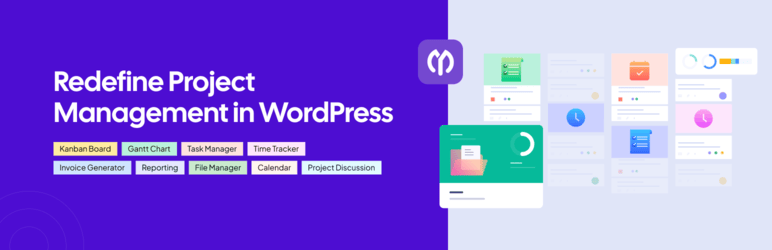
- Kanban, Gantt, time tracking and invoicing (Pro). A drag-and-drop Kanban board, an interactive Gantt chart with dependencies, start/stop task timers, and invoices auto-generated from tracked time, exportable as PDF, with Stripe payments.
- Frontend portals and integrations (Pro). Clients can manage projects from the site’s frontend, and Pro connects Slack notifications, GitHub and Bitbucket issue sync, Google Workspace (Drive, Calendar, Meet), WooCommerce projects created from orders, and BuddyPress permissions.
Pricing
The core plugin is free, including AI task-list generation, unlimited projects, tasks and users, milestones, messaging and file sharing. Pro is sold per domain, not per user (prices from the vendor’s product page): Personal is $79/year for 1 domain, with subtasks, frontend support and file management. Professional is $149/year for 5 domains, adding the Gantt chart, invoicing, the time tracker and an interactive calendar. Business is $249/year for 10 domains, adding the Kanban board, BuddyPress and WooCommerce integrations, Stripe payments and recurring tasks. A 30-person team on Business still pays $249 a year — the comparison the vendor itself makes against per-user SaaS tools. Lifetime licences are also offered.
Who it’s for
- Agencies already living in WordPress — client projects, frontend portals and invoicing inside the stack you already host, at a flat per-domain price.
- Teams priced out of per-seat SaaS — unlimited users on every tier means headcount growth does not change the bill.
- Freelancers starting projects often — the AI draft turns a brief into a working plan you edit, not a blank board.
What to watch out for
- The board you picture is the top tier. Kanban only arrives on Business at $249/year; Gantt, time tracking and invoicing start at Professional. Read the tier map before the $79 entry price anchors you.
- A mixed public record. 3.8 out of 5 from 187 ratings is cooler than most tools in this hub; trial it on a staging project before migrating a live team’s work.
- AI generation sends project data off-site. The listing discloses that task titles, descriptions, deadlines and comments may be sent to the OpenAI, Google and Anthropic APIs. Keep client-confidential detail out of AI project descriptions.
- Your team has to live in WordPress. The workspace is wp-admin plus a frontend portal — a harder sell to a team expecting a dedicated app with mobile clients.
- Research-based review. This review is based on WP Project Manager’s WordPress.org listing and the vendor’s own site and pricing; we have not run a live team on it ourselves.
Pros
- AI task-list generation is in the free plugin — describe the project, get an editable plan.
- Flat per-domain pricing with unlimited users undercuts every per-seat SaaS rival as teams grow.
- Pro covers the full agency loop — Kanban, Gantt, time tracking, invoicing and Stripe in one licence.
Cons
- Kanban is gated to the $249/year Business tier; key visual tools are split across Pro tiers.
- 3.8-star average from 187 ratings — the weakest public record among the productivity tools in this hub.
- AI features send task and project content to external AI APIs for processing.
Frequently asked questions
Is WP Project Manager free?
The core plugin is free, including AI task-list generation, unlimited projects, tasks and users, milestones, messages, file sharing and notifications. Pro adds Kanban, Gantt, time tracking, invoicing and integrations, from $79/year for one domain.
How does the AI task generation work?
You describe the project and the plugin generates a complete task list from that description, which you review and edit. The listing discloses that generation runs through the OpenAI, Google Generative Language and Anthropic APIs, with task titles, descriptions and deadlines sent for processing.
How is WP Project Manager priced compared with tools like ClickUp or Asana?
It is priced per domain instead of per user: Personal $79/year (1 domain), Professional $149/year (5 domains) and Business $249/year (10 domains), with unlimited users on every plan — a growing team pays the same flat licence where a per-seat tool multiplies its bill with every hire.