
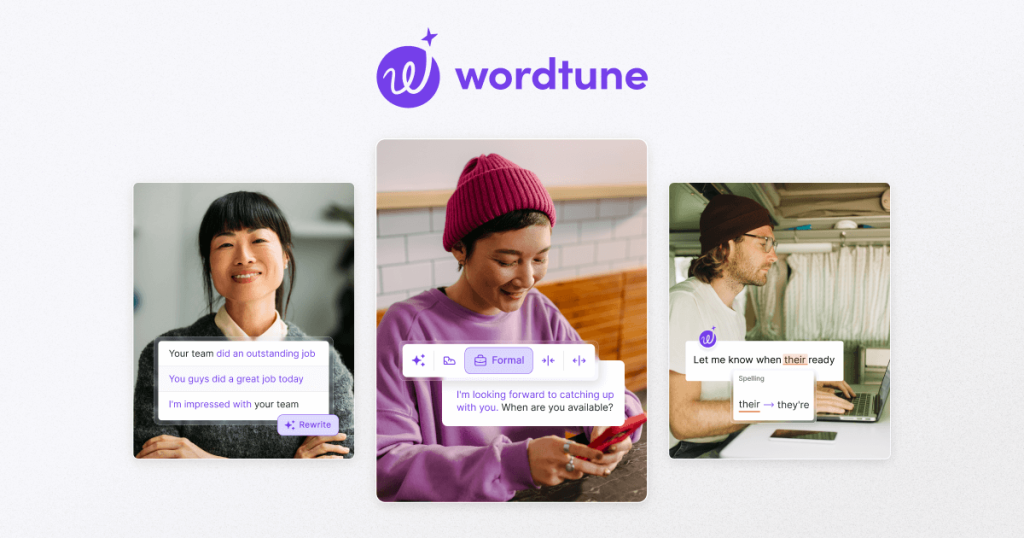
Wordtune Review: 10 Free Rewrites a Day, Right Where You Write
TL;DR: Wordtune’s free Basic plan gives you 10 AI rewrites per day, 3 AI summaries a month, and unlimited spelling and grammar corrections — all inline in your browser, Gmail, Docs, or Word, with no credit card required. It’s the fastest way to fix an awkward sentence you’ll actually use daily; the 10-a-day cap is the whole story on whether free is enough for you.
What Wordtune Is
Wordtune, built by AI21 Labs, is an inline AI rewriting assistant. Instead of opening a separate app, you highlight a sentence wherever you’re writing — Gmail, Google Docs, Word, any website via the Chrome or Edge extension — and Wordtune offers alternative phrasings with different tones, lengths, and structures. One click drops the rewrite into your text.
Based on specs, pricing, and user reviews, Wordtune’s defining trait is workflow speed. Reviewers consistently say its inline approach beats copying text into a chatbot for everyday editing: no context-switching, no prompting, just highlight and pick. It’s strongest for non-native English speakers, business writers, and anyone whose job involves making sentences sound clearer and more professional. It’s not a content generator — it refines what you’ve already written.
What’s Actually Free
Wordtune’s Basic plan is free forever. Free-tier details verified October 2026:
| Free plan includes | Limit |
|---|---|
| AI rewrites & suggestions | 10 per day |
| AI summarizations | 3 per month |
| Spelling corrections | Unlimited |
| Grammar checks | Unlimited |
| Chrome/Edge extension + Word add-in | Included |
| Credit card required | No |
Paid tiers: Advanced at $6.99/month ($4.89/month billed annually) raises the cap to 30 rewrites/day and 15 summaries/month; Unlimited at $9.99/month ($6.99/month billed annually) removes caps entirely and adds paragraph rewrites, Wordtune Spices, and vocabulary enhancements. Both paid tiers include a 3-day free trial (payment details required upfront). Students, educators, and nonprofits get 30% off.
Key Features
Rewrite. The core: multiple alternative phrasings for any highlighted sentence, ranked by fluency and clarity.
Tone and length control. Switch a sentence between casual and formal, or expand it with detail / shorten it to the essentials — from the same menu.
Spices. Creative continuation prompts (add a statistic, a joke, a counterargument) for when you’re stuck mid-draft. Limited on free.
Summarizer. Condenses articles, PDFs, and even YouTube videos with section-level breakdowns. Three summaries a month on free.
Smart Translate. Drafts fluent English from 10 source languages inside the editor — a standout for multilingual writers.
Everywhere extensions. Chrome, Edge, and a Microsoft Word add-in mean the tool meets you in your document rather than the reverse.
Pros and Cons
Pros:
- Inline workflow is genuinely faster than chatbot copy-paste for editing
- Unlimited spelling/grammar on free — a real Grammarly competitor for basics
- Excellent for non-native English speakers (rewrite + Smart Translate)
- No credit card, minimal learning curve
- Affordable unlimited tier ($6.99–9.99/mo)
Cons:
- 10 rewrites/day is tight — G2 reviewers call it the top reason people upgrade
- Only 3 summaries a month on free
- Output is English-only; other languages work only as translation inputs
- Not a content generator — needs your draft first
- Paid trials require payment details upfront
Who It’s Best For
Wordtune’s free tier fits non-native English writers, professionals polishing emails and reports, and students refining essays — anyone who rewrites sentences daily but in modest volume. It’s a poor fit for heavy content producers (you’ll hit 10 rewrites by mid-morning), fiction writers, and anyone wanting AI to draft from a blank page.
FAQ
Is Wordtune free?
Yes — the Basic plan is free forever: 10 rewrites/day, 3 summaries/month, unlimited spelling and grammar checks, no credit card required.
What counts as a “rewrite”?
Each time you generate alternative phrasings for a highlighted sentence across the extension, web editor, or Word add-in. The 10-per-day cap is shared across all of them.
Wordtune vs Grammarly — which should I use?
Different jobs: Grammarly is the better always-on proofreader with a bigger free AI allowance; Wordtune is the better sentence rewriter. Many writers run both free tiers side by side.
Does Wordtune work in languages other than English?
Rewriting output is English-only, but Smart Translate can draft English from 10 source languages.
Can I cancel the paid trial before being charged?
Yes — the 3-day trial doesn’t charge until it ends, and you can cancel from your account page. But it does require entering payment details upfront.
Getting the Most Out of the Free Tier
Ten rewrites a day goes further than it sounds if you spend them deliberately: save them for high-stakes sentences — the opening line of a cold email, a tricky paragraph in a report, a headline that isn’t landing — and let the unlimited spelling and grammar checks handle everything else. The Microsoft Word add-in is worth installing if you draft in Word, since it puts the same rewrite menu inside the desktop app. And if you consistently burn through all ten before lunch, that’s your signal the work has outgrown the free tier.
Bottom Line
Wordtune free is the rare AI tool you’ll actually open every day: 10 thoughtful rewrites, inline, zero friction. If 10 a day covers your editing habit, it’s perfect and free forever. If you’re rewriting all day long, the cap will push you to the unlimited tier — which, at $6.99–9.99/month, is fairly priced for what it saves.