
Quick verdict
Sumtics Review 2026: Real TL;DRs From Your WordPress AI Connector, With a Free Fallback
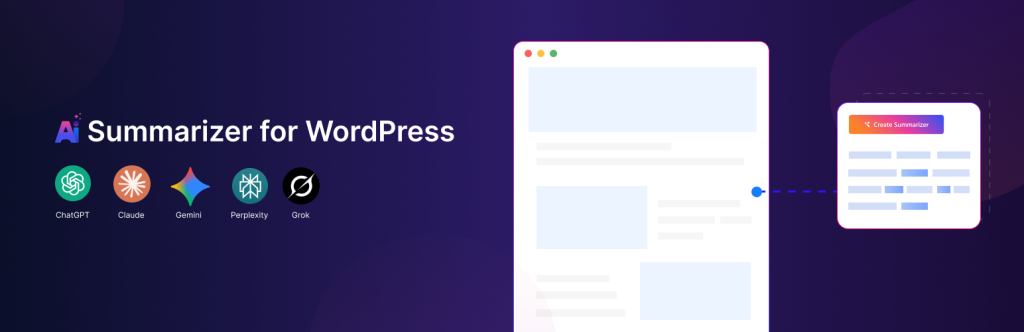
Sumtics is a free WordPress summarizer that does the thing most “summarize with AI” buttons do not: it writes an actual TL;DR for each post and shows it inline, generated through the WordPress AI connector you already have configured. It is on WordPress.org at version 1.2.0, updated June 2026, with 60+ active installs and no ratings yet. Alongside the inline summary it adds one-click buttons that open ChatGPT, Claude, Gemini, Grok, Google AI or Perplexity with a ready-made prompt, plus a floating summarize button — and if no AI provider is available, a built-in on-server engine still produces a summary without sending your content anywhere.
What it is
Sumtics, from Apselo, tackles the familiar problem that long articles lose readers in the first screenful. On publish or update it generates a concise TL;DR — you set the length from 1 to 5 sentences and can pick the model or let the plugin choose a default — caches it with the post for fast loading, and displays it above or below your content in a collapsible box whose transparent, theme-adaptive design inherits your site’s colours in light and dark themes.
Generation runs through the built-in WordPress AI Client: on WordPress 7.0+ you connect a provider once under Settings > Connectors — Anthropic (Claude), Google (Gemini) or OpenAI (ChatGPT) — and Sumtics uses it for every summary, so the cost and the account are yours rather than the plugin vendor’s. If AI is unavailable, you can fall back to the plugin’s Basic engine, an on-server extractive summarizer that builds a summary from the post itself with no external API call. Editors keep control: any summary can be edited, regenerated or overridden per post, and a manual edit is not overwritten by automatic regeneration. A bulk tool backfills summaries for all existing posts in one click.
Key features
- Automatic inline TL;DR. A real AI-generated summary created on publish or update, cached for speed, shown in a collapsible, theme-adaptive box, with length (1–5 sentences), model choice and custom prompts.
- External summarize buttons. One-click buttons open the reader’s chosen assistant — ChatGPT, Claude, Gemini, Grok, Google AI or Perplexity — pre-filled with a summarize prompt for your article; no API key needed for this part.
- Floating AI button. A floating “Summarize” button that follows the reader and expands to the tools you enable, with six positions and custom offsets.
- On-server extractive fallback. The Basic engine summarises entirely on your server — free, private, and available even with no AI provider connected.
- Per-post and content-type control. Edit, regenerate or override any post’s summary in the editor; choose exactly which post types get summaries and buttons; shortcodes (
[sumtics_ai_summarize]and[sumtics_floating_button]) place either element anywhere. - Bulk backfill. Generate summaries for your whole archive from the settings page instead of editing posts one by one.
Pricing
Sumtics is free — completely, per the vendor. The WordPress.org plugin includes all features, the vendor’s own site states “100% free, all features” with no account required, and its FAQ says there is no subscription and no per-summary cost from Sumtics because summaries run on your own AI provider connection. The external buttons and the on-server Basic engine cost nothing at all; the inline AI summary costs whatever your connected provider charges you for the generation calls, under your own account and limits.
What the pricing page doesn’t make obvious: “free” describes the plugin, not the AI. The headline feature — a genuinely AI-written TL;DR — only exists if your site runs WordPress 7.0 or newer and you have connected (and are paying for, on that provider’s own terms) a Claude, Gemini or ChatGPT provider under Settings > Connectors. On an older WordPress, or with no provider connected, what you get is the Basic extractive engine: useful and private, but it assembles a summary from your existing sentences rather than writing one, which is a materially different result from the marketing screenshots. Budget the decision accordingly — the plugin is free, the intelligence is bring-your-own.
Who it’s for
- Blogs, news and magazine sites on modern WordPress — if you already run WordPress 7.0+ with a connector provider set up for other plugins, Sumtics adds real TL;DRs at no extra subscription.
- Documentation, knowledge bases and course sites — long reference pages are exactly where a 1–5 sentence gist up top saves readers, and content-type targeting keeps summaries off pages that do not need them.
- Privacy-conscious publishers — the Basic engine never sends content to a third party, and even the AI route sends it only to the provider you chose.
What to watch out for
- Tiny track record. Version 1.2.0 shows 60+ active installs and no ratings on WordPress.org. The inline AI summary and the redesigned settings interface both arrived in that single 1.2.0 release, so the current feature set is months old at most.
- The WordPress 7.0 gate is real. The AI connector integration requires WordPress 7.0+; the plugin installs on WordPress 5.4+, but on older versions you are limited to the extractive fallback and the external buttons.
- It is the fourth summarizer pattern, not a reader-side research tool. Against the other summarizers we have reviewed on Tested Intelligence, the split is clear: WPSummarize needs your own OpenAI key and caps its free tier at 50 summaries a month, AltoSum hosts the AI for you but allows only 10 free summaries a month, and SummarAIze centres on editable key takeaways from your API key. Sumtics is the only one of the four with no vendor-side summary cap — because the vendor never runs the AI at all.
- Research-based review. Based on the vendor’s WordPress.org listing and its own product page; not installed on a live site ourselves.
Pros
- Writes a real, cached TL;DR inline — not just a link out to an AI chat — and still offers the link-out buttons and a floating button in the same plugin.
- Genuinely free with all features included; no account, subscription or per-summary fee to the vendor.
- Private fallback: the on-server extractive engine works with no provider and sends nothing off your site.
- Editor control is done properly — per-post edit and regeneration, and manual edits survive automatic regeneration.
Cons
- Full AI summaries require WordPress 7.0+ and your own connected, paid AI provider.
- The no-provider fallback is extractive, not AI-written — a weaker summary than the headline feature implies.
- 60+ installs and no ratings: support responsiveness and long-term maintenance are unproven.
- No hosted option at all — sites that cannot manage a provider connection get the basic engine only.
Frequently asked questions
Is Sumtics really free?
Yes. The vendor lists the plugin as 100% free with all features, no account and no subscription, and charges no per-summary fee. The one cost sits outside the plugin: if you use the inline AI summary, generation runs through the AI provider you connect in WordPress (Claude, Gemini or ChatGPT), on that provider’s own pricing.
Does Sumtics work without an AI provider?
Yes, in two ways. The external summarize buttons need no key at all — they open the reader’s chosen AI tool with a ready-made prompt. And the Basic engine generates a summary on your own server with no external API call. What you do not get without a provider is an AI-written inline TL;DR; the Basic engine is extractive, building its summary from your post’s own sentences.
Can I edit or override a summary?
Yes. Each post has per-post controls in the editor to view, edit and regenerate its summary, and a summary you edit manually is kept — automatic regeneration will not overwrite it. You can also set global default prompts and lengths, override them per post, and bulk-generate summaries for all existing posts from the settings page.