
Quick verdict
Spectra Blocks Review 2026: The AI Website Builder That Drafts Pages in Native Gutenberg Blocks
Spectra Blocks is Brainstorm Force’s complete rebuild of Spectra for the modern block editor — and its headline trick is Zip AI, a companion plugin that turns a text prompt into a full page draft made entirely of native, editable blocks. The plugin is free on WordPress.org (version 1.0.14, updated November 2026, 70,000+ active installs, rated 4.6 out of 5 from 53 ratings). Every block and Extension in it is free with no account required — but the AI itself is a separate, credit-metered service, and even a Spectra Blocks Pro licence does not include a single AI credit.
What it is
Spectra Blocks is a block library and AI website builder from Brainstorm Force, the team behind the Astra theme. It is not an update to the plugin most people know: the original Spectra, published as “Ultimate Addons for Gutenberg,” has been renamed Spectra Legacy and keeps receiving maintenance updates, while Spectra Blocks is a separate, new plugin rebuilt directly on WordPress’s modern core-block APIs. The two can run side by side during a transition — existing pages keep working on Legacy while you build new ones in Blocks.
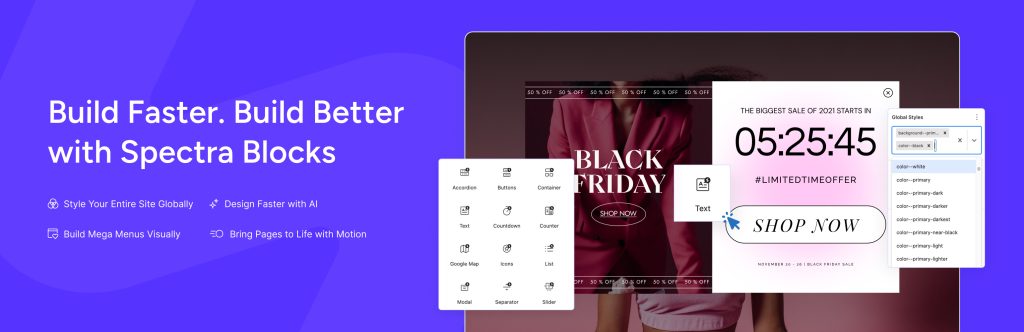
Instead of dozens of single-purpose blocks, Spectra Blocks ships a smaller set of flexible blocks — Text, Buttons, Container, Accordion, Tabs, Slider, List, Icon, Separator, Google Map, plus Post, Countdown, Counter, Modal and a Popup Builder — and layers Extensions on top that add advanced spacing, border, shadow and responsive controls to WordPress’s own core blocks. Content is stored as standard block markup: no shortcodes, no proprietary page format, no separate builder interface to learn. A Design Library supplies ready-made patterns for testimonials, info boxes, pricing tables and comparisons, and Global Styles set colours, typography and spacing once, site-wide.
Key features
- AI page generation. Describe a page and Zip AI generates a complete first draft using Spectra blocks, right inside the Block Editor — then sets up your colours, typography and spacing as Global Styles automatically.
- AI section generation and rewriting. Generate just a hero, pricing table, FAQ or testimonial section instead of a whole page, or ask the AI to tighten, rewrite or expand copy that already exists.
- HTML-to-blocks conversion. Upload an existing HTML page and get it back as native Spectra blocks you can keep editing normally — nothing is locked behind an AI-only interface.
- Extensions for core blocks. Advanced spacing, border, shadow and responsive controls bolt onto the core blocks you already use, so you keep WordPress’s blocks and gain design power on top.
- Popup Builder and animations. Build popups from the same native blocks, and apply fade, slide, zoom and flip animations directly to blocks.
Pricing
The core plugin is free on WordPress.org — all blocks and all Extensions included, with no account required. Spectra Pro, sold on wpspectra.com, costs $69/year for up to 3 websites (or $319 one-time for lifetime) and adds the Loop Builder, Mega Menu, SVG Animator, Dynamic Content, Motion Effects and Block Positioning, plus advanced Global Styles, animation and popup controls. The bundles go further: Essential Toolkit + AI is $199/year for up to 10 websites and Business Toolkit + AI is $279/year for up to 1,000 websites, adding Astra Pro, premium patterns and kits, and the ZipWP AI Platform. A 14-day money-back guarantee applies.
What the pricing page doesn’t make obvious: three things. First, the AI is not in the licence at all — Spectra Blocks’ own WordPress.org listing states that AI features come from Zip AI, a separate free plugin, that using AI requires a ZipWP account, and that it “runs on credits, including for Spectra Blocks Pro users.” ZipWP’s own documentation puts numbers on that: the free plan includes just 1,000 AI credits in total, personalising full pages with ZipWP AI inside Spectra is given as a 5,000-credit example, and paid ZipWP plans run from 125,000 total credits (Starter) to 20,000 credits a month (Pro) and 100,000 a month (Business). Second, the Toolkit prices are introductory — Essential renews at $299/year and Business at $429/year, per the pricing page’s own footnote — while standalone Spectra Pro renews flat at $69/year. Third, premium patterns and kits require the Essential Toolkit or higher, even for Pro licence holders.
Who it’s for
- Gutenberg loyalists who want AI drafts — a prompt becomes an editable page of native blocks, not a locked template in someone else’s builder.
- Freelancers starting client pages — section-level generation plus the Design Library kills the blank page, and the output stays maintainable by anyone with block-editor skills.
- Legacy Spectra users planning ahead — Blocks is the actively developed version, and running both plugins during a gradual rebuild is explicitly supported.
What to watch out for
- AI costs extra, on a meter. The free ZipWP plan’s 1,000 total credits will not cover even one 5,000-credit full-page personalisation from ZipWP’s own example; heavy AI users need a ZipWP plan on top of any Spectra licence.
- The Pro licence excludes the AI Platform. On the vendor’s pricing page the entire AI Platform section is struck through for the $69 Pro plan — it arrives with the $199/year Essential Toolkit + AI and above.
- Toolkit renewals jump. Essential Toolkit + AI renews at $299/year and Business Toolkit + AI at $429/year, against first-year prices of $199 and $279.
- Migration is a rebuild, not a switch. Global Colours, Typography and default block settings are not shared between Legacy and Blocks, and custom CSS written for Legacy block classes needs updating on rebuilt sections.
- It is a young plugin. Spectra Blocks is at version 1.0.14 with 53 WordPress.org ratings — a fraction of its Legacy sibling’s history — so expect the block set and AI tooling to keep moving.
- Research-based review. This review is based on Spectra Blocks’ WordPress.org listing, Brainstorm Force’s pricing page and ZipWP’s official documentation; we have not built a production site with it ourselves.
Pros
- AI output is native Gutenberg markup — fully editable afterwards, with no lock-in and no separate builder to keep paying for just to keep pages working.
- The free plugin is unusually complete: every block and Extension is free, with no account required.
- Established vendor: Brainstorm Force (Astra, Starter Templates), 70,000+ active installs and an update shipped in November 2026.
Cons
- AI generation is a separate credit-metered ZipWP service — a Spectra Pro licence includes zero AI credits.
- The free ZipWP plan’s 1,000 total credits are a trial in all but name against 5,000-credit example operations.
- Toolkit bundles renew well above their first-year prices ($199 → $299; $279 → $429).
Frequently asked questions
Is Spectra Blocks free?
Yes. The WordPress.org plugin, all of its blocks and all Extensions are completely free and need no account. Spectra Pro ($69/year for up to 3 sites) adds design features such as the Loop Builder, Dynamic Content and Motion Effects. AI generation is separate: it runs through the free Zip AI companion plugin on ZipWP credits, which are not included in any Spectra licence.
What is the difference between Spectra Blocks and Spectra Legacy?
Spectra Legacy is the original plugin (formerly “Ultimate Addons for Gutenberg”), still maintained with compatibility and security updates. Spectra Blocks is a new, separate plugin rebuilt on WordPress’s modern core-block APIs, with a smaller set of flexible blocks plus Extensions and AI generation via Zip AI. Installing Blocks does not update or replace Legacy, and the two can run side by side.
How much AI use do I get for free?
ZipWP’s free plan includes 1,000 AI credits in total and 2 AI site generations in total, per ZipWP’s documentation. Credits are spent when you use ZipWP AI with Spectra — personalising full pages is documented as a 5,000-credit example — while building a complete website with AI does not consume credits. Paid ZipWP plans raise the allowance to 125,000 total credits (Starter), 20,000 a month (Pro) or 100,000 a month (Business).