
Quick verdict
Share Buttons & AI-powered Summaries Review 2026: Inline AI Summaries Plus One-Click Sharing to 11 AI Assistants
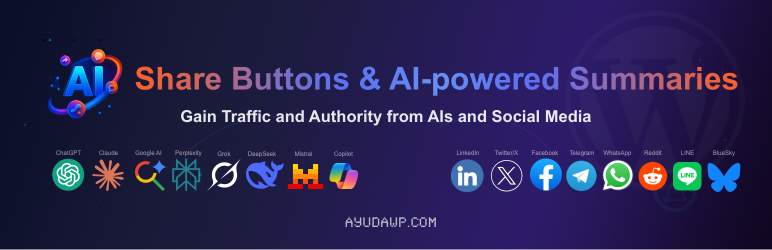
Share Buttons & AI-powered Summaries is a free WordPress plugin that does two jobs at once: it generates an inline AI summary readers can expand next to the share buttons on every post, and it adds one-click sharing to 13 social networks and 11 AI assistants — Claude, ChatGPT, Perplexity, Gemini and more — each opening with a citation-ready prompt that links back to your URL. It is listed on WordPress.org by AyudaWP, updated October 30, 2026, requires WordPress 6.1+ and PHP 7.4+, and is 100% free with all features included. Its headline technical claim is being among the first plugins built on the native WordPress 7.0 AI Connectors API, so your AI provider is configured once in Settings > Connectors and the plugin holds no API keys of its own.
What it is
Most summary plugins stop at the summary. This one treats the post page as a launchpad: an expandable summary box for readers who stay, and share buttons for readers who would rather interrogate the article inside their own AI assistant. Each AI button opens the chosen tool with a pre-filled, editable prompt pointing at your article, so the assistant summarizes your page and credits your site as the source.
The summary itself is generated asynchronously via WP-Cron when a post is saved, so it never blocks the editor. It renders in a native collapsible block, can be shown as a paragraph or a bullet list of one to five sentences or points, and can also be placed anywhere with the [ayudawp_aiss_summary] shortcode.
Key features
- Two-tier summary cascade. Level A uses the WordPress 7.0 AI Client with the provider you configured in core Connectors (OpenAI, Anthropic or Google); Level C is a built-in PHP extractive fallback with zero API cost that works on any WordPress 6.1+ install and labels its output “Basic summary.”
- Four generation modes. AI with extractive fallback (recommended), AI only, extractive only — which never contacts a provider — or disabled, plus a model selector you can leave on Automatic so the plugin picks a fast, cost-effective model instead of the newest flagship.
- 11 AI assistants, 13 social networks. Claude, ChatGPT, Google AI, Gemini, Grok, Perplexity, DeepSeek, Mistral, Copilot, Qwen and Meta AI sit alongside X, LinkedIn, Facebook, Telegram, WhatsApp, Reddit, Bluesky, Mastodon, Threads, Pinterest and others, in six styles and four sizes, inline or in a floating bar.
- Google Preferred Source button. A plain link — no Google script loads until clicked — that takes readers to Google’s tool for marking your site a preferred source, with clicks counted per post.
- Real analytics. Click tracking per platform and per post, timeline charts, period comparison and CSV export — all stored in your own database, with no IP addresses or user identification recorded.
Pricing
The plugin is $0 — completely free, all features included, per the vendor’s own WordPress.org listing and FAQ, including the full analytics dashboard with CSV export. There is no pro tier. The only possible cost is indirect: if you run summaries through the WordPress 7.0 AI Client, your configured provider (OpenAI, Anthropic or Google) bills API usage under your own account there; the extractive fallback costs nothing at all.
What the pricing page doesn’t make obvious: the AI only ever sees part of your post. The listing’s external-services disclosure states that generation sends the post title plus up to roughly 3,000 characters of plain text — so on a long article, the summary is built from the opening stretch, not the full piece. Two more documented details matter: posts under 50 words of text get no summary at all (images and tables do not count), and the summary block ships with data-nosnippet and Schema.org CreativeWork microdata specifically so Google leaves it out of snippets and AI Overviews — it is built not to compete with your own text in search results.
Who it’s for
- Publishers chasing AI citations — the citation-ready prompts and the Preferred Source button are aimed squarely at getting your URL carried into AI answers and Google surfaces.
- Site owners who hate plugin-held API keys — on WordPress 7.0 the credentials live in core Connectors and are shared by every plugin; this plugin never stores a key.
- Anyone who wants summaries with an off-ramp — extractive-only mode keeps every summary on your own server with zero external requests.
What to watch out for
- The silent-approval gotcha. The vendor’s own FAQ documents this: if you also run the canonical AI plugin from WordPress.org, its Tools > Connector Approvals screen can silently block this plugin’s outbound AI requests until you enable its toggle — everything then falls back to “Basic summary” with no obvious error. Check that screen first if AI summaries stop appearing.
- Version split. The real AI experience needs WordPress 7.0+ with a Connector configured. On older versions you get word-frequency extractive summaries — honest, labelled, but not comparable in quality.
- Button sprawl is your problem. Twenty-seven possible destinations is a lot of chrome on a post page; the compact phone modes help, but you still have to curate ruthlessly.
- Research-based review. Based on the vendor’s WordPress.org listing and documentation; not run on a live site ourselves.
Head-to-head: against the other summary plugins we cover
Against the summary plugins already reviewed in this section, the split is about where the summary lives. SummarAIze (reviewed November 5) generates five editable key takeaways with your own provider key and tracks them stale; AltoSum (November 2) is hosted and key-free with 10 free summaries a month. This plugin is the only one of the three that also pushes the article outward — one-click prompts into 11 external AI assistants — and the only one whose key management disappears into WordPress core on 7.0. Pick it for distribution; pick SummarAIze for editorial control.
Pros
- Completely free, including analytics and CSV export — no pro tier at all.
- Summaries plus AI-assistant sharing in one plugin, with your URL built into every AI prompt.
- No plugin-held API keys on WordPress 7.0; credentials are managed once in core Connectors.
- Extractive fallback means summaries still work — and stay private — with no provider configured.
Cons
- Best features depend on WordPress 7.0 and a configured Connector; older installs get basic extractive summaries.
- The canonical AI plugin’s approval toggle can silently disable AI generation until you find and enable it.
- AI summaries are generated from the title plus about 3,000 characters, so long posts are summarized from their opening only.
Frequently asked questions
Is Share Buttons & AI-powered Summaries really free?
Yes. The vendor states the plugin is 100% free with all features included — social and AI sharing, summaries and the full analytics dashboard. Your only possible cost is your own AI provider’s API charges if you generate summaries through the WordPress 7.0 AI Client.
Where do I put my API key?
Nowhere in this plugin. On WordPress 7.0+, keys are configured once in Settings > Connectors for OpenAI, Anthropic or Google, and the plugin reuses them through the core AI Client. Without a Connector — or on WordPress below 7.0 — it falls back to a local PHP extractive summarizer and sends nothing anywhere.
Why does my summary say “Basic summary”?
That label means the extractive fallback produced it, not the AI Client. The vendor lists three causes: WordPress 7.0 is not installed, no Connector is configured, or the provider call errored — including the case where the canonical AI plugin’s Connector Approvals toggle has not been enabled for this plugin.