
Quick verdict
Revizto Review 2026: BIM Coordination With Clash Automation and Issue Tracking in One Place
Updated October 13, 2026 – Tested Intelligence
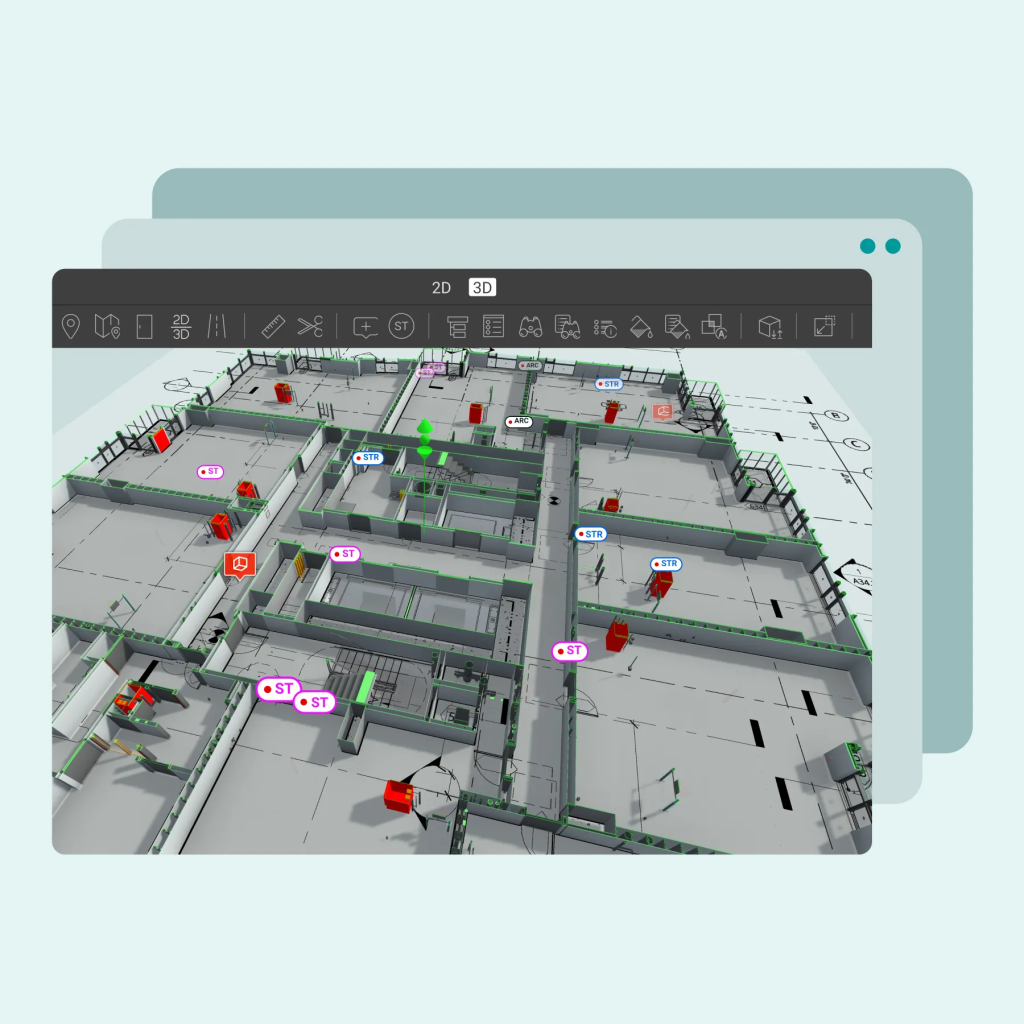
Quick verdict: Revizto is the coordination layer for teams tired of running clash detection in one tool, issue tracking in a spreadsheet and model viewing somewhere else. It puts 2D drawings, 3D models, automated clash tests and spatially pinned issues in a single workspace that non-BIM staff can actually open. Pricing is not public, so budget holders should expect a quote-based enterprise conversation rather than a checkout page.
What it is
Revizto, headquartered in Lausanne, Switzerland, calls itself an integrated collaboration platform for architects, engineers, contractors and owners. Models and drawings are authored elsewhere – Revit, Navisworks, ArchiCAD, SketchUp, Rhino and other tools – then published into Revizto, where the whole project team reviews them in a combined 2D and 3D environment, on desktop, mobile or in VR and AR.
The platform dates to 2011, and Construction Dive coverage shows it in use at large firms, including a three-year enterprise agreement with Harkins Builders announced in February 2025. In July 2025 Revizto added Issue Workflow Automation to its Workspace web app, and a Resolve integration brought multiuser BIM issue review into VR and the web.
Key features
- Unified 2D/3D workspace: drawings and models together, with overlay, split view and advanced search
- Collaborative clash automation: multiple clash types, dynamic grouping and automated issue creation from clash groups
- Integrated issue management: create, assign and track issues in 2D or 3D, pinned to their exact spatial location
- Issue Workflow Automation (launched July 2025) for routing, assignment and status updates by rule
- Connects to Autodesk Construction Cloud, Procore, Box and SharePoint; supports Revit, Navisworks, SketchUp, ArchiCAD, Rhino, FBX, IFC, BCF and point clouds
- Offline field access with automatic sync, plus dashboards, reports and an Issue API for project intelligence
Pricing
Pricing is not public. Revizto does not publish a per-seat price list; teams request a demo or a personalised quote, and directory sources describe the model the same way – commercial subscription, priced on scope. Get the quote structured around named users, project volume and any premium automation or API features your team actually needs.
Who it’s for
VDC and BIM coordination teams on multi-discipline projects – hospitals, airports, data centres and other complex builds – where architects, engineers, contractors and owners all need to see the same model, the same drawings and the same open issues, and where clash resolution accountability matters more than raw modelling power.
Who should skip it
Teams looking for a BIM authoring tool should skip it – Revizto coordinates and reviews models, it does not create them. Small firms with one discipline and a handful of clashes a month will likely find a quote-based enterprise platform more process than they need.
Pros
- Clash detection, grouping, assignment and tracking in one environment – no exporting between tools
- Accessible to non-technical stakeholders, which widens who can join coordination reviews
- Broad format and CDE support, including IFC and BCF for open-BIM workflows
- Offline field use, VR/AR review and a documented enterprise user base at large contractors
Cons
- Pricing is not public – every evaluation starts with a sales conversation
- Review roundups note reporting customisation is limited and filtering can be fiddly to set up
- Very large, complex models can slow the experience, per user reviews summarised by the vendor
- Value depends on disciplined publishing – stale models in, stale coordination out
FAQ
What does Revizto do?
It brings 2D drawings, 3D models, clash detection and issue tracking into one collaboration platform, with issues pinned to their spatial location and automated clash tests that can create and assign issues automatically.
How much does Revizto cost?
Pricing is not public. Revizto sells by quote after a demo, with subscription scope – users, projects and features – driving the figure.
Does Revizto replace Revit or Navisworks?
No. Models are still authored in tools like Revit and can still be clashed in Navisworks. Revizto is the shared review, coordination and issue-tracking layer on top of them.
Bottom line
Revizto earns its place on coordination-heavy projects: one workspace for models, drawings, clashes and the people responsible for closing them. If your coordination pain is communication and accountability rather than detection itself, it is well worth a demo – just go in knowing the price only appears at the end of that process.