
Quick verdict
PixMagix Review 2026: An In-Dashboard Image Editor With DALL-E and Stable Diffusion Built In
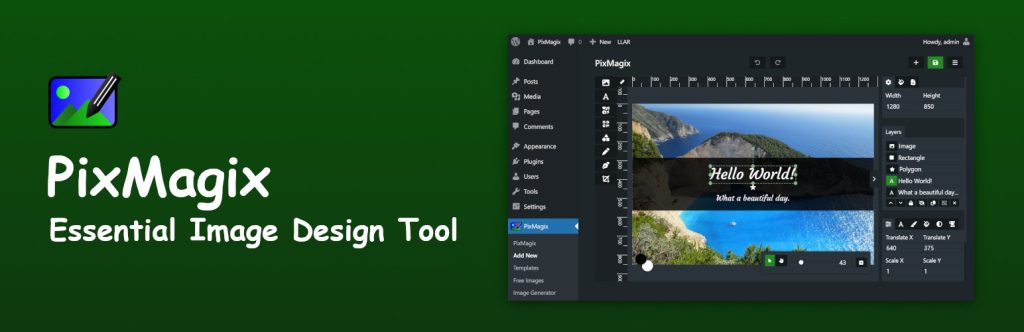
PixMagix is a WordPress image editor that lives inside your dashboard: design featured images and social graphics from scratch, edit photos you already have, and generate new images with AI models including DALL-E and Stable Diffusion without leaving WordPress. The plugin is on WordPress.org (version 1.7.3, updated June 2026, 200+ active installs, rated 4.5 out of 5 from 4 ratings). Unusually, the vendor’s own plan comparison puts the AI Image Generator in the free plan, not behind the Pro paywall.
What it is
Most WordPress image workflows bounce between an outside design tool, a stock-photo site and the Media Library. PixMagix collapses that into a single in-dashboard editor. Start from scratch, open and replace an existing media image, pull royalty-free photos in from Pixabay, Pexels and Unsplash, and save work in progress as projects so a site’s visuals stay consistent. Output covers JPG, WebP, PNG and SVG, with built-in optimisation for the web.
The AI layer is two-part. The AI Image Generator creates images from prompts using DALL-E and Stable Diffusion, aimed at blog visuals, social graphics and promotional material. A separate Clipdrop integration brings in that service’s AI editing tools — background removal and replacement, text removal, cleanup and text inpainting — for reworking real photos rather than generating new ones.
Key features
- AI image generation in the dashboard. Generate images with DALL-E and Stable Diffusion from inside WordPress — listed in the free plan as well as Pro.
- Clipdrop AI editing tools. Background removal and replacement, text removal, cleanup and text inpainting through the integrated Clipdrop API.
- A full WYSIWYG editor. Drag-and-drop design with text overlays, vector elements, a QR code generator and 20+ photo filters, plus editing and replacing Media Library images in place.
- Templates and one-click stock. A template library aimed at featured images and blog visuals, direct imports from Pixabay, Pexels and Unsplash, and designs that save as reusable projects.
Pricing
The Free plan includes the advanced editor, free templates, stock imports, the QR code generator, 20+ photo filters, media editing and replacement, and the AI Image Generator. Pro is sold by site count: a single site costs $4.99 a month billed monthly, $3.99 a month billed yearly ($47.88 a year), or a $149.99 lifetime payment. Five sites run $9.99 / $7.99 a month or $289.99 lifetime; 25 sites run $29.99 / $19.99 a month or $799.99 lifetime. There is a 7-day free trial, and a 30-day money-back guarantee where an issue makes the plugin unusable and support cannot resolve it.
What the pricing page doesn’t make obvious: Pro buys remarkably little over Free. The vendor’s own Free vs Pro comparison table lists exactly two Pro-only rows — editing PSD files and the Pro template library. The editor, stock imports, QR generator, filters and the AI Image Generator are all ticked for Free. The honest buying case for Pro is narrow: you work with PSD files, you want the premium templates, or you want the paid support. Everyone else should start free and upgrade only when one of those two rows matters.
Who it’s for
- Bloggers producing their own featured images — templates, stock imports and AI generation in one tool, mostly free.
- Small business and freelance site builders — a $149.99 lifetime single-site licence beats another monthly design subscription.
- Designers handed PSD files — PSD editing is the clearest Pro-only capability and the main reason to pay.
What to watch out for
- A very small install base. 200+ active installs and 4 ratings is a thin public record, even at 4.5 stars — test on a staging site first.
- Pro’s value is narrow. With only PSD editing and Pro templates exclusive to paid plans, many users will never need to upgrade.
- A solo-developer product. The pricing page introduces one named founder-developer as the support contact — personal support, but a bus-factor risk larger teams should weigh.
- Research-based review. This review is based on PixMagix’s WordPress.org listing and the vendor’s own site and pricing page; we have not run it on a live site ourselves.
Pros
- AI image generation is included in the free plan — a rarity among WordPress design plugins.
- Editor, templates, stock imports and AI tools in one dashboard.
- Lifetime pricing at every site tier, plus a 7-day trial and 30-day money-back guarantee.
- Clipdrop integration covers the unglamorous AI jobs — background and text removal — as well as generation.
Cons
- Only 200+ installs and 4 ratings — little community evidence either way.
- Pro adds just two capabilities over Free, so the upgrade case is weak for most sites.
- Generation and AI editing depend on third-party models and the Clipdrop API.
Frequently asked questions
Is PixMagix free?
Largely, yes. The free plugin includes the editor, free templates, stock imports, 20+ filters, the QR code generator and the AI Image Generator. Pro — from $4.99 a month or $149.99 lifetime for one site — adds PSD file editing and the Pro template library, per the vendor’s own comparison table.
Which AI models does PixMagix use?
Image generation uses DALL-E and Stable Diffusion, per the plugin’s WordPress.org listing. Photo-editing AI — background removal, text removal, cleanup and inpainting — comes through an integration with Clipdrop’s API.
How does PixMagix compare with Magic Post Thumbnail?
In Tested Intelligence’s own Magic Post Thumbnail review, that plugin’s job is automatic featured images from photo banks or AI models when you publish. PixMagix is broader and more manual: an editor you work in, with templates, stock, editing tools and AI generation — pick it to craft images, Magic Post Thumbnail to have them created automatically.