
Quick verdict
onWebChat Review 2026: The WooCommerce AI Chatbot That Shows Product Cards With Photos
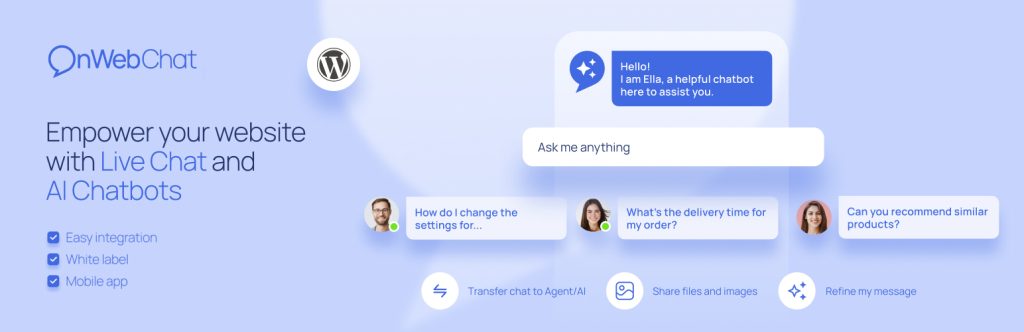
onWebChat is a hosted live-chat service whose WordPress plugin AI chatbot learns your WooCommerce catalog automatically — and answers shoppers with product cards showing photo, name and price, plus live order-status answers. The plugin is on WordPress.org (version 3.10.0, updated September 2026, 700+ active installs, rated 4.7/5 from 24 ratings). Live chat itself is free forever; the AI agent is a paid plan, and new accounts get a 14-day AI trial with 50 AI credits and no card required.
What it is
onWebChat is listed on WordPress.org as “AI Chatbot for WooCommerce & Live Chat – onWebChat.” Install, connect a free account, and the widget goes live with no coding. Two layers share it: human live chat and an AI chatbot that handles routine questions around the clock and hands over to a person when needed.
For WooCommerce stores the differentiator is automatic catalog sync. Press Sync once in the “Products & Orders” tab and the chatbot learns names, descriptions, prices, stock, brands, categories, tags and attributes — up to 15,000 products, with later changes syncing on their own. Recommendations appear as product cards with photos, with out-of-stock items greyed out. Order questions are answered from live data: signed-in customers need no order number, guests give the order number and email, and identity is verified first. The vendor says order details are fetched live and never stored on its servers.
Key features
- WooCommerce product cards. Recommendations appear as cards with photo, name, description and price, linked to the product page.
- Automatic catalog sync. One sync learns the whole catalog, up to 15,000 products; prices and stock stay current.
- Live order-status answers. Status, shipping method and tracking notes inside the chat, with identity verified first.
- Two-minute AI setup. Give the service your website address and it reads your pages and prepares its training data; add files and Q&A at any time. It answers only from your data, in the visitor’s language.
- AI Analytics. A weekly report on what visitors asked and what the chatbot could not answer — included in the AI agent plan and, per the vendor, not charged against credits.
- A complete live chat underneath. Visitor monitoring, triggers, typing preview, department routing, webhooks and mobile apps — plus GDPR compliance and an EU AI Act badge.
Pricing
Prices in USD are from the vendor’s own pricing page. The Free plan is $0 forever: unlimited live chats, 1 seat and 1 year of chat history — but no live AI chatbot. Pro is $8 per seat/month billed monthly ($6 yearly), adding white label, unlimited history, operating hours, webhooks and chat translation. The AI agent plan is $17/month billed monthly standalone ($12.75/month yearly, $153/year), including 1 Pro seat and 200 AI conversations per month, plus product sync and order tracking; as a Pro add-on it is $9/month. One credit covers one whole conversation; extra packs start at $7.50 for 200 credits and never expire. New accounts get a 14-day AI trial with 50 credits, no card required.
Who it’s for
- Small WooCommerce stores drowning in repeat questions — availability, price and “where is my order?” answers are exactly what the catalog sync and live order lookup automate, at $17/month rather than an enterprise price.
- Stores that want live chat first, AI second — the free plan is a usable live chat, so AI can be added later without changing tools.
What to watch out for
- The 200-conversation ceiling. When the monthly 200 are used, the chatbot pauses until you buy a credit pack. Busy stores should budget packs, not just the $17 headline.
- It is a hosted service, not a native plugin. Chats run through onWebChat’s servers — the vendor says chats are encrypted in transit, stored in Germany, and the AI runs through OpenAI’s API. Stores wanting bot data only on their own server should look at native chatbots in this section instead.
- A small install base. 700+ active installs and 24 ratings is a thin public record, even at a 4.7 average. Use the 14-day trial against real questions first.
- Research-based review. Based on the vendor’s WordPress.org listing, pricing and support pages; not run on a live store ourselves.
Pros
- Product recommendations as photo cards with live prices and stock.
- Automatic WooCommerce sync up to 15,000 products, plus live order answers.
- Cheap AI entry: $17/month standalone including a Pro seat; $9/month as a Pro add-on.
- Free live chat is unlimited, with monitoring, triggers and mobile apps.
Cons
- AI conversations are capped at 200/month on the plan; extra volume costs extra packs.
- Hosted SaaS model — chat and training data live on the vendor’s servers, not your WordPress database.
- Only 700+ active installs and 24 ratings — a small evidence base.
Frequently asked questions
Is onWebChat free?
Live chat is free forever, with unlimited chats and 1 seat, and new accounts get a 14-day AI trial with 50 credits, no card required. After the trial, a visitor-facing AI chatbot requires the AI agent plan at $17/month standalone, or $9/month added to Pro.
Does onWebChat work with WooCommerce?
Yes. Press Sync in the Products & Orders tab and the chatbot learns your catalog — up to 15,000 products — then recommends products as photo cards and answers order-status questions from live data after verifying the shopper’s identity.
What happens when I use up my AI conversations?
The chatbot pauses and the widget keeps working as live chat. An extra pack — from $7.50 for 200 credits — switches it back on; purchased credits never expire.