
Quick verdict
Mastercam Review 2026: CAM Programming With the Copilot AI Assistant
Updated October 21, 2026 – Tested Intelligence
Quick verdict: Mastercam is established CAD/CAM software for CNC programmers, and the 2026.R2 release adds Copilot — an AI assistant that adjusts feeds and speeds by voice or text, builds machine groups from a description, and finds training answers with timestamps. Copilot is included for CONNECT subscribers, but Mastercam itself is reseller-quoted and a serious learning investment.
What it is
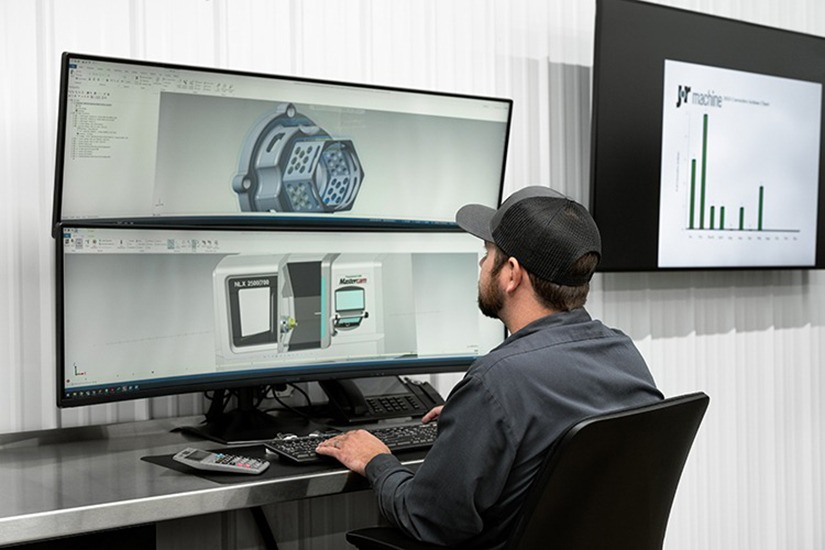
Mastercam is CAD/CAM software used to program CNC mills, lathes, routers and mill-turn machines: model or import the part, choose toolpaths, simulate, and post G-code for the control on the floor. It is sold through authorized channel partners and has long been a default programming seat in job shops and production shops alike.
The AI arrives with Mastercam 2026.R2, the second release in the vendor’s new twice-yearly cadence. Copilot is built into the CAM environment, not bolted on as a separate chatbot. Modern Machine Shop and Production Machining describe the same release: AI-enabled programming alongside GPU-accelerated simulation, multiaxis improvements and probing integration.
Key features
- Mastercam Copilot: AI assistant for voice or text commands, with confirmation prompts before changes are applied
- Feed and speed control: adjust feed rates and spindle speeds across multiple operations in one instruction
- Machine-group building: create complete machine groups from a verbal description; supports about 200 toolpath types
- Hands-free mode: say “Copilot” to activate listening while your hands stay on the work
- Training search: Copilot searches the myMastercam video library and returns answers with direct timestamp links
- GPU simulation in 2026.R2: the vendor says verification runs up to 10 times faster, with collision detection at high resolution
- Blum Digilog integration: output tool-setting macros for laser setters — tool height, wear checks and breakage detection — for Fanuc, Siemens, Okuma, Heidenhain, Mazak and Makino controls
Pricing
Pricing is not public. Mastercam itself notes there is no single price tag: cost depends on modules, seats and add-ons, and whether you take a subscription licence — a term rental with lower upfront cost — or a perpetual licence. Sales run through resellers, so two shops rarely pay the same figure. One clear point: Copilot is included at no additional cost for customers on an active CONNECT maintenance plan. If you are off CONNECT, price the return to maintenance into any comparison.
Who it’s for
CNC programmers who program daily: repeated feed and speed edits, rebuilding similar machine groups, and onboarding newer programmers against a deep menu system. Existing Mastercam shops on CONNECT get the strongest deal — Copilot and faster simulation arrive as an update to software they already know.
Who should skip it
Shops that program occasionally, or run simple 2D work a lighter CAM package handles, will pay for depth they never use and face a real training curve. Shops evaluating a first CAM seat should also weigh that quote-only, reseller-led buying makes quick price comparisons hard, and that Copilot’s value depends on being current on CONNECT.
Pros
- Copilot handles real routine work — feeds, speeds and machine groups — not just help questions
- Voice control with confirmation prompts fits a shop floor where hands are occupied
- Timestamped training answers attack the onboarding problem directly
- Copilot included for CONNECT subscribers; no extra AI subscription to budget
- GPU simulation and Blum probing in the same release save verification and setup time
Cons
- No published pricing: module, seat and reseller quotes make budgeting slow
- Mastering the full feature set takes significant time and training
- Integrated CAD is a programming aid, not a replacement for dedicated design software
- Post-processor customization can be complex and may need specialist help
FAQ
What does Mastercam Copilot actually do?
Copilot adjusts feed rates and spindle speeds across operations by voice or text, builds machine groups from a description, navigates the interface and answers programming questions from Mastercam help and the myMastercam video library, returning timestamped links. Confirmation prompts check changes before they apply.
How much does Mastercam cost?
Pricing is not public. It is quoted by resellers based on modules, seats and add-ons, as a subscription or a perpetual licence. Copilot itself is included at no additional cost with an active CONNECT maintenance plan.
What is new in Mastercam 2026.R2?
Copilot in full production, GPU-accelerated simulation the vendor says is up to 10 times faster, automatic tilting with bullnose end mills, improved 4-axis swarf milling, smarter clearance-plane calculations, and Blum Digilog laser tool-setter support across major controls.
Bottom line
Mastercam remains a heavyweight CAM seat, and 2026.R2 gives programmers a practical reason to stay current: Copilot takes repetitive edits and the documentation hunt off their plate, while faster simulation shortens the verify loop. If you already run Mastercam, renew CONNECT and test Copilot on a real multi-operation job. If you are buying a first seat, get reseller quotes in writing first.