
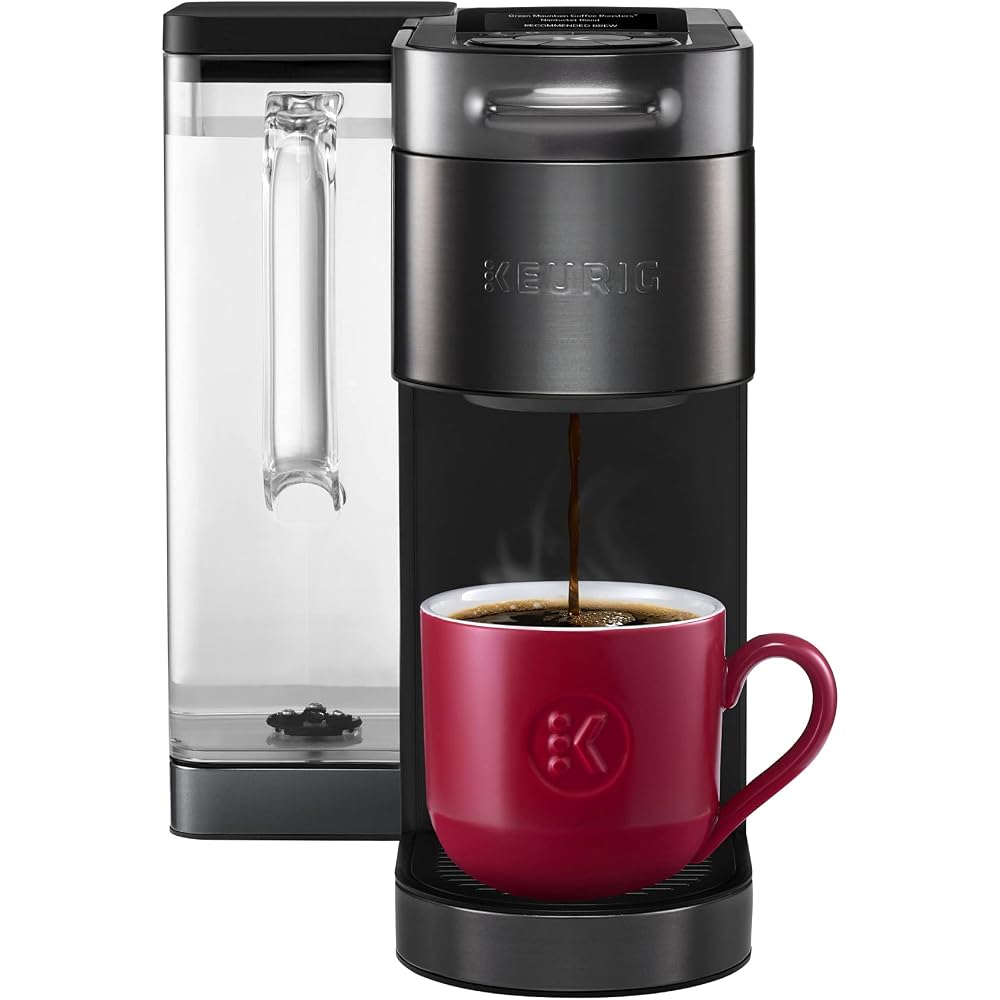
Quick verdict
The K-Supreme Plus SMART uses BrewID to recognize each K-Cup pod and brew it to the roaster’s recommended settings, with 5 strengths, 6 temperatures, and 10 savable custom recipes. MultiStream extraction and app control make it the most capable Keurig ever. If you love pod convenience but want real control, this is the upgrade.
Key features of the K-Supreme Plus SMART
BrewID is the headline: the machine reads each pod and automatically applies the roaster’s recommended brew settings — no more guessing which size and strength suits a new coffee. MultiStream technology saturates the grounds more evenly than single-stream brewers for fuller flavor extraction.
Customization runs deep: 5 strength settings, 6 temperature settings, 4–12oz brew sizes, an iced-coffee setting, and up to 10 saved custom favorites for the household’s different tastes. The Keurig app unlocks advanced settings and remote scheduling.
Practical specs include a 78oz removable reservoir (fewer refills), Alexa compatibility for voice brewing, and the familiar K-Cup ecosystem with hundreds of coffee, tea, and cocoa options.
Who the K-Supreme Plus SMART is for
Multi-drinker households where everyone wants their coffee their way — the 10 custom favorites end the daily settings dance. Busy professionals who want good coffee in under a minute with zero cleanup. Pod loyalists ready for the best version of the format.
It also suits offices and guest-friendly homes: anyone can brew a decent cup with no instruction, and BrewID removes the guesswork for unfamiliar pods.
What to watch out for
It is still a pod machine — per-cup cost is far higher than drip or pour-over, and environmental concerns about pods persist (reusable pods help). Coffee snobs will correctly note that fresh-ground beans in a proper brewer taste better; the Keurig trades peak quality for peak convenience.
The SMART features add cost over basic Keurigs; if you brew one setting forever, the premium is wasted. Descaling maintenance is mandatory for longevity — hard water kills coffee machines.
Keurig K-Supreme Plus SMART pros and cons
- Pro: BrewID auto-recognizes pods and applies ideal settings.
- Pro: 5 strengths, 6 temps, 10 custom favorites, iced setting.
- Pro: MultiStream extraction, 78oz reservoir, Alexa voice brewing.
- Pro: Fastest path from craving to cup.
- Con: High per-cup cost vs. ground coffee.
- Con: Pod waste; peak flavor trails fresh-ground methods.
- Con: Smart premium wasted on set-and-forget brewers.
Keurig K-Supreme Plus SMART FAQs
What is BrewID?
Technology that identifies the specific K-Cup pod inserted and automatically adjusts brew parameters — temperature, size, and extraction — to the roaster’s recommendations for that coffee. You can still override everything manually.
Can I use reusable pods?
Yes — Keurig’s My K-Cup reusable filter works with the machine, letting you use your own ground coffee. BrewID will not recognize it, so you will set parameters manually, but it cuts cost and waste.
Does it make iced coffee?
Yes — a dedicated iced setting brews stronger, hotter coffee designed to be poured over ice without tasting watered down.
How often does it need descaling?
The machine alerts you when descaling is due — typically every few months depending on water hardness and usage. Using filtered water extends the interval and improves taste.
Is the app required?
No — all core brewing works from the machine’s interface. The app adds scheduling, advanced customization, and firmware updates.
Price and availability
As an Amazon Associate we earn from qualifying purchases.