
Quick verdict
Geeky Bot Review 2026: The WooCommerce Sales Assistant That Can Run Without an AI Bill
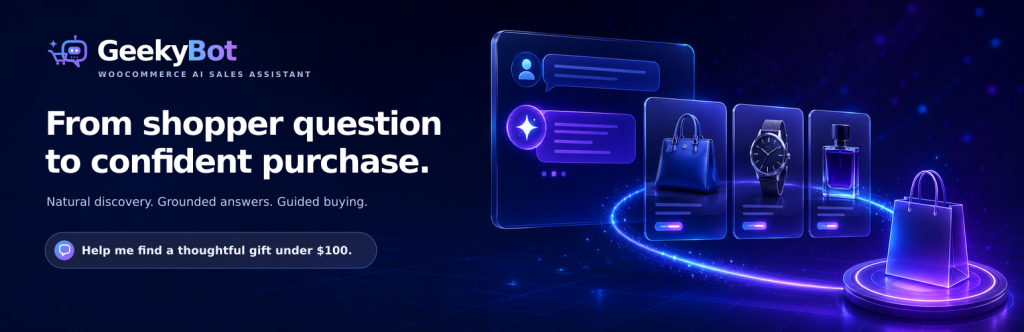
Geeky Bot is a WooCommerce sales assistant that lets shoppers describe what they want in plain language — budget, size, colour, use case and all — and answers from your live catalog and your approved policy pages, saying so plainly when the information is not there instead of inventing it. The plugin is on WordPress.org (version 2.1.2, updated October 2026, 6,000+ active installs, rated 5.0/5 from 4 ratings). The free version handles discovery and questions; Commerce Pro, from $79/year for one site, adds comparison, variation selection, cart actions and checkout handoff.
What it is
Geeky Bot is listed on WordPress.org as “Geeky Bot – AI Chatbot & Sales Assistant for WooCommerce.” It is not a generic chatbot with a store logo bolted on: everything it says is grounded in visible WooCommerce products — titles, descriptions, attributes, variations, prices and stock — plus the specific policy pages you approve. It does not crawl arbitrary pages.
Setup is guided: the plugin checks WooCommerce, builds the product index, helps you select policy pages and configure the widget, then verifies readiness. A Guided Demo creates realistic test questions from your own products, so you can see how it handles follow-ups before a real shopper does.
Key features
- Natural-language product discovery. Shoppers can search by name, family, category, price, colour, size, stock and sale status, or by use case and preference in one long sentence — with follow-up refinements, synonyms and spelling mistakes handled, and results ranked by fit with the reason explained.
- Grounded answers, honest gaps. Answers come from WooCommerce data and approved policy pages only. When information is missing, the assistant says so instead of inventing a detail — and if no exact match exists, it presents clearly labelled close matches or suggests a constraint to drop.
- Local mode first, AI optional. Core discovery and grounded routing can run locally with no external provider. OpenAI and Zywrap are optional add-ons; API keys are never exposed to storefront JavaScript or shown again after saving.
- Owner insight built in. Review conversations, see unanswered questions grouped together, track products opened from chat, export to CSV, and set retention and deletion rules, with WordPress personal-data tools supported.
- Commerce Pro buying actions. Pro adds comparison with trade-offs explained, variation selection validated against stock, add to cart, cart changes, a handoff to your normal checkout, lead capture, and buying-action analytics.
Pricing
Prices are from the vendor’s own Commerce Pro page, in USD. Free is $0 from WordPress.org: natural-language search, product cards with price and stock, product, policy and FAQ answers, and basic conversations and analytics. Commerce Pro Single Site is $79/year for one production store. 5 Sites is $129/year and 25 Sites is $199/year, with custom licensing above that. Every paid plan includes the same Pro features — the tiers differ only in activation count — plus one year of updates and support.
What the pricing page doesn’t make obvious: no AI usage is included in any plan, and none is required. Local mode, the default, uses no AI provider at all. If you connect your own OpenAI key, OpenAI bills you directly and the vendor states that with the default model, gpt-4o-mini, a reply typically costs well under one US cent; with Zywrap, your Zywrap plan sets the cost. Geeky Bot itself never charges per conversation. One more documented wrinkle: Pro order help has no order-number-and-email lookup at all — order information is shown only to the signed-in customer who placed the order, and guests are sent to their account page.
Who it’s for
- WooCommerce stores whose search box loses sales — shoppers who cannot guess your exact product titles can describe the need instead, and get an explained best match rather than a “no results” page.
- Owners wary of AI bills and AI invention — Local mode removes the provider bill entirely, and the grounding rules (no invented products, no guessed prices or stock) are stated plainly by the vendor.
What to watch out for
- Cart and checkout commands are English only. Pro works with WPML and Polylang and can reply in the shopper’s language when an AI provider is connected — but the vendor’s own Pro page states cart and checkout commands are in English, a real limit for fully multilingual stores.
- The buying loop is Pro-only. Free finds and explains products; comparing, choosing a variation, adding to cart and checking out all require the $79/year licence.
- A small public record. 6,000+ installs is a healthy base, but the 5.0 rating rests on just 4 ratings, and this WooCommerce-first version 2 line is recent. Test it against your own catalog’s hardest questions first.
- Research-based review. Based on the vendor’s WordPress.org listing and its own site and Commerce Pro pages; not run on a live store ourselves.
Pros
- Genuinely optional AI: Local mode gives grounded discovery with no provider account and no per-chat cost.
- Answers stay inside your catalog and approved policy pages, with gaps admitted instead of invented.
- Simple Pro pricing — $79/year for one site, every Pro feature in every tier, priced by site count only.
- Privacy-conscious order help: signed-in customers only, no order-number-and-email lookup for guests.
Cons
- Comparison, cart and checkout actions are all behind the Pro licence.
- Cart and checkout commands work in English only, even with WPML or Polylang.
- Only 4 public ratings so far, despite the 6,000+ install base.
Frequently asked questions
Is Geeky Bot really free?
Yes. The free plugin covers natural-language product discovery, product cards, product and policy answers and basic analytics, with no conversation charges. Commerce Pro at $79/year for one site adds comparison, variation selection, cart actions, checkout handoff, order help and buying-action analytics.
Do I need an OpenAI account to use it?
No. Local mode is the default and needs no AI provider. OpenAI and Zywrap are optional; if you connect OpenAI, it bills you directly, and the vendor says a reply on the default gpt-4o-mini model typically costs well under one US cent.
Can shoppers check an order with just an order number and email?
No — deliberately. Commerce Pro shows order information only inside the signed-in session of the customer who placed the order. A guest asking about an order is sent to their account page instead.