
Quick verdict
FabStation Review 2026: An AR Model Overlay That Replaces the Paper Drawing at Fit-Up
Updated October 16, 2026 – Tested Intelligence
Quick verdict: FabStation attacks the most old-fashioned step left in steel fabrication: a fitter reading a dense 2D drawing, tape in hand, laying out an assembly. Its software overlays the 3D model onto the workpiece through a tablet or a HoloLens 2, so the fabricator pre-flights the build, self-checks during fit-up and inspects the finished piece against the model – while the office watches status update in real time. From Eterio Realities, born inside a British Columbia steel shop. Pricing is per device and not published.
What it is
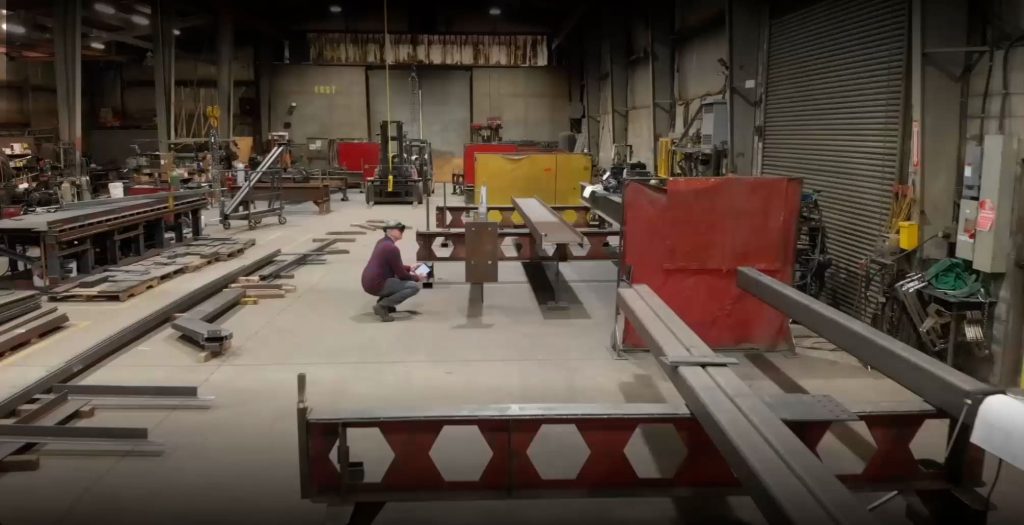
FabStation is augmented-reality production software for steel fabrication. The project data – 3D models from the BIM model, plus the job’s part and assembly drawings – is uploaded to FabStation’s cloud; on the shop floor, a tablet or HoloLens projects that model over the real steel as a digital template. Instead of interpreting fine print and transposing dimensions (the error chain The FABRICATOR described), the fitter sees what they are building – where each part, cope and hole belongs – before it is built, and inspects it against the same overlay at the end.
The system grew out of Warnaar Steel Tech in British Columbia, whose management wanted a better way than blueprints to show fabricators how to build complex work. After proving the technology in that shop, its developers at Eterio Realities took it to market; it is actively developed, with the Android app reaching version 4.27 in July 2026.
Key features
- AR model overlay on the workpiece via iPad Pro or HoloLens 2 – vendor-stated accuracy of 1/4 inch (6 mm) on tablet, 1/16 inch (1.5 mm) on HoloLens
- Pre-flight, self-check and inspection modes: see the assembly before building it, verify during fit-up, inspect the finished piece against the model
- Paperless floor: drawings, models, status, and time and material tracking in one system
- Production status reports to the office in real time via the web portal
- Three tiers: Tablet/Phone/PC (models and paperless features), AR Tablet, and HoloLens (hands-free, aimed at quality control – FabStation says it cuts inspection times by 50%)
Pricing
Pricing is not public. FabStation licenses per device, with adoption training included, but publishes no figures – and hardware is on you (tablet or phone for the base tier, iPad Pro 2020+ for AR Tablet, HoloLens 2 for the top tier). Get the per-device quote for the tier you need, and cost the headsets honestly before comparing it with paper.
Who it’s for
Fabrication shops whose fitters and welders burn hours – and generate rework – at the drawing-reading and layout step, especially on complex, one-off assemblies where a transposed dimension is expensive. Shops struggling to train juniors are the other sweet spot: a new hire ramps faster when the model sits on the steel in front of them. One Nebraska customer, Rebellion Fabrication, verified every frame of a 37-frame project with it, per FabStation.
Who should skip it
Shops whose bottleneck is estimating, purchasing or production scheduling – FabStation consumes models and drawings; it does not author them, so detailers still need Tekla, SDS2 or Advance Steel upstream. Also skip it if your work is simple, repetitive assemblies your crew can build in their sleep – the overlay earns its keep on complexity.
Pros
- Removes the misread-drawing error chain at fit-up instead of catching it at inspection
- Training value is real: juniors learn assemblies from the model on the workpiece
- Steel-specific and actively developed – not a generic AR viewer with a hard hat on
Cons
- No published pricing, and per-device licensing plus iPad Pro/HoloLens hardware adds up across stations
- Depends on clean model data from detailing – garbage model, garbage overlay
- Vendor-stated accuracy figures should be proven on your own work in a trial, not taken on faith
- A smaller vendor than the platform players; do the reference checks
FAQ
Does FabStation replace our detailing software?
No. It consumes the models and drawings your detailing software produces; Tekla, SDS2 or Advance Steel still author the model upstream.
What hardware does FabStation need?
By tier: a modern tablet or phone for the base features, an iPad Pro (2020 or later) for the AR overlay, or a HoloLens 2 for hands-free inspection.
How much does FabStation cost?
Pricing is not public. It is licensed per device with adoption training included; the figure comes from FabStation’s sales team for your tier and device count.
Bottom line
Most steel software helps the office. FabStation is aimed at the person holding the tape measure, retiring the paper drawing at the station where misreads turn into rework. If fit-up errors and slow junior training are your shop’s tax, trial it on one ugly assembly and measure what comes back.