
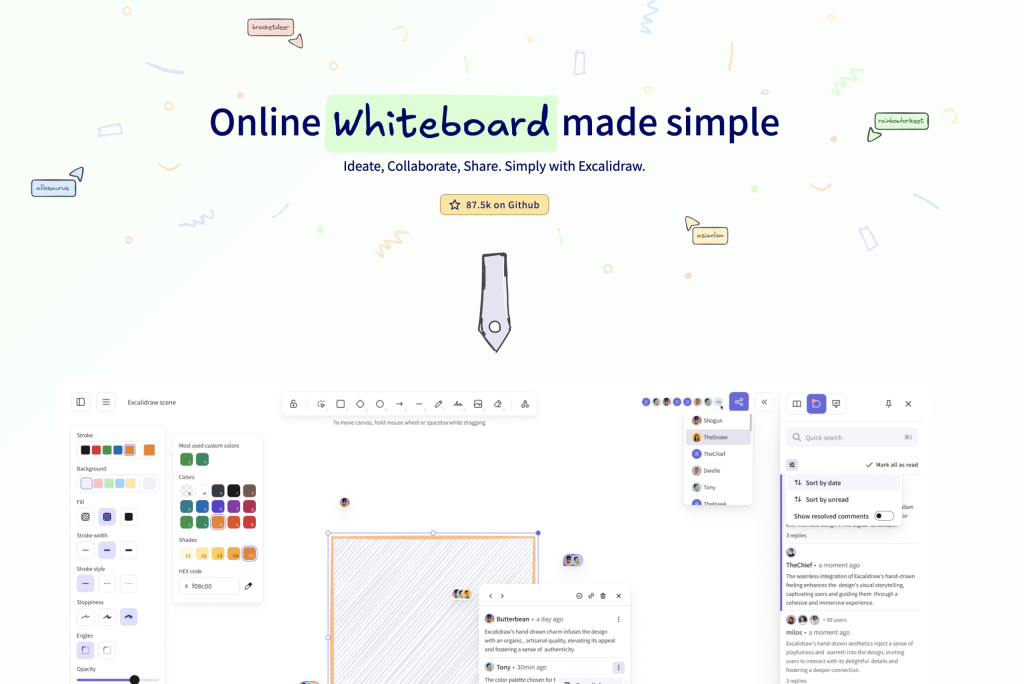
TL;DR: Excalidraw is a free, open-source virtual whiteboard that makes diagrams look hand-drawn — flowcharts, system sketches, wireframes and mind maps on an infinite canvas. The free editor needs no account, includes unlimited collaborators and 10 generative AI requests a day. Its main limit is storage: one scene, saved locally in your browser, not in a cloud account.
What Excalidraw does
Excalidraw is a browser whiteboard with a deliberately sketchy, hand-drawn style. Engineers use it for architecture diagrams, teachers for explaining ideas live, product teams for rough wireframes, and anyone who needs a flowchart that does not look like corporate clip art. Its AI features include Text to diagram, which builds and edits a diagram from a prompt, Wireframe to code, which turns a sketched interface into an interactive prototype, and Mermaid to Excalidraw, which converts Mermaid code into editable shapes. The editor itself is open source under the MIT licence, and it integrates with tools such as Notion and Obsidian.
What is actually free?
Verified on the official Excalidraw+ pricing page on November 22, 2026, the Free plan is labelled “Free forever” and includes:
- Full editor functions on 1 infinite scene
- Unlimited collaborators
- Generative AI: 10 requests a day
- Export to PNG, SVG, or save to a .excalidraw file
- Libraries, plus Notion, Obsidian and other integrations
- End-to-end encryption locally in your browser, and no account required
What the pricing page doesn’t make obvious
Free scenes are not cloud-saved. The pricing page gives cloud saving — “Securely saved on cloud” — only to the paid Plus plan, while Free is described as encrypted locally in your browser. In practice that means your one free scene lives in that browser’s storage: export it to a .excalidraw file if it matters, because clearing browser data or switching machines can leave you without it. That storage catch, not the drawing tools, is the real boundary of the free plan. It is a different trade-off from the cloud-first free plan in our Miro free review, which limits you to 3 boards but keeps them in an account.
What Excalidraw+ adds
| Plan | Price | Key differences |
|---|---|---|
| Free | $0 forever | Full editor, 1 scene, unlimited collaborators, 10 AI requests/day, PNG/SVG/file export |
| Plus (annual) | $6/mo per user | Unlimited scenes and folders in the cloud, comments, presentations, PDF/PPTX export, 100 AI requests/day or bring your own key |
| Plus (monthly) | $7/mo per user | Same as annual Plus, billed month to month |
Plus also adds access management, read-only links and embeds, voice hangouts and screen sharing, and teams management. Its pricing page notes that the only supported payment method is credit card.
Pros and cons
Pros
- The full editor is free — no feature-gated “demo mode”
- No account, no sign-up friction: open the page and draw
- Unlimited collaborators on a free plan is rare
- Open source (MIT), so self-hosting and embedding are possible
- 10 AI requests a day is enough for regular diagram drafting
Cons
- Only 1 scene on Free, with no cloud saving
- No comments, presentations or PDF/PPTX export without Plus
- The hand-drawn style will not suit formal, polished deliverables
- AI requests are capped daily; heavy AI users will hit the ceiling
Who is Excalidraw free best for?
Excalidraw free is best for engineers, teachers, founders and product teams who think by sketching: system diagrams in a design discussion, a wireframe during a call, a flowchart for documentation. If your work is precise vector design rather than sketching, our Penpot free review covers the open-source alternative built for that. And if you need a proper design file with AI credits in a cloud account, see our Figma free review.
Frequently asked questions
Is Excalidraw really free forever?
Yes. The official pricing page labels the Free plan “Free forever” at $0, with the full editor, and no account is required.
How many AI requests do I get for free?
10 generative AI requests a day on Free. Plus raises that to 100 a day, or unlimited use with your own API key.
Where are free Excalidraw drawings saved?
Locally in your browser, with end-to-end encryption. Cloud saving is a Plus feature, so export important scenes to a file.
How much does Excalidraw+ cost?
$6 per user per month billed annually, or $7 billed monthly, per the official pricing page checked November 22, 2026.
Free-tier details checked November 22, 2026, on the official Excalidraw+ pricing page. Research-based review; no hands-on testing claims and no affiliate links.