
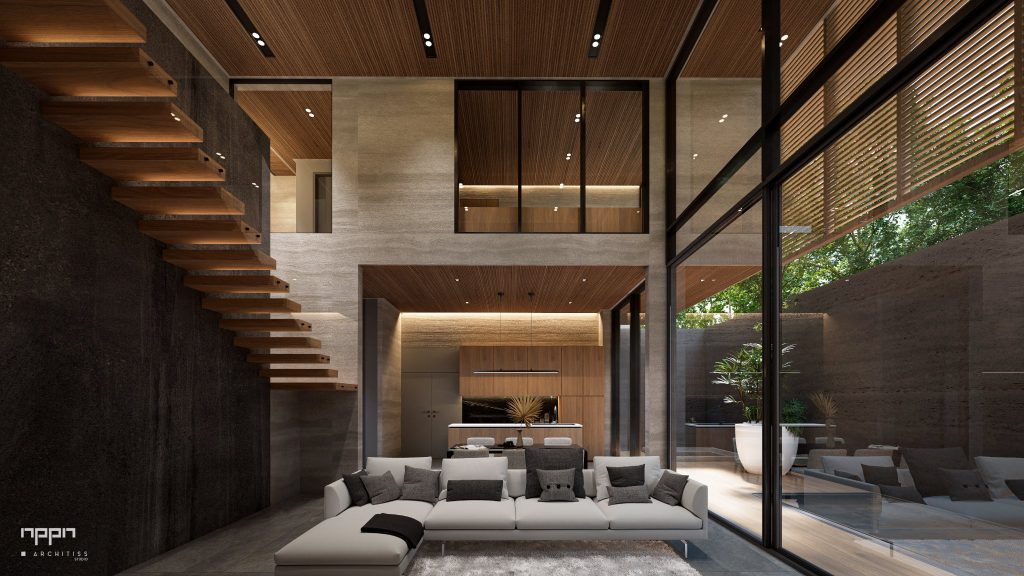
D5 Render Review 2026: Real-Time Rendering With AI Scene Tools Inside the Viewport
Updated November 13, 2026 – Tested Intelligence
Quick verdict: D5 Render is a real-time ray-traced renderer for architects, builders and visualization specialists who model in Revit, SketchUp, Rhino, Archicad or Vectorworks and want client-ready stills, video and walkthroughs without leaving that model behind. Pro is $38 a month or $360 a year with unlimited use of its 15-plus AI features, and the free Community edition is genuinely capable for learning. The catch most coverage misses is in D5’s own terms: Community output carries no watermark, but Community is licensed for personal, non-commercial use only, so any paid client work needs Pro.
What it is
D5 Render is a standalone Windows renderer built around real-time path tracing. You model somewhere else, connect with a free LiveSync plugin, and D5 keeps the scene in step while you place lights, materials, people, planting and weather and watch the result update in the viewport. One subscription also covers D5 Lite for early-stage work inside the modeling tool and D5 Works for AEC assets, so you are not buying three separate licences for three stages of the same job.
For construction-adjacent teams the use is presentation, not documentation: a builder or design-build firm showing an owner what a kitchen, a lobby or a whole house will actually look like, in stills up to 16K, video up to 4K on Pro, panoramas and browser walkthroughs a client can open without software. D5 does not produce construction documents, quantities or a BIM record, and it should not be sold that way.
What the pricing page does not make obvious is the free-tier trap, and D5 states it plainly in its own pricing guide. Community gives you the full engine, real-time path tracing, Geo Sky and weather, PBR materials, LiveSync and more than 2,100 assets, with no watermark and no expiry. It also gives you only 50 trial credits for its AI features and exactly one panorama or spatial tour and one Showreel project. Most importantly, D5’s subscription terms limit Community to personal, non-commercial purposes and say any commercial use requires a paid subscription. A watermark-free render can still be an unlicensed render.
Key features
- Real-time ray tracing with LiveSync: plugins for Revit, SketchUp, Rhino, Archicad, Vectorworks and other modelers keep geometry, materials and cameras in step as the model changes
- 15-plus built-in AI features inside the viewport: AI Scene Match, AI PBR Material Snap and SmartPlanting among them, plus an AI Agent for scene help – limited on Community, unlimited on Pro
- Large official asset library: 2,100-plus models and materials on Community, 16,000-plus on Pro and Teams, plus Terrain, Ocean, City Generator, Scatter and Cesium site context on Pro
- Client delivery without extra services: 16K stills and panoramas, 4K video on Pro and 8K on Teams, frame sequences, VR walkthroughs, XR and spatial tours, and Showreel tours with password links, hotspots and comments
- Weather and atmosphere in the scene: Geo Sky, time-of-day and weather controls for showing the same design in different light and seasons
- One subscription, three products: D5 Render for final output, D5 Lite for in-model iteration and D5 Works assets share the same Community, Pro and Teams licence
Pricing
Pricing is published on D5’s own site. Community is free, forever, for non-commercial use, with 50 AI trial credits. D5 Pro is $38 a month billed monthly or $360 a year, about $30 a month effective, and adds the commercial licence, unlimited AI features and AI Agent use, the full 16,000-plus asset library, VR and spatial tours and 10 GB of cloud workspace. D5 for Teams is $75 per seat a month or $708 per seat a year, about $59 effective, with a two-seat minimum, and adds multi-editor scene editing, team libraries and presets, comments and 100 GB of cloud space. D5 for Education is free for verified students and faculty, also non-commercial. D5 has also announced a December 2026 plan reshuffle that adds a Basic tier and moves some AI creation into a credit-based companion, while stating existing Pro subscriptions keep their current price – check the current pricing page before you budget on either structure.
Who it’s for
Architects, design-build firms, remodelers and solo visualization specialists on Windows who present designs for a living and are tired of waiting on offline renders or outsourcing hero images. It fits best when your model already lives in Revit, SketchUp or Rhino, your machine has a real graphics card, and two or three paid visuals a month would already cover the Pro year.
Who should skip it
Mac-only shops should skip it – D5 is a Windows application that needs a dedicated GPU, listed by D5 at an NVIDIA GTX 1060 6 GB minimum with an RTX 3060 or better recommended. Teams that need a plugin that lives entirely inside Revit for design review, rather than a standalone scene, may prefer Enscape, which Chaos lists at about $575 a year for Solo with Veras included. And anyone who needs drawings, takeoffs or coordination should skip the whole rendering category – that is Revit, Togal.AI or a BIM coordination tool, not a renderer.
Pros
- Pro at $360 a year undercuts Enscape and Lumion by a wide margin for a full real-time ray-traced workflow
- AI features are unlimited on Pro instead of metered by credits, so iteration does not need a cost decision each time
- LiveSync keeps the render honest to the current model instead of a stale export
- Free Community edition is a real evaluation: full engine, no watermark, no expiry date
- Showreel, VR and spatial tours replace a separate walkthrough service on small jobs
Cons
- Community is non-commercial despite having no watermark – paid client work on the free tier breaches D5’s terms
- Windows only, with a dedicated GPU required; integrated-graphics laptops need not apply
- Community caps that bite fast in practice: 50 AI trial credits, one tour and one Showreel project
- Multi-editor collaboration, team libraries and 8K video all require Teams at nearly double the per-seat price
- A December 2026 plan and AI-credit reshuffle is announced, so the AI packaging may change under existing buyers
FAQ
Can I use the free D5 Community edition for client work?
No. D5’s own terms limit Community to personal, non-commercial use and require a paid subscription for commercial use. The absence of a watermark does not change the licence. Use Community to learn and evaluate, then buy Pro before a render goes to a paying client.
What computer do I need to run D5 Render?
A Windows machine with a dedicated, DirectX 12-capable graphics card. D5 lists an NVIDIA GTX 1060 6 GB, AMD RX 6400 or Intel Arc A3 as the minimum and recommends an RTX 3060 or higher for comfortable work. There is no Mac version.
How is D5 Render different from Chaos Veras, which Tested Intelligence already reviewed?
Veras generates AI images from a model view, sketch or photo. D5 renders the actual 3D scene you synced, in real time, so you can move the camera, change the light and walk a client through the same model. Veras is faster for a concept image; D5 is the tool when the image must match the design.
Bottom line
D5 Render is the value pick in real-time architectural rendering in 2026: a $360-a-year Pro licence with unlimited AI, a 16,000-asset library and client tours built in, learned for free on a Community edition that is unusually complete. Buy it with the licence rule clear in your head – free means learn, not bill – and with a Windows workstation that can actually run it.