
Quick verdict
AltText.ai Review 2026: Automatic AI Alt Text for Every Image in Your Media Library
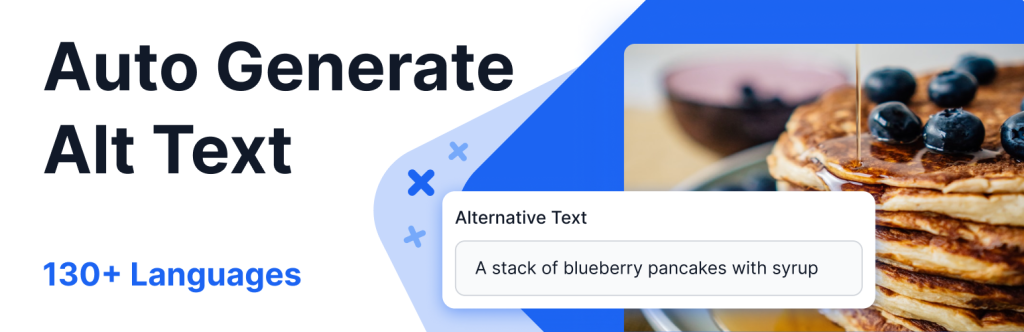
AltText.ai — listed on WordPress.org as “Alt Text AI” — automatically writes descriptive alt text for your images so your media library stops shipping blank alt attributes. The plugin is free to install on WordPress.org (version 1.10.46, updated October 2026, 20,000+ active installs, rated 4.7 out of 5 from 35 ratings); the service behind it is credit-metered, starting with 25 free credits and paid plans from $49/year for 1,200 credits. It generates alt text in over 130 languages, folds in your SEO focus keyphrase, and can clear an existing library in bulk — but advanced image formats bill double, and each extra language costs another credit per image.
What it is
AltText.ai is a cloud alt-text service with a native WordPress connector plugin. Install the plugin, connect your AltText.ai account, and every image you upload is analysed and given alt text automatically. A Bulk Generate tool works backwards through your existing media library, a History page lets you review and edit what was written, and developers can run it from the command line with wp alttext generate. The listing is explicit that this is an external service: when alt text is generated, your image and your site’s URL are sent to the AltText.ai API.
Two details separate it from a generic vision model. Its Ecommerce Vision system works your WooCommerce product name into product-image alt text, and it reads the focus keyphrase from your SEO plugin — Yoast SEO, Rank Math, All in One SEO, SEOPress, The SEO Framework, SmartCrawl and Squirrly are all named on the listing — and weaves it in naturally. A Final Pass setting runs your own prompt over the output to control its final wording.
Key features
- Automatic and bulk generation. New uploads are described on arrival; the Bulk Generate tool (or WP-CLI) clears an existing library, with filters for WooCommerce product images.
- SEO-aware output. Focus keyphrases from Yoast, Rank Math and five other SEO plugins are integrated into the alt text, and Ecommerce Vision adds product names for store images.
- 130+ languages, multilingual-site aware. Alt text in over 130 languages, with WPML and Polylang support — the October 2026 changelog even fixes regional variants such as French (Canada).
- Review before you trust it. A History page shows everything processed, generated text stays editable, and Final Pass lets you enforce your own style rules.
Pricing
The WordPress plugin itself is free, and every new account starts with 25 free credits, no credit card required — one credit generates alt text for one standard-format image. Paid plans on AltText.ai’s own pricing page are annual: Bronze $49/year for 1,200 credits (about 4¢ per image), Silver $189/year for 6,000 credits (3¢), Gold $489/year for 24,000 credits (2¢), Titanium $1,179/year for 60,000 credits and Platinum $2,199/year for 120,000 credits. One-time credit packs of 50 credits cost $3 with no subscription. Every plan includes every feature and integration.
What the pricing page doesn’t make obvious: one credit per image only holds for standard formats — JPG, PNG, GIF, WebP and BMP. Advanced formats (AVIF, HEIC, HEIF, JP2, SVG and TIFF) are paid-plans-only and bill 2 credits each, and every additional translation language costs 1 extra credit per image, so a three-language AVIF library burns credits six times faster than the headline rate. The FAQ adds a billing trap: unused plan credits roll over when a plan renews normally, but changing plans — up or down — forfeits the current period’s unused plan credits, so switch at your billing date, not mid-period.
Who it’s for
- Publishers with a legacy backlog — bulk generation plus WP-CLI turns thousands of undescribed images into described ones without opening each attachment.
- WooCommerce stores — product names are worked into product-image alt text automatically, which matters for both image search and screen-reader shoppers.
- Multilingual and agency sites — 130+ languages with WPML and Polylang support, plus integrations beyond WordPress (Shopify, Magento, Contentful and an API) for teams describing images across platforms.
What to watch out for
- It is metered, and the meter runs faster than advertised. Advanced formats bill 2 credits and each extra language adds a credit per image; a performance-tuned AVIF library is exactly the expensive case.
- Your images leave your server. The listing states images and your site URL are sent to the AltText.ai API. Altify AI, reviewed here, offers a free offline mode instead — AltText.ai has no offline option, so privacy-sensitive or intranet images are a poor fit.
- Output still needs a human pass. WordPress.org reviewers praise the accuracy but note the text often needs correcting — budget review time for important images rather than treating bulk output as final.
- Plan changes forfeit credits. Per the vendor’s FAQ, switching plans mid-period forfeits that period’s unused plan credits; rollover and credit-pack credits survive, plan credits do not.
- Research-based review. This review is based on AltText.ai’s WordPress.org listing and changelog and the vendor’s own pricing page and FAQ; we have not run it on a production site ourselves.
Pros
- True set-and-forget on uploads, plus bulk and WP-CLI modes for the existing library.
- SEO keyphrases and WooCommerce product names are built into the output, not bolted on.
- Transparent per-image pricing with a free 25-credit start and $3 top-up packs — no per-site licence to manage.
Cons
- Advanced formats cost 2 credits each and are paid-only; extra languages multiply the per-image cost.
- Cloud-only: images are sent to the vendor’s API, with no offline or bring-your-own-key route.
- Changing plans forfeits the current period’s unused plan credits.
Frequently asked questions
Is AltText.ai free?
The WordPress plugin is free to install and new accounts get 25 free credits with no credit card. After that it is credit-metered: annual plans run from $49/year for 1,200 credits to $2,199/year for 120,000 credits, and one-time packs of 50 credits cost $3.
How much does one image really cost?
One credit for a standard-format image (JPG, PNG, GIF, WebP, BMP) in one language — about 4¢ on Bronze down to under 2¢ on Platinum. Advanced formats such as AVIF and SVG bill 2 credits and require a paid plan, and each additional language adds 1 credit per image.
Does AltText.ai work with WooCommerce and SEO plugins?
Yes. Its Ecommerce Vision includes the product name in WooCommerce image alt text, and it pulls focus keyphrases from Yoast SEO, Rank Math, All in One SEO, SEOPress, The SEO Framework, SmartCrawl and Squirrly. WPML and Polylang multilingual sites are supported.