
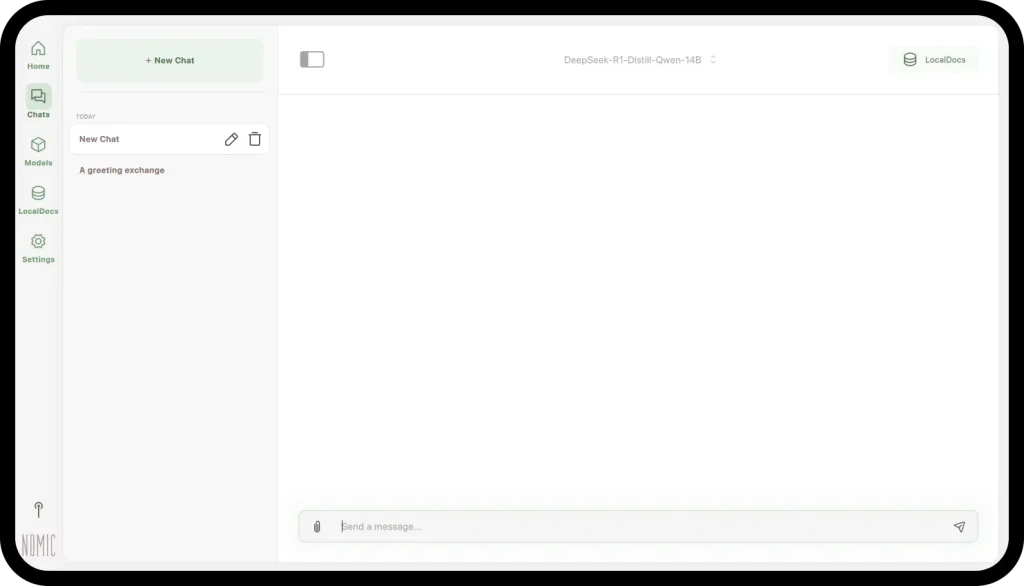
Bottom line: GPT4All is a completely free, open-source AI chatbot that runs entirely on your own computer. Nomic, the company behind it, says it plainly on its own site: no subscription fees, no API charges, no usage limits, and no data leaves your machine. The trade-off is open-source models on your hardware, not a frontier cloud model — but for private, offline, everyday chat, nothing else is this free.
What does GPT4All do?
GPT4All is a desktop app from Nomic AI that lets you download open-source large language models and chat with them locally on Windows, macOS, or Linux. Per the official documentation, it is optimized to run models of roughly 3–13 billion parameters on the CPUs of ordinary laptops and desktops — no GPU and no API calls required, and some models run with only 4–8GB of RAM. Once a model is downloaded, the app works entirely offline.
Its standout feature is LocalDocs: point GPT4All at your own local documents and chat with them, with retrieval handled privately on your device — nothing is uploaded. If you have tried the other local runners we cover — Ollama, LM Studio, or Jan — GPT4All is the same idea with the simplest setup of the group: install, download a model, and start typing. No coding is required.
What is actually free in GPT4All?
| Item | GPT4All | Notes |
|---|---|---|
| Price | $0 | Free and open-source |
| Subscription or API charges | None | Per Nomic’s own FAQ |
| Usage limits | None | No message caps |
| Account required | No | Download and chat |
| Internet required | Only to download the app and models | Runs entirely offline after that |
| Platforms | Windows, macOS, Linux | CPU-only OK; a GPU speeds it up |
Every fact in that table comes from Nomic’s own GPT4All homepage and documentation, checked October 30, 2026. Because it is open-source, “free” here means the whole product, not a trial or a capped plan.
Where does GPT4All fall short?
Three honest limits. First, quality depends on the model you download and the machine you run it on: a small model on an older laptop answers more slowly, and less capably, than a big cloud chatbot. Second, models are large files that take real disk space, and bigger models want more RAM. Third, this is a desktop app, not a phone app with cloud sync — your chats live on one machine. For sensitive material, that last point is arguably a feature.
Pros and cons
Pros
- Completely free and open-source: no subscription fees, no API charges, no usage caps
- Runs entirely offline on your own computer — no data leaves your machine
- LocalDocs: chat with your own local documents and files on-device
- Thousands of open-source models to download and switch between
- Runs on Windows, macOS, and Linux, including CPU-only machines — no GPU required
Cons
- Answer quality and speed depend on your hardware and the model you pick
- Local open-source models trail the best cloud chatbots on hard reasoning tasks
- Desktop only — no mobile app or cloud sync for your chats
Who is GPT4All best for?
GPT4All is best for privacy-first users who want a capable chatbot that never sends their words to a cloud server: people working with sensitive documents, offline users, and anyone tired of subscriptions and message caps. If your questions involve contracts, medical notes, or financial records, a chatbot that cannot phone home is the right shape of tool.
Frequently asked questions
Is GPT4All really free?
Yes. Nomic’s FAQ states it is completely free and open-source, with no subscription fees or API charges.
Does GPT4All work without internet?
Yes. After downloading the app and a model, it runs entirely offline — Nomic highlights it for privacy-sensitive and air-gapped work.
Do I need a graphics card to run GPT4All?
No. The documentation says it is optimized for CPUs in everyday laptops and desktops; a supported NVIDIA or AMD GPU just makes responses faster.
Can GPT4All chat with my own documents?
Yes. LocalDocs brings your local documents into your chats, with retrieval handled privately on your device.
Verdict
GPT4All is the easiest completely free way to run an AI chatbot that is actually yours: offline, private, uncapped, open-source. Pick it when privacy matters more than having the single smartest model.