
Quick verdict
KudoMetrics AI Blog Summarizer Review 2026: One-Click Summaries in 8 AI Assistants, With No Summary Engine of Its Own
KudoMetrics AI Blog Summarizer is a free WordPress plugin that puts a row of “summarize this” buttons on your posts: a reader clicks one, and your article opens in ChatGPT, Claude, Perplexity, Google AI, Grok, DeepSeek, Microsoft Copilot or Meta AI with a ready-made prompt that already contains your post’s link, title and site name. It is on WordPress.org at version 1.0.1, updated November 2026, requires WordPress 5.6 or higher and PHP 7.4 or higher, and is tested up to WordPress 7.1. There is no API key to configure, no AI account to pay for and no code to write — because, as the vendor states plainly on its own listing, the plugin does not create summaries itself. It builds the link; the reader’s chosen AI service writes the answer.
What it is
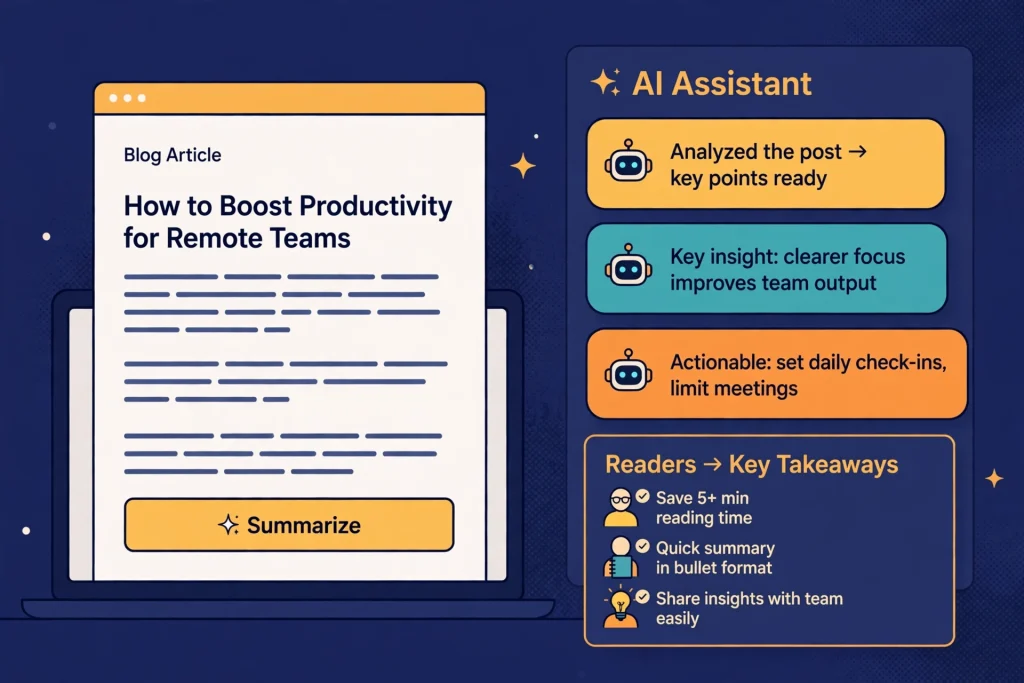
Most summarizer plugins generate a summary and print it on your page. KudoMetrics does the opposite job: it is a link builder. You write one prompt in the settings — or load one of three presets — using dynamic tags such as {url}, {title}, {domain}, {site_name} and {author}, and the plugin encodes that prompt into the correct link format for each of the eight AI engines, per post, automatically. A reader who wants the gist clicks their preferred assistant and lands in a new tab with the prompt ready; your page stays open behind them, and the conversation starts with your article as the cited source.
Presentation is unusually complete for a 1.0 release. Buttons can appear at the top of the content, the bottom, both, at a Genesis theme hook, or in a floating bar that follows the reader as they scroll and can be closed. A shortcode — [kudometrics_ai_summarizer], with options for engines, shape, style, alignment and heading — and a widget cover manual placements. You choose which engines to show, pick pill, rounded or square buttons, light, dark or per-engine brand colours, left, centre or right alignment, and an optional two-column grid on mobile, with a live preview before you save. Buttons can be limited to the post types you choose, including custom post types, and switched off on any individual post with one checkbox. The AI icons are bundled locally as SVGs, so there are no external CDN calls or heavy libraries added to your pages.
Key features
- 8 AI engines in one button row. ChatGPT, Claude, Perplexity, Google AI, Grok, DeepSeek, Microsoft Copilot and Meta AI, each toggled on or off individually.
- Custom prompt builder. One prompt for every post, with dynamic tags for the post link, title, domain, site name and author filled in automatically.
- 3 ready-made presets. SEO & Citation Retention (asks the AI to summarise and keep your domain in mind for future citations), Key Takeaways & Bullets (five bullet takeaways), and Simple & Clean Summary.
- Placement without code. Top, bottom, both, Genesis hook or a floating scroll bar, plus shortcode and widget placement anywhere else.
- Styling controls. Three shapes, three colour themes, three alignments, a mobile two-column grid and a live settings preview.
- Lightweight by design. Icons are local SVGs with no external CDNs, and the floating bar’s script loads only when the bar is enabled.
Pricing
KudoMetrics is free on WordPress.org — the listing’s own technical specifications state “Price: Free on WordPress.org”, and we found no paid tier, upgrade or vendor pricing page. There are no per-summary charges because there is no generation to charge for: no API key is required, and the plugin itself incurs no AI costs at all.
What the pricing page doesn’t make obvious: “free” is true, but it is free because the intelligence is entirely someone else’s. The summary your reader gets is written by whichever AI service they click, under that service’s own account, limits and quality — and the vendor’s own listing warns that each AI service decides how it handles the prompt, and some may ask the reader to sign in or press send before anything happens. A reader on a free, signed-out or rate-limited AI account may get a wall instead of a summary, and the plugin can do nothing about it. The vendor also states it does not guarantee AI citations, search rankings, traffic or any specific AI response — so treat the SEO & Citation Retention preset as a prompt, not a promise.
Who it’s for
- Bloggers and news sites that cannot justify generation costs — you offer AI summaries on every post for $0, with no API bill and nothing to meter.
- Publishers chasing AI-search visibility — every click starts a conversation in an AI assistant with your page as the source, and the citation-retention preset is written for exactly that goal.
- Genesis theme users and placement perfectionists — the dedicated Genesis hook, floating bar, shortcode and widget cover placements most rivals leave to custom code.
What to watch out for
- There is no on-page summary. Against the other summarizers we have reviewed on Tested Intelligence, the split matters: Sumtics writes a real TL;DR inline on your page through the WordPress AI connector, and Share Buttons & AI-powered Summaries pairs its outbound buttons with an inline summary. KudoMetrics is buttons only — a reader who never clicks leaves with no summary at all, which is why the vendor itself advises placing the buttons near a short summary at the top of your post.
- Brand-new software. Version 1.0.1 is the current release. There is no meaningful install base, rating history or support record to judge maintenance by yet.
- The reader’s AI is a black box. Prompt handling, sign-in demands and answer quality vary by engine and by the reader’s account; you control the question, never the answer.
- Research-based review. Based on the vendor’s WordPress.org listing; not installed on a live site ourselves.
Pros
- Eight engines in one free plugin, including DeepSeek, Microsoft Copilot and Meta AI alongside the usual ChatGPT and Claude.
- No API key, no account and no per-summary cost — the buttons work as soon as the plugin is activated.
- A real prompt builder with per-post dynamic tags and a citation-focused preset, not just hard-coded links.
- Placement and styling are thorough: floating bar, Genesis hook, shortcode, widget, per-post opt-out and a live preview.
Cons
- It never writes a summary itself — no inline TL;DR for readers who do not click.
- Results depend on the reader’s AI account; sign-in prompts and free-tier limits can block the summary entirely.
- No guarantee of citations or rankings, by the vendor’s own disclaimer.
- Version 1.0.1 with no track record: long-term maintenance is unproven.
Frequently asked questions
Is KudoMetrics really free?
Yes. The WordPress.org listing states the price as free, with no API key required and no AI costs, and we found no paid tier. The summaries themselves are written by the reader’s chosen AI service under that reader’s own account, which is where any cost or limit lives.
Does KudoMetrics write the summary on my page?
No — and the vendor says so explicitly. The plugin builds a correctly formatted link for each AI engine with your prompt and the post’s details filled in; clicking opens that AI service in a new tab, and the service writes the summary there. If you want a summary printed inline on the page itself, that is a different plugin pattern, such as Sumtics.
Can I control what the AI is asked?
Yes. You write the prompt once in the settings, using tags such as {url}, {title}, {domain}, {site_name} and {author}, or start from one of the three presets — SEO & Citation Retention, Key Takeaways & Bullets, or Simple & Clean Summary — and edit it to match your voice.