
Quick verdict
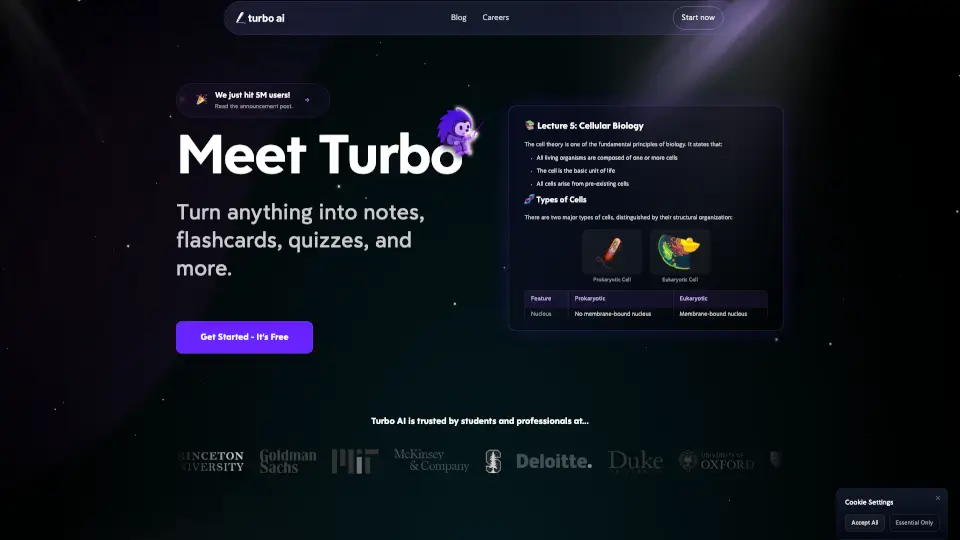
TL;DR: Turbo AI — the study app most students still know as TurboLearn — turns lecture recordings, PDFs, YouTube videos and audio into structured notes, then generates flashcards, quizzes, bite-sized lessons and even podcast summaries from the same material. The workflow is genuinely good and the free tier is real. The catch is transparency: Turbo AI publishes no pricing page and no numeric free-tier limits anywhere, so you only learn what it costs inside the app. Try it free; check the in-app price carefully before you subscribe.
What does Turbo AI actually do?
You give Turbo AI raw study material — record a lecture in the app, or upload a PDF, a YouTube link, slides, audio or text — and it returns organized notes in a Google Docs-style editor you can fix up yourself. From that same material it builds the study layer: flashcards, quizzes, short interactive lessons, summaries, a podcast version, and a chat box that answers questions grounded in what you uploaded. It handles STEM content specifically, preserving math formulas, chemical equations, physics diagrams and code snippets, and everything syncs across web, tablet and mobile.
That all-from-one-upload design is its edge over single-purpose tools. Our StudyFetch review covers a similar lectures-to-flashcards promise, and our Knowt review covers a strong free flashcard specialist — Turbo AI’s bet is that you would rather have notes, cards, quizzes and audio all generated in one place.
What the pricing page doesn’t make obvious — there isn’t one
This is the detail competing coverage usually glosses over: Turbo AI has no public pricing page, and its FAQ publishes no numbers at all. The vendor’s own FAQ says only that it “offers a generous free tier that includes note generation, flashcards, and quizzes” and that you can “upgrade to unlock unlimited features.” The actual prices live inside the app, and US App Store listings for the Unlimited plan have shown several different prices at once — $9.99 a week, $14.99 to $19.99 a month, and up to $119.99 a year — because the company runs price tests. A July 2026 post on Turbo AI’s own blog put Premium at $20/month billed monthly or $10/month billed annually. Treat roughly $10–$20 a month as the expectation, confirm the exact figure on your own subscribe screen, and note that the terms make subscription fees generally non-refundable. Two students in the same class can legitimately be shown different prices.
Turbo AI pricing in 2026
| Plan | Price | What you get |
|---|---|---|
| Free | $0 | Note generation, flashcards and quizzes — numeric limits are not published by the vendor |
| Premium / Unlimited (monthly) | About $19.99–$20/mo in-app | Unlimited notes, uploads, quizzes, flashcards, chat and podcast generation |
| Premium / Unlimited (annual) | About $10/mo billed yearly (listings up to $119.99/yr) | Same unlimited features at the annual rate; exact price varies by offer |
| Weekly | $9.99/week on the App Store | Unlimited features on a weekly bill — the most expensive way to pay, avoid it |
One more naming note: the app rebranded from TurboLearn to Turbo AI in October 2025. The vendor says accounts, notes and features carried over unchanged, so older TurboLearn reviews describe the same product under its old name.
Strengths
- One upload, every study format. Notes, flashcards, quizzes, lessons, summaries and a podcast from a single recording or PDF — no chaining three apps together like the workflow in our Mindgrasp review.
- Built for real lectures. In-app recording plus an editor that preserves formulas, equations and diagrams makes it practical for engineering, pre-med and science classes, not just humanities notes.
- Study anywhere. Web, tablet and mobile apps with automatic sync, so cards made from a morning lecture are on your phone by lunch.
- A real free tier. Note generation, flashcards and quizzes are included free, which is enough to test the full workflow on a real class before paying.
- Proven at scale. The vendor claims over 10 million learners, with a 4.8-star average across 300,000+ app store reviews — treat the headcount as a vendor claim, but the rating volume is public.
Weaknesses
- No published prices or limits. You cannot comparison-shop Turbo AI from its website; the free tier’s caps and the subscription price only appear in-app, and listings vary by offer.
- The weekly plan is a trap. $9.99 a week works out to over $40 a month for the same unlimited features the annual plan sells for about $10 a month.
- Generated notes still need checking. Like every AI note tool, summaries can smooth over a detail your professor actually tests — the editor exists because you are expected to review the output.
- Fees are generally non-refundable under the terms, which matters more when the price you agreed to was set by an in-app price test.
Who is Turbo AI for?
It fits students who sit through long, fast lectures — STEM majors especially — and want the recording turned into reviewable notes and practice material the same day, without assembling a multi-app study stack. It is a weaker fit for anyone who wants a published price and published limits before creating an account, and for light users the free tiers of flashcard-first tools may be enough.
Verdict
Turbo AI does the job students actually want done: lecture in, study material out, in every format, on every device. The product earns a recommendation; the pricing page that doesn’t exist earns the asterisk. Start on the free tier with a real lecture, and if you upgrade, take the annual rate on the subscribe screen — never the $9.99 weekly plan.
Frequently asked questions
Is Turbo AI the same as TurboLearn?
Yes. The app rebranded from TurboLearn to Turbo AI in October 2025; the vendor says accounts, notes and features continued unchanged.
Is Turbo AI free?
Yes — the free tier includes note generation, flashcards and quizzes, per the vendor’s FAQ. The vendor does not publish the free tier’s numeric limits.
How much does Turbo AI cost?
There is no public pricing page. Expect roughly $20/month billed monthly or about $10/month billed annually, but App Store listings have shown multiple prices ($9.99/week up to $119.99/year) because the company runs price tests — confirm the figure on your own subscribe screen.
What can I upload to Turbo AI?
Lecture recordings made in the app, PDFs, YouTube videos, audio files, slides and text. It generates notes, flashcards, quizzes, lessons, summaries and podcast versions from that material.