
Verdict: Start with MagicSchool AI’s free plan for drafting and SEL lesson planning — it is the one tool here most counselors can use today without a district purchase. Add SchoolAI or Panorama only if your district buys it, and look to Cartwheel or Counslr when the real problem is referral waitlists and after-hours support, not paperwork.
School counselors do not need another generic chatbot. They need help drafting the letters, small-group plans, and family emails that eat the week, a reliable way to run SEL check-ins across a big caseload, and faster referral routes when a student needs more than a school office can offer. The strongest picks below split cleanly: MagicSchool AI and SchoolAI handle the drafting and group work you do yourself, Panorama Education and CounselMore organize the caseload, and Cartwheel and Counslr extend your reach after hours.
The bottom line: Start with MagicSchool AI’s free plan for drafting and SEL lesson planning. Add SchoolAI or Panorama only if your district buys it. Use Cartwheel or Counslr, again district-funded, when the real problem is waitlists and evenings, not paperwork.
| Tool | Price | Best for | Verdict |
|---|---|---|---|
| MagicSchool AI | Free; Plus $12.99/mo or $8.33/mo billed annually | Drafting and SEL lessons | Best first tool for most counselors |
| SchoolAI | Free (limited); Pro/Scale district pricing / not published | Monitored small-group SEL Spaces | Excellent if your district pays |
| Panorama Education | District pricing / not published | Caseload organization and SEL data | The caseload command center |
| Along | Free | One-to-one student check-ins | Free, simple, not generative AI |
| CounselMore | $59–$150/mo per counselor | College and career caseloads | Best for college counseling offices |
| Cartwheel | District pricing / not published | Teletherapy referrals | Cuts the referral waitlist |
| Counslr | District pricing / not published; $0 to students | 24/7 text-based support | Covers nights and weekends |
A privacy rule before anything else: do not paste identifiable student details — names, case specifics, family circumstances — into any tool your district has not approved for student data. Draft with the details stripped out and add them back yourself. This matters most with general drafting tools, and it is why several picks below are district contracts rather than personal subscriptions. For wider context, see our roundup of the best AI tools for teachers in 2026.
MagicSchool AI — best for drafting and SEL lesson planning
MagicSchool’s 80+ educator tools include an SEL lesson generator plus tools counselors use constantly: behavior plans, parent emails, and recommendation letters. It is the fastest way to turn rough notes into a clean first draft you then edit. Our MagicSchool AI review breaks down what the free plan actually includes.
- Pros: Free plan is genuinely usable; built for K-12, not adapted from business software.
- Cons: Free excludes the 50+ student tools and Student Rooms; drafts still need your judgment and edits.
SchoolAI — best for monitored small-group work
SchoolAI’s Spaces let you build a guided AI activity — a restorative-conversation practice, an empathy exercise, a coping-skills check-in — and watch every student conversation live in Mission Control, with Critical Alerts for concerning content. That visibility is what makes it defensible for counselor-led small groups in a way an open chatbot is not.
- Pros: Real-time oversight of student AI chats; FERPA and COPPA compliant, SOC 2 Type II.
- Cons: Free plan allows only five Space sessions per year, and there is no individual paid plan — unlimited use needs a school or district purchase.
Panorama Education — best for caseload organization and SEL data
Panorama Student Success pulls attendance, behavior, grades, and SEL survey results into one view. For counselors specifically, Panorama says it creates smart groups that update as student data changes and flags at-risk students on your caseload against thresholds you set, then tracks interventions. Its Solara AI assistant and Check-Ins tool sit on top of that data, and the Playbook supplies follow-up strategies and lessons.
- Pros: Purpose-built caseload views; research-backed SEL surveys plus between-survey check-ins.
- Cons: District purchase only, pricing not published; overkill for a single small school.
Along — best free tool for student check-ins
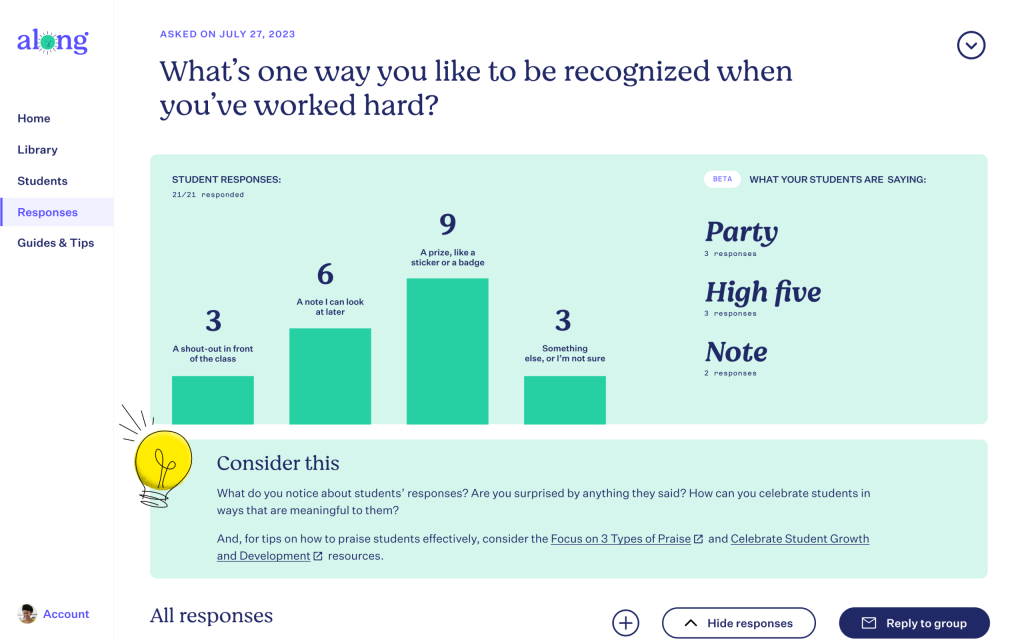
Along, from nonprofit Gradient Learning, is not generative AI, and that honesty is part of its appeal. You pick a research-informed reflection question, record a short video of yourself answering it, and students reply by video, audio, or text. For counselors running weekly check-ins with students who rarely volunteer anything in person, that low-pressure format works. It carries iKeepSafe FERPA and COPPA privacy badges.
- Pros: Completely free; simple enough to run across a whole grade level.
- Cons: No drafting or data features; it starts conversations, it does not organize them afterward.
CounselMore — best for college and career caseloads
CounselMore is caseload software for college counseling: an application tracker with color-coded statuses, college search across 3,000+ schools, essay prompts and deadlines for 1,000+ schools, and student and parent portals, with AI-assisted student records on its current plans. It is aimed mainly at independent and high-school college counselors, and the company says it offers dedicated pricing for school counseling offices.
- Pros: Transparent pricing; replaces the application-season spreadsheet pile.
- Cons: College-focused — little here for elementary or mental-health caseloads.
Cartwheel — best for teletherapy referrals
Cartwheel is the referral partner, not software you operate: counselors refer, and students in grades 3–12 get teletherapy with licensed clinicians over HIPAA-compliant video, plus parent guidance and psychiatric evaluation where appropriate. Cartwheel says it serves 325+ districts. For families, its FAQ states there is no out-of-pocket cost for students covered by Medicaid or uninsured where the school provides aid, with private-insurance copays applying otherwise.
- Pros: Rapid access instead of community waitlists; care coordination back to your team.
- Cons: District contract, pricing not published; not for urgent or emergency care.
Counslr — best for after-hours coverage
Counslr gives students ages 10+ unlimited text sessions with licensed counselors, 24/7/365, with a first reply in under two minutes on average — the company says most sessions happen between 7 p.m. and 5 a.m., exactly when your office is closed. It is non-clinical support, not therapy, and it is designed to hand students back to your team when they need more. Students 10–17 need parental consent, and schools see anonymized totals only, never names or conversations. The boundary between school support and outside care echoes our roundup of AI tools for therapists.
- Pros: $0 to students; covers nights, weekends, and summers.
- Cons: District partnership required, pricing not published; text-only and not a crisis service.
What the pricing pages don’t make obvious
Two details most roundups skip. First, MagicSchool’s own pricing table marks its Free plan with an X for the 50+ student tools, unlimited generations, unlimited output history, unlimited output editing, and Student Rooms — the free plan is the 80+ teacher tools only, and the custom Data Privacy Agreement sits on the district Enterprise plan. Second, SchoolAI has no self-serve paid tier at all: its free plan caps you at five Space sessions a year, so any regular counselor use is a district conversation from day one.
Frequently asked questions
Can a school counselor just use ChatGPT instead?
For de-identified drafting, a general chatbot can help, but it is not built or contracted for student data. The education-specific tools above add district agreements, oversight, or monitoring that a personal chatbot account does not.
Which of these can I start using today without district approval?
MagicSchool’s free plan, SchoolAI’s free plan (within its five-session cap), and Along. CounselMore offers individual counselor plans from $59/month. Panorama, Cartwheel, and Counslr are district purchases.
Are any of these a replacement for a counselor or therapist?
No. Counslr states plainly that it is non-clinical support, and Cartwheel provides licensed therapy your referrals access — neither replaces your role, and none of these tools is a crisis service.
How much do the district tools cost?
Panorama, Cartwheel, Counslr, and SchoolAI’s paid plans do not publish pricing; expect a quote based on district size and scope. Anyone quoting you a firm per-student figure without a sales process is guessing.
Closing verdict: If you buy one thing yourself, make it MagicSchool Plus for the drafting load — or stay on its free plan and spend nothing. Everything else on this list is a district decision, so your real job is picking the one gap to argue for: Panorama if your caseload data is scattered, Cartwheel if referrals stall, Counslr if your students struggle at night. Choose by the problem, not the demo.