
Quick verdict
WPCode Review 2026: The Code Snippets Manager Whose AI Writes and Improves Your WordPress Snippets
WPCode is the WordPress code snippets plugin — formerly Insert Headers and Footers by WPBeginner — that lets you add PHP, JavaScript, CSS, HTML and text snippets from the dashboard instead of editing theme files, and its paid tiers add an AI generator that writes snippets from a description and suggests where they should run. The free plugin is at version 2.4.1 on WordPress.org, installed on 3,000,000+ sites and rated 4.9 out of 5 from more than 1,900 reviews. Paid plans start at $49 a year — and the AI is not in the free version.
What it is
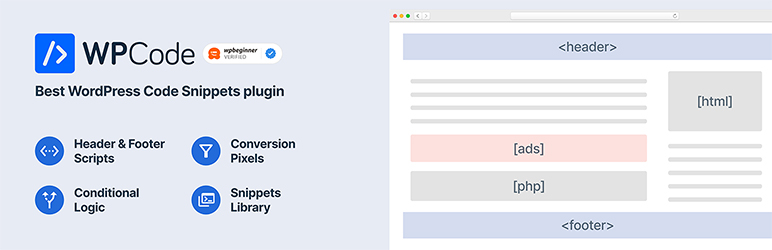
WPCode (wpcode.com) started life in 2011 as Insert Headers and Footers, a two-box utility for pasting analytics and pixel code into a site’s header and footer, and was rebranded in 2022 as the snippet library grew teeth. Today the free plugin is a full snippet manager: unlimited snippets in PHP, JavaScript, CSS, HTML or plain text, a code editor with syntax highlighting, smart validation that flags PHP errors before a snippet goes live, and auto-insert rules that can run a snippet sitewide, in the admin only, before or after post content, or via shortcode anywhere.
Two things separate it from a text box. First, conditional logic: a snippet can load only for logged-in users, specific roles, specific URLs, specific post types, by referrer, or by device — set through a beginner-friendly interface instead of hand-written PHP conditions. Second, the library: a built-in collection of verified, ready-made snippets for common jobs (disable comments, allow SVG uploads, disable XML-RPC and the like) plus code generators, so many “install a plugin for one feature” jobs become a one-click snippet instead.
Key features
- AI snippet generation (paid). Describe what you need and WPCode AI suggests the code, the auto-insert location and the smart conditional logic; AI Snippet Enhancement can also modify an existing PHP snippet to improve performance, security or functionality.
- Theme-proof snippets. Code lives in the plugin, not functions.php, so theme updates and theme switches no longer wipe your customisations.
- Smart code validation. PHP errors are caught at save time, which is the difference between a typo and a white screen.
- Conditional logic and priority. Control who sees a snippet, where it runs and in what order, without writing the conditions yourself.
- Snippet library and generators. Verified ready-made snippets and generators built to current WordPress coding standards, plus import/export between sites.
- Cloud library and revisions (paid). Store snippets in a private cloud library for reuse across projects, with full revision history for code and settings.
Pricing
WPCode Lite is free on WordPress.org with unlimited snippets, header/footer insertion, conditional logic and the ready-made snippet library. Paid plans are billed yearly: Basic is $49 a year, adding the private cloud library, revision history, snippet scheduling and ads.txt management from the dashboard. Plus is $99 a year, adding the Conversion Pixels addon for Facebook, Google Ads, TikTok and Pinterest tags. Pro is $199 a year, adding access controls that let non-admin users manage snippets. Elite is $399 a year and stretches to large site counts — up to 1,000 websites — which is why agencies buy it.
What the pricing page doesn’t make obvious: the AI is a top-shelf feature with a meter on it. WPCode’s own comparison of code snippet plugins states plainly that AI snippet generation is a Pro-only feature, and its pricing page describes the AI tier as letting you “generate up to 500 AI snippets” — a cap most coverage never mentions. In other words, the free plugin’s 3 million installs are not an AI user base; if the AI writer is why you are here, the honest starting price is the Pro tier, and heavy AI generation is rationed even there.
Who it’s for
- Site owners following tutorials that say “add this to functions.php” — WPCode is the safer place to put that code, with an off switch per snippet.
- Marketers pasting pixels and tags who need header/footer code on specific pages only, without developer help.
- Agencies and multi-site operators who reuse the same snippets across client sites and want cloud storage, revisions and role-based access.
What to watch out for
- The AI is paid and capped. AI generation is Pro-only and limited to up to 500 AI snippets on the pricing page’s AI tier — it is not a free-plugin feature.
- AI code still needs review. Validation catches syntax errors, not logic errors; an AI-drafted PHP snippet that runs sitewide deserves the same scrutiny as any code.
- Powerful code is powerful. A bad PHP snippet can still break things validation misses; WPCode reduces the classic functions.php risks, it does not abolish them.
- Feature spread across tiers. Cloud library, conversion pixels, access controls and the AI each live on different paid rungs — check your must-have’s tier before buying Basic.
- Research-based review. This review is based on WPCode’s WordPress.org listing and its own pricing and product pages; we have not load-tested AI generation across a client site fleet ourselves.
Pros
- The safest mainstream way to add custom code without touching theme files.
- Smart validation, conditional logic and per-snippet toggles built for non-developers.
- Huge, current install base (3,000,000+) and a 4.9-star rating across 1,900+ reviews.
- AI generation proposes insert location and logic, not just raw code.
Cons
- AI snippet generation is Pro-only, with a generation cap.
- The features people want most are spread across four paid tiers.
- WordPress only, and PHP snippets still carry real break-the-site potential.
- The free version’s header/footer origins show — casual users may never need the full manager.
Frequently asked questions
Is WPCode free?
Yes. WPCode Lite on WordPress.org is free with unlimited code snippets, header and footer insertion, conditional logic and the ready-made snippet library. Paid plans start at $49 a year for Basic, which adds the cloud library, revision history and scheduling.
Does the free WPCode include AI snippet generation?
No. WPCode’s own plugin comparison states AI snippet generation is a Pro-only feature, and the pricing page caps it at up to 500 AI snippets. The free plugin manages and runs snippets you write or pick from the library; the AI writer is paid.
Is WPCode safer than editing functions.php?
Yes, in the ways that matter most: snippets survive theme updates and switches, each snippet can be toggled off instantly, and smart validation flags PHP errors before they go live. It cannot catch every logic mistake, so new PHP — especially AI-generated PHP — should still be reviewed before it runs sitewide.