
Quick verdict
TL;DR: Deepnote is what Jupyter becomes when a whole data team has to work in it at once: Python, SQL and charts in one browser notebook, edited in real time like a Google Doc, connected straight to your warehouse, with an AI agent that can rework the notebook for you. The pricing twist most people miss is that only editors cost money — viewers are unlimited and free. The catch is the mirror image: at $39 per editor per month billed yearly, a ten-editor team pays $390 a month for notebooks.
This is a research-based review. We have not tested Deepnote hands-on; every fact below comes from the vendor’s published pricing, comparison pages and documentation, checked November 2026.
What does Deepnote actually do?
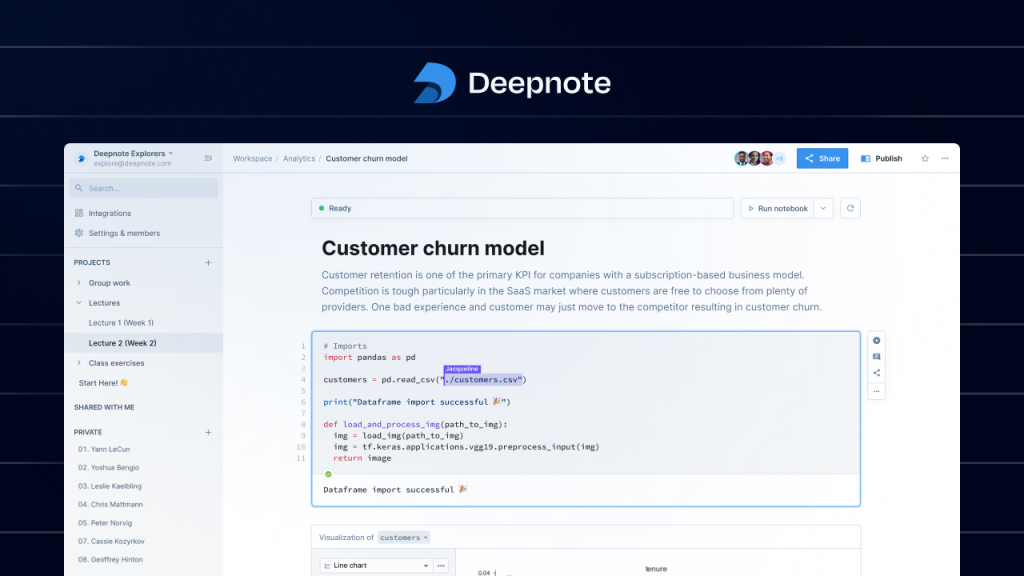
Deepnote is a cloud data notebook organized into projects. A project holds notebooks, files and data connections that share one environment. Inside a notebook, Python, SQL, R, text and chart blocks sit side by side, so an analyst can query a warehouse in SQL and model the result in Python without exporting anything. Notebooks import and export Jupyter’s .ipynb format, connect natively to databases and warehouses including PostgreSQL, MySQL, BigQuery, Snowflake, Redshift and MongoDB, and can be turned into interactive data apps or dashboards, run on a schedule, or deployed as an API.
The AI layer has two parts. Deepnote AI completes code and generates, edits and explains it from plain-language prompts. The Deepnote Agent goes further: give it a request in chat and it plans the change, then creates, edits or runs blocks across the notebook, showing a before-and-after diff you can undo. You can point it at Anthropic’s Claude models or OpenAI’s GPT models, or leave model choice on automatic. It is a different shape of help from a spreadsheet add-on like Numerous.ai, which puts AI formulas inside Sheets and Excel — Deepnote is for people whose analysis has outgrown the spreadsheet entirely.
What the pricing page doesn’t make obvious
Deepnote’s own comparison pages state the detail that decides most team budgets: Team billing counts editors only, and viewers are unlimited at no charge. A company can put results in front of fifty stakeholders and pay only for the handful of people who write and run code. The free plan’s AI allowance is the opposite kind of surprise. Deepnote’s pricing table meters it in single digits — 10 AI completions a month and 5 calls a month for each agent feature — so “AI included free” means a taster, not a workflow. Finally, Team bundles monthly AI, CPU and GPU credits rather than charging compute purely by the minute, which makes costs steadier but means heavy jobs can still need pay-as-you-go headroom.
How much does Deepnote cost in 2026?
| Plan | Price | Editors | Projects | Machines |
|---|---|---|---|---|
| Free | $0 | 3 | 5 | Basic (5 GB RAM, 2 vCPU) |
| Team | $39 per editor/mo, billed yearly | Unlimited (viewers free) | Unlimited | Plus (16 GB RAM, 4 vCPU) and larger |
| Enterprise | Custom | Unlimited | Unlimited | Plus, with volume discounts |
Team adds scheduled notebooks, background execution, premium integrations and 30-day revision history (Free keeps 7 days). Enterprise adds the compliance layer — enforced SSO, SCIM, audit logs, HIPAA support and single-tenant options. Solo analysts should compare that $39 against a free local Jupyter setup before paying for collaboration they may never use; agent-style coding help of a different kind is covered in our OpenHands review.
What are Deepnote’s strengths?
- Python, SQL, R, text and chart blocks in one browser notebook, with .ipynb import and export, so existing Jupyter work comes with you.
- Real-time co-editing and comments — and only editors are billed; viewers are unlimited and free.
- Deepnote AI completes, generates and explains code; the Agent edits and runs whole notebooks with a visible diff and one-click undo.
- Native connections to PostgreSQL, BigQuery, Snowflake, Redshift, MongoDB and other warehouses and databases — no CSV round-trips.
- Notebooks become data apps or dashboards, run on a schedule, or deploy as APIs, so analysis turns into something stakeholders actually open.
What are Deepnote’s weaknesses?
- Per-editor pricing compounds: $39 per editor is $390/month for ten editors and $490 at monthly billing rates reported for the same tier — real money for a notebook, however polished.
- The free plan is a demo, not a workspace: 3 editors, 5 projects, 10 AI completions a month and Basic machines only.
- It is code-first: non-technical teammates can view and comment, but they still need an analyst between them and the data — the opposite trade-off from chat-based analysis tools.
- Solo users may be over-buying: if nobody else ever opens your notebooks, local Jupyter or Colab does the core job for free.
Who is Deepnote for?
Data teams — analysts, data scientists and analytics engineers — who live in Python and SQL, pass Jupyter files around today, and want one shared, scheduled, AI-assisted workspace whose results the whole company can view for free. It fits especially well where the warehouse is the source of truth and notebooks keep getting re-run by hand. If your automation needs are about connecting business apps rather than analyzing data, a workflow tool like Make is the more relevant comparison.
Verdict: is Deepnote worth it?
For a working data team, yes — the editor-only billing is genuinely team-friendly, and scheduled notebooks plus shareable data apps remove the two most tedious parts of notebook life. For individuals, the free plan is best treated as a trial: the moment you need a fourth editor, a sixth project or real AI volume, you are on a $39-per-editor plan, and you should be sure the collaboration is worth it before the seats multiply.
Frequently asked questions
Is Deepnote free?
There is a real free plan: 3 editors, 5 projects, Basic cloud machines, 10 AI completions a month and 5 calls a month per AI agent feature. It is enough to evaluate Deepnote, not to run a team’s work.
How much does Deepnote Team cost?
$39 per editor per month when billed yearly, per Deepnote’s own pricing and comparison pages. Viewers do not count — they are unlimited and free on Team.
Does Deepnote replace Jupyter?
It is Jupyter-compatible rather than a rip-and-replace: notebooks import and export in .ipynb format, and Deepnote adds real-time collaboration, warehouse connections, scheduling and data apps around the format.
Which AI models does Deepnote use?
You can choose Anthropic Claude or OpenAI GPT models, or leave selection on Automatic. The Agent can then edit and run notebook blocks from a chat request, with a diff you can review and undo.