
Quick verdict
Chatway Review 2026: Live Chat With an AI Agent That Sees Your WooCommerce Orders and Cart
Chatway is a live chat and helpdesk plugin whose AI Support Agent answers shoppers from sources you train it on, while human agents see the customer’s WooCommerce orders, cart contents and history right inside the conversation. The plugin is on WordPress.org at version 1.5.2, updated October 2026, with 30,000+ active installs and a 5.0/5 rating from 776 ratings — one of the strongest public records in this category. The free plan covers one seat and 50 conversations a month; Business, from $31/month billed yearly, unlocks full Shopify and WooCommerce sync.
What it is
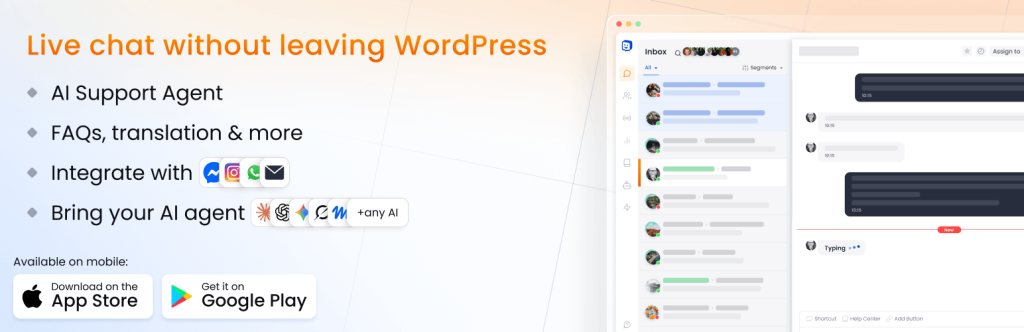
Chatway, from Premio, adds a chat widget to your WordPress site and runs the conversations in a shared inbox — on the web, inside your WordPress admin, or in its iOS and Android apps. Website chat is the base; on paid plans the same inbox also takes WhatsApp, Facebook Messenger, Instagram and email, so a shopper who starts on your product page and follows up on Instagram stays in one thread.
For stores, the point of difference is context. With WooCommerce connected, agents can view a visitor’s orders and cart and share product links and coupon codes without leaving the chat, while visitors can track orders from inside the widget. Layered on top is the optional AI Support Agent, trained only on sources you supply, handling repetitive questions around the clock with human handoff whenever you want to step in.
Key features
- WooCommerce context inside every chat. Order history, cart contents and values sit next to the conversation; agents can share products, categories, order status and coupons in two clicks, and shoppers can run order tracking and cart queries themselves from the widget.
- AI Support Agent on every plan. The agent learns from your website content and the data sources you provide — the vendor states it is not trained on your private visitor conversations — answers in multiple languages, and keeps humans in control: you decide when it responds, monitor its chats and can take over any conversation at any time. It can also be connected to your own AI agents, including ChatGPT, Claude and Gemini.
- One inbox for chat, social and email. WhatsApp Business, Messenger, Instagram DMs and email flow into the same dashboard on paid plans, alongside social chat buttons — WhatsApp, Telegram, SMS, phone and more — that you can add to the widget itself.
- Help center, automations and translation. A branded help center and in-widget FAQs answer common questions before they become conversations — which matters, because conversations are the metered resource here. Rule-based workflows greet and route visitors, and live translation on paid plans lets agents work across languages.
Pricing
Prices are from Chatway’s own pricing page, in USD. Free is $0 forever: 1 seat, 50 conversations a month, 30 days of chat history, FAQs and canned responses, mobile apps, widget customisation and API, webhook and MCP access — and new accounts get the full Plus feature set for their first 14 days. Business is $39/month billed monthly, or $31/month billed yearly: 2 seats, 200 conversations a month, unlimited history, Shopify and WooCommerce full sync, the WhatsApp/Messenger/Instagram/email inbox, live translation, 2 automations, 1 help center and branding removed. Plus is $199/month, or $159/month billed yearly: 10 seats, 1,000 conversations, 15 automations, teams and routing, multiple widgets, inboxes and help centers. Enterprise is custom. Extra seats on Business and Plus cost $19/month, or $16 billed yearly — and add no extra conversations. The AI Support Agent is a separate add-on on any plan: 10 free AI conversations to start, then pay-as-you-go AI credits, which Chatway’s own site prices at $0.50 per resolved AI conversation.
What the pricing page doesn’t make obvious: the conversation cap counts everything — conversations handled manually by your team count against the same allowance as API, MCP and webhook conversations, not just AI chats. And the cap is hard: once you reach it, the widget stays visible on your site but you cannot respond to new conversations. Your escape hatch is a “reset,” which the pricing page states charges you for your current plan again, starts a new billing cycle and restores your allowance — so a store that regularly blows through 200 conversations on Business is effectively paying for the plan twice in busy months, and should price Plus, or a competitor with no cap, against that reality.
Who it’s for
- Small WooCommerce stores drowning in “where is my order?” chats — order and cart context inside the chat, plus shopper self-service tracking in the widget, attacks exactly that queue, and Business-plan sync is priced for a two-person team.
- Owners who want AI help without an AI subscription — the agent is an add-on metered per resolved conversation, available even on the free plan, so a quiet month costs nothing for AI.
What to watch out for
- The hard conversation cap. 50 a month on Free and 200 on Business includes manual chats; at the limit you cannot reply until renewal or a paid reset that re-bills your whole plan. Count your current monthly chats before choosing a tier.
- Full store sync is Business and up. The free plugin installs fine on WooCommerce, but the full Shopify and WooCommerce sync — customer data, orders and cart shared into conversations — is a Business-plan feature, so the free tier is a live chat trial, not the store tool itself.
- Extra seats add people, not capacity. A third agent on Business costs $19/month and adds zero conversations, so team growth and volume growth are billed separately.
- Research-based review. Based on the vendor’s WordPress.org listing and its own pricing page; not run on a live store ourselves.
Pros
- Proven at scale for a plugin in this niche: 30,000+ installs and 776 ratings at 5.0/5.
- WooCommerce orders, cart and coupons live inside the chat, with shopper self-service order tracking.
- AI agent is pay-as-you-go on every plan including Free — 10 free AI conversations, no forced upgrade.
- One inbox for website chat, WhatsApp, Messenger, Instagram and email, with mobile apps included.
Cons
- Hard monthly conversation caps that count manual chats, with replies blocked at the limit.
- Resetting a blown cap re-bills the full plan and restarts the billing cycle.
- Full WooCommerce sync, channel inbox and live translation all require Business at $39/month.
Frequently asked questions
Is Chatway really free for WooCommerce?
The plugin and the Free plan are free forever, with 1 seat, 50 conversations a month and 30 days of history. But full WooCommerce sync — orders, cart contents and customer data inside your chats — is a Business-plan feature at $39/month billed monthly or $31/month billed yearly.
What happens when I hit my conversation limit?
The widget stays visible on your site, but you cannot respond to new conversations until the month renews — or you reset, which charges your current plan again, starts a new billing cycle and restores your full allowance. Manual chats count toward the limit, not just AI conversations.
How much does the AI Support Agent cost?
It is an optional add-on available on every plan, including Free. Every account starts with 10 free AI conversations; after that you buy AI credits as you go, priced at $0.50 per resolved AI conversation. The agent trains only on sources you provide, such as your website pages and documentation.