
Quick verdict
AI Puffer Review 2026: The AI Writer That Also Lets ChatGPT and Claude Run Your Site
AI Puffer — the plugin formerly called AI Power — is an all-in-one WordPress AI toolkit whose headline act has changed: alongside its content writer, chatbot, AI forms and scheduled automations, it now connects ChatGPT or Claude to your site over MCP so an outside assistant can draft, publish and manage content for you. It is on WordPress.org at version 2.5.25, updated 7 November 2026, with 10,000+ active installs and a 4.6/5 rating from 166 ratings. The free plugin includes the writer and automations; paid plans from $9.99/month mainly raise two monthly allowances explained below.
What it is
AI Puffer began life in December 2022 as “GPT-3 AI Content Generator” — that is still its WordPress.org slug — became AI Power, and is now AI Puffer; the vendor confirms it is the same plugin, with the same settings and data carried over. Inside WordPress it is a suite: an AI content writer and editor assistant, unlimited chatbots trained on your posts, pages and products, AI forms, an image generator, a searchable knowledge base, and recurring automations that draft, schedule or publish posts from topics or a CSV file.
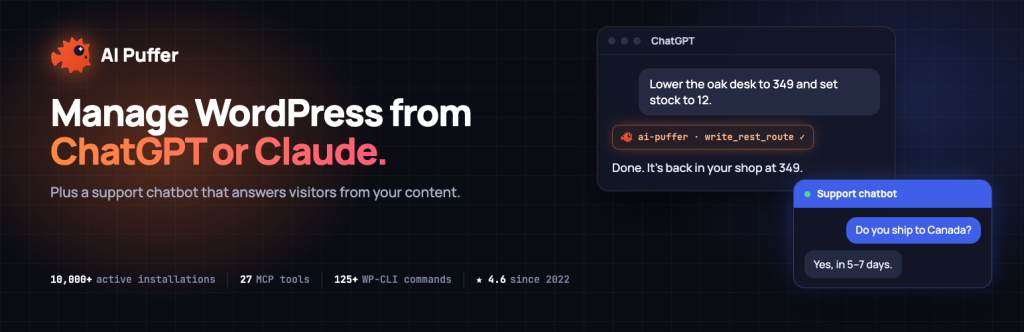
The newest layer sits outside WordPress. Connect an MCP client — ChatGPT, Claude, Cursor or Claude Code — and the assistant can read and search your content, create drafts, publish posts, and run a supported subset of WP-CLI-style commands covering posts, media, comments, users, settings and cache, all under the permissions of the WordPress user you connect with. The feature is off until you explicitly switch it on.
Key features
- Content writer with SEO fields attached. Draft posts one at a time or in batch from topics, keywords or a CSV list, using reusable prompt templates, and the writer fills in meta descriptions and focus keywords where your SEO plugin supports it — Yoast SEO, Rank Math, All in One SEO and The SEO Framework are named. A Content Assistant also improves titles, excerpts, body copy and tags inside the block editor, the classic editor and post lists.
- Automations for scheduled publishing. Recurring or one-time tasks generate posts from topics or CSV on your schedule, with draft, schedule or publish chosen per task and a queue where you review each item’s status. It can also draft comment replies — held for approval by default — and add new posts to the knowledge base by category.
- Chatbots, forms and images in the same install. Unlimited chatbots, each with its own model, instructions and look, answering from your indexed content; drag-and-drop AI forms whose prompts can use the visitor’s own field values; and image generation from OpenAI, Gemini, Grok, Replicate and other providers, plus Pexels and Pixabay stock search.
- Cloud or bring your own key. AI Puffer Cloud needs no API key and includes 25 free AI credits a month for eligible accounts with a verified email. Or connect your own OpenAI, Claude, Gemini, Grok, DeepSeek, OpenRouter or Azure key and pay that provider directly — the two routes can run side by side, with a model picker per chatbot, form or task.
- MCP website management. Connected assistants work through your chosen safety level, and website operations are counted separately from AI credits, so an afternoon of Claude reorganising your media library does not eat the credits your chatbot needs.
Pricing
Prices are from the vendor’s own pricing page at aipower.org, in USD before tax, for a licence on one site. Free is $0: 2,000 website actions and 25 AI credits a month. Pro is $9.99/month billed monthly: 10,000 website actions and 1,000 AI credits. Max is $14.99/month: 25,000 actions and 3,000 credits. Ultra is $29.99/month: 50,000 actions and 10,000 credits. Paying yearly saves 20%. Every paid tier unlocks the same Pro features — file uploads for the knowledge base, realtime voice, PDF reading, theme drafts and more — so the tiers differ only in allowance.
What the pricing page doesn’t make obvious: there are two separate meters, and they are easy to confuse. Website actions count successful operations an assistant performs on your site; AI credits run the AI inside your site — the chatbot, writer, forms and images — and one credit is not always one message or one article, since credit use varies by model and request size. Both allowances belong to your account and are shared by every site you connect, not granted per site, and unused monthly actions and included credits do not roll over. One softener the page does state plainly: paid plans keep the free allowance on top, so Pro actually totals 12,000 website actions a month, Max 27,000 and Ultra 52,000.
Who it’s for
- Solo publishers running a content schedule — batch drafting from a topic list, SEO fields filled in at generation time, and automations that keep the queue moving without a separate autoblogging plugin.
- Site owners who already live in ChatGPT or Claude — if your assistant of choice can also draft, publish and tidy your WordPress site under your own account’s permissions, the tab-switching genuinely shrinks.
What to watch out for
- The MCP default is permissive. The vendor’s own listing states that Trusted — the default for new connections — “runs supported changes directly, including publication, plugin changes and deletion,” while the Standard level asks for WordPress approval first. Choose Standard until you trust the setup; this is a documented behaviour, not a bug.
- Two meters, no rollover. A quiet month banks nothing, and a busy chatbot month and a busy site-management month are billed against different counters — check which one you are actually short on before upgrading.
- Breadth is the trade-off. A suite this wide — writer, chatbots, forms, images, automations, MCP — means more settings surface and more to keep updated than a single-purpose writer; version 2.5.25 landed the day before this review, so the pace of change is fast.
- Research-based review. Based on the vendor’s WordPress.org listing, documentation and pricing page; not run on a live site ourselves.
Pros
- Writer, automations, chatbots, forms, images and MCP site management in one free plugin.
- Posts arrive with meta descriptions and focus keywords filled in for the major SEO plugins.
- No API key required to start: 25 free Cloud credits a month, or bring your own keys with no markup.
- Honest allowance maths on the pricing page: paid plans stack the free allowance on top.
Cons
- Two separate monthly meters, shared across all connected sites, with no rollover.
- The default MCP safety level lets an assistant publish, change plugins and delete without asking.
- One credit is not one request — Cloud credit use varies by model and request size, so costs are hard to predict exactly.
Frequently asked questions
Is AI Puffer the same plugin as AI Power?
Yes. The vendor confirms AI Power was renamed AI Puffer and it is the same plugin — same WordPress.org slug (gpt3-ai-content-generator), same settings and data, so updating keeps your chatbots, forms and history.
Do I need my own OpenAI or Claude account to use it?
No. AI Puffer Cloud works with no API key and includes 25 free AI credits a month for eligible verified accounts. Your own provider keys are optional, can run alongside Cloud, and are billed directly by that provider. Note that letting ChatGPT or Claude manage your site uses that assistant’s own subscription, which is separate.
What is the difference between website actions and AI credits?
Website actions count operations an MCP assistant performs on your site — reading a post, changing a price, publishing. AI credits power the AI inside your site: chatbot replies, writing, forms and images. They are metered separately, shared across your connected sites, and neither rolls over month to month.