
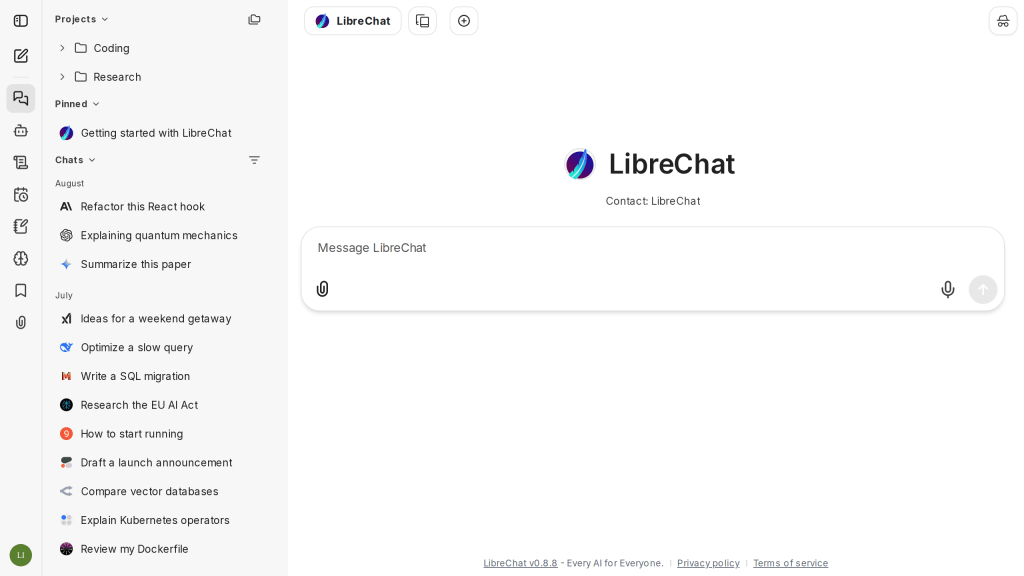
Bottom line: LibreChat is a completely free, open-source (MIT) AI chat platform you host yourself. There is no free tier because there are no tiers at all: the project’s own site lists its price as 0 USD, there is no pricing page, and there is no hosted plan to upsell you. You get a polished, ChatGPT-style interface that connects to models from Anthropic, OpenAI, Google, Azure, AWS and more, plus agents, web search, and code execution. What you pay for instead is the running: your own hosting and your own model API keys — or nothing at all, if you point it at local models.
What is LibreChat?
LibreChat brings all your AI conversations into one unified, customizable interface that you run on your own machine or server (it reports 46.6k GitHub stars and 60.2M Docker pulls). You connect the model providers you already use — Anthropic, AWS, OpenAI, Azure, Google and others are listed on its site — and switch between them in a single chat window, even mid-conversation. On top of chat it offers an Agents framework (build a reusable assistant from any model, with its own instructions, files, and tools, and share it with other users), Model Context Protocol (MCP) support for connecting external tools, Artifacts for React, HTML and Mermaid output, a Code Interpreter that executes code in multiple languages, built-in web search, persistent memory across conversations, and enterprise-ready sign-in with OAuth, SAML, LDAP, and two-factor authentication.
What is actually free — and what still costs money?
| Item | Cost | Notes |
|---|---|---|
| LibreChat software | $0 | MIT license: use, modify, and distribute freely; no seats, no usage caps |
| A hosted LibreChat plan | Does not exist | No managed cloud tier — you self-host via Docker or npm |
| Model API tokens | Your provider’s rates | Each provider bills you directly; local models via a custom endpoint cost $0 in tokens |
| Somewhere to run it | Your host’s price | A spare computer or a small server you control |
If you have used our review of Open WebUI, LibreChat is the closest cousin: the same self-hosted idea, but with a multi-provider, multi-user design from the start. For document-focused local chat, compare AnythingLLM, and for the simplest fully-offline desktop route, Jan.
What the homepage doesn’t make obvious
Two documented details matter before you invest a weekend in setup. First, the license difference against its main rival is real: LibreChat is MIT-licensed, so you may modify and rebrand it freely, while Open WebUI’s license adds a branding-protection clause that restricts removing its branding at larger scale (50+ users). For a household or small team that difference never bites; for anyone building something public-facing, it does. Second, there is genuinely no one to call: no hosted tier means no managed updates, backups, or support desk — patching and maintenance are yours. A related trap is the Code Interpreter: the in-app capability is part of the open-source project, but a separately sold hosted Code Interpreter API has existed alongside it, so check which one a tutorial is describing before following its pricing claims.
Pros and cons of LibreChat
Pros
- Completely free software under MIT, with no seat limits, no branding restrictions, and no paid tier at all.
- Every major provider in one interface, with conversation branching and mid-chat model switching.
- Agents, MCP tools, web search, artifacts, and code execution are built in, not paywalled.
- Multi-user authentication (OAuth, SAML, LDAP, 2FA) makes it practical for a family or small team.
- Your chats live on hardware you control; pair it with local models and nothing leaves your network.
Cons
- Self-hosting only: you install, configure (including a YAML config file), update, and back it up yourself.
- Cloud models still cost API money — the interface is free, the tokens are not.
- Setup is a developer-flavored afternoon, not a two-minute signup.
Who is LibreChat best for?
LibreChat is best for technical users and small teams who juggle several model providers and want one private front door for all of them: developers comparing Claude, GPT, and Gemini side by side, privacy-conscious households running a shared instance, and tinkerers who want agents and MCP tools without a per-seat bill. If you want zero setup, a hosted chatbot is the right tool. If you are willing to run one Docker container, LibreChat is the most complete free chat platform you can own outright.
LibreChat: frequently asked questions
Is LibreChat really free?
Yes. It is MIT-licensed open-source software, its site lists the price as 0 USD, and there is no paid tier or pricing page. Your costs are hosting and any model API usage you choose to connect.
Does LibreChat have a cloud version?
No. There is no official hosted plan; you run it yourself via Docker or npm on your own computer or server. Hosting sold by third parties is that vendor’s fee, not a LibreChat plan.
Which models can I use with LibreChat?
Any provider you configure, including Anthropic, OpenAI, Azure, AWS, and Google, plus any OpenAI-compatible custom endpoint — which is how local models are connected.
LibreChat or Open WebUI?
Pick LibreChat for multi-provider, multi-user use and an MIT license with no branding restrictions. Pick Open WebUI if you mainly run local models through Ollama and prefer its admin experience.