
Quick verdict
Bottom line up front: Rask AI takes a video you have already made and dubs it into other languages, cloning the speaker’s voice in 32 languages and translating into 135+. You pay by the minute of finished video — Creator starts at $39/month for 25 minutes — and lip-sync, the feature that makes dubs look native, only arrives on Creator Pro at $99/month and burns minutes three times as fast. Powerful localisation; price your minutes before you fall in love.
What does Rask AI actually do?
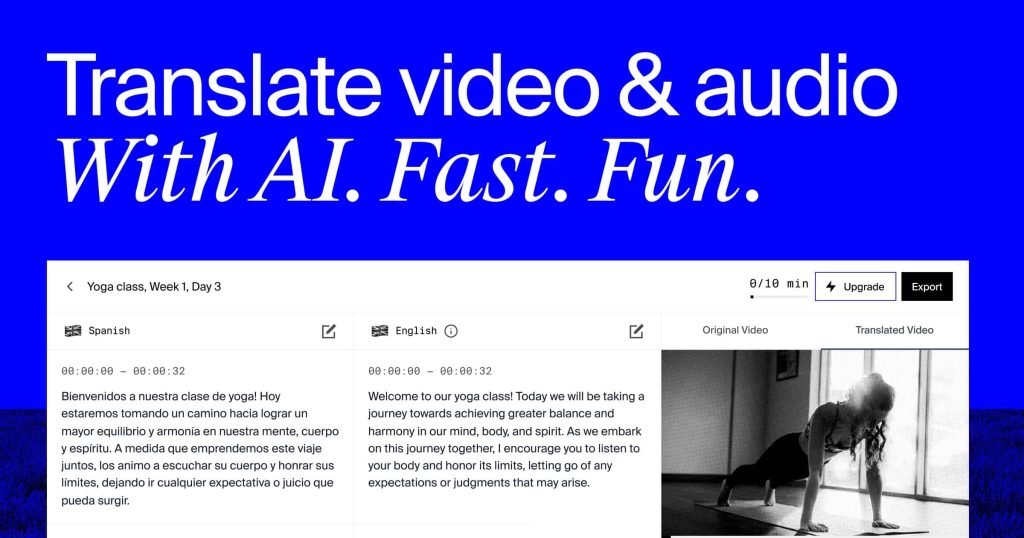
Rask is a video localisation platform. Upload a video file or paste a link, and it transcribes the speech, translates it, and generates a dubbed audio track in the target language. Where the language is one of the 32 supported for voice cloning, the dub keeps the original speaker’s voice; for the rest of its 135+ translation languages, it uses AI voices. Multi-speaker videos are detected and handled speaker by speaker.
The workflow is built for review, not blind automation. A line-by-line editor lets you fix translation wording before or after generation, re-dubbing edited segments is free, and higher plans add a personal translation dictionary and shared brand glossary so names and terms stay consistent across a catalogue. That puts Rask in a different job from avatar presenters like the studio in our HeyGen review, or voice generation like the platform in our ElevenLabs review — Rask starts from your finished video, the way the editor in our Descript review starts from your recording.
On Creator Pro and above, lip-sync adjusts the speaker’s mouth movements to match the new language for videos with several speakers. Business adds on-screen text translation, batch multi-video and multi-language workflows, and reviewer roles for teams approving localised output.
How much does Rask AI cost?
| Plan | Monthly billing | Annual billing | Minutes | Key points |
|---|---|---|---|---|
| Free trial | $0 | — | 3 minutes, one-time | Voice cloning in 32 languages, built-in editor; no lip-sync |
| Creator | $39/mo | $28/mo ($329/year) | 25/month (300/year on annual) | Dubbing into 135+ languages, voice cloning, line-by-line editor |
| Creator Pro | $99/mo | $67/mo ($799/year) | 100/month (1,200/year on annual) | Multi-speaker lip-sync, translation control, SRT upload/download, API access, teamspace up to 3 members; extra minutes $3 each |
| Business | $249/mo | $167/mo ($1,999/year) | 250/month (3,000/year on annual) | On-screen text translation, shared brand glossary, batch workflows, up to 5 members plus guest reviewers; extra minutes $3 each |
| Enterprise | Custom | Custom | Custom | SLA, security and compliance, custom integrations and API, managed quality assurance |
Minutes are the whole pricing story, so do the maths Rask’s own help centre lays out. Minutes are charged per language: a 5-minute video dubbed into 2 languages uses 10 minutes. Lip-sync costs 3 extra minutes per video minute, and on-screen text translation does the same. Annual plans hand you the year’s minutes up front, and unused minutes roll over while the subscription stays active — a genuinely fair touch for bursty publishing schedules.
What are Rask AI’s strengths?
- Voice cloning across 32 languages. Your presenter still sounds like your presenter in Spanish, Hindi or Portuguese, instead of a stranger reading a script.
- Serious language breadth. Translation into 135+ languages covers markets most dubbing tools skip.
- An editor, not a black box. Line-by-line fixes, dictionaries and glossaries mean a human can correct the one phrase that matters before publishing.
- Annual minutes roll over. Bursty creators are not punished for a quiet month.
- Free re-dubbing of edits. Fixing a segment does not spend fresh minutes.
What are Rask AI’s weaknesses?
- Lip-sync is expensive twice over. It needs Creator Pro at $99/month, and then consumes minutes at 3x — 100 Pro minutes become roughly 33 lip-synced minutes.
- Per-language multiplication surprises people. Ten languages is not ambition, it is a 10x minute bill; a back catalogue gets expensive fast.
- No permanent free tier. The 3-minute trial is one-time. Once it is gone, every test costs money.
- Voice cloning covers 32 of 135+ languages. Outside that set, dubs use generic AI voices, so quality and identity vary by market.
- It only localises. Rask creates nothing — you still need a finished source video from your existing production tools.
Who is Rask AI for?
Rask fits creators, course makers, media teams and businesses with proven content and a real audience in another language — the dub pays for itself because the original already worked. It is a poor fit for experimenting: if you are still finding an audience in your first language, a per-minute localisation bill is money spent in the wrong order.
Frequently asked questions
Is Rask AI free?
Only as a one-time trial: 3 minutes with voice cloning and the built-in editor, no credit card required. There is no ongoing free plan.
How much does Rask AI cost?
Creator is $39/month billed monthly, or $28/month billed annually, for 25 minutes a month. Creator Pro is $99/month (or $67/month annually) for 100 minutes, and Business is $249/month (or $167/month annually) for 250 minutes.
How are Rask AI minutes charged?
Per minute of finished translated video, per language. Lip-sync and on-screen text translation each cost 3 minutes per video minute. Extra minutes on Creator Pro and Business cost $3 each.
Does Rask AI clone my voice in every language?
No. Voice cloning works in 32 languages. Translation covers 135+ languages, but outside the cloning set the dub uses AI voices rather than your own.
Verdict
Rask AI does a specific, valuable job well: it turns one proven video into many localised versions that still sound like you, with an editor that respects the details. Its pricing is equally specific — by the minute, per language, tripled for lip-sync. Count your minutes and languages first. If the maths works, Rask is one of the most complete dubbing tools available; if it does not, no feature list will save the deal.