
Quick verdict
WPBot Review 2026: The Native WordPress AI Chatbot With a WooCommerce Module
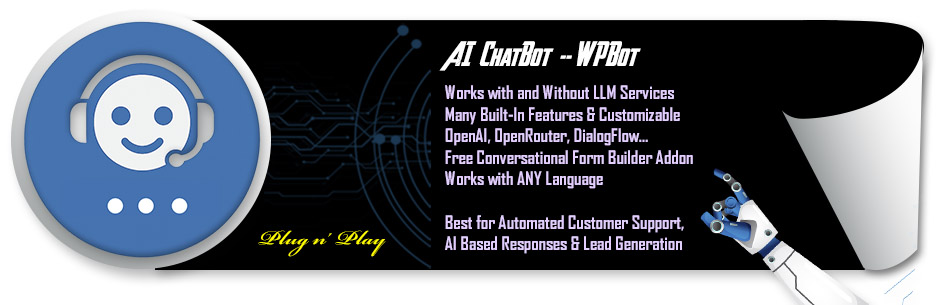
WPBot is a native WordPress chatbot plugin by QuantumCloud that runs entirely in your dashboard — scripted FAQ menus and site search if you want no AI at all, or AI answers from OpenAI, Gemini, Claude and other models, trained on your own content, if you do. The free plugin is on WordPress.org (version 8.8.7, updated October 2026, 5,000+ active installs, rated 4.7 out of 5 from 124 ratings). For WooCommerce stores, the Professional tier adds a dedicated store module: product search, recommendations and order-status answers inside the chat. Not to be confused with WoowBot, a different WooCommerce chatbot reviewed separately on this site.
What it is
WPBot is listed on WordPress.org as “WPBot – AI ChatBot for Live Support, Lead Generation, WordPress Automation, AI Services.” It installs like any plugin and lives in wp-admin; the vendor’s line is “Own Your Bot & Data — nothing is saved on our server,” and there are no usage limits on conversations, users or connections from WPBot itself. It works in two modes that can be mixed: a button-menu and built-in-features mode (FAQ lists, simple text responses, site search, lead capture and callback requests) that needs no AI account at all, and a natural-language mode powered by an external model.
For AI answers you connect your own account — the vendor lists OpenAI (ChatGPT), Google Gemini, Claude, Mistral and others via OpenRouter, plus Google DialogFlow — and WPBot’s RAG vector knowledge base trains the bot on your website pages and posts and on uploaded PDF and CSV documents, answering with links back to your pages. That training is what the WooCommerce module builds on for stores, covered next. A daily AI Insights digest emails you the key points from the day’s conversations, which is the vendor’s mechanism for spotting what shoppers actually ask and tuning the bot.
Key features
- WooCommerce module (Professional and up). Shoppers can search products, get recommendations and check order status inside the chat window, and the vendor’s retargeting tools add onsite exit-intent offers and off-site abandoned-cart recovery for WooCommerce — the vendor claims up to 25% of retargeted visitors respond, which is a vendor claim, not a measured result.
- RAG training on your own content. A vector knowledge base built from your pages, posts, PDFs and CSVs, so answers come from your material with links, rather than from the model’s general knowledge.
- Works with or without AI. Button menus, FAQ handling, site search and lead capture run on built-in features with no model account; add OpenAI, Gemini, OpenRouter or DialogFlow when you want natural-language answers.
- Conversational forms. Drag-and-drop forms inside the chat for lead capture, surveys, bookings and calculators, with the responses stored rather than lost in a chat transcript.
- Retargeting and exit intent. Onsite offers triggered by exit intent, time interval or scroll, inside the chat window — the conversion layer most pure support bots leave to a separate pop-up plugin.
- Live chat and channels (Master). Human handover via Live (Human) Chat with Slack, the Facebook Messenger, Instagram, WhatsApp and Telegram modules, voice message and voice chat modules, multilingual support and white label are all Master-tier additions — the channel layer is the top tier’s job, not the entry tier’s.
Pricing
The plugin on WordPress.org is free, covering the core chatbot, FAQ and button-menu handling, site search and lead capture. WPBot Pro is sold in three tiers, yearly or as a lifetime licence — prices in USD from the vendor’s own pricing page. Starter is $39/year, or $149 lifetime, for 1 site on the yearly licence (5 sites on lifetime), with chat sessions and history, extended search, LLM AIs & DialogFlow integration, RAG Vector Knowledge Base (Basic), WordPress Automator (Basic) and a free ChatBot theme. Professional is $99/year, or $279 lifetime, for 2 sites (10 on lifetime), adding Simple Text Responses Pro, Conversational Forms Pro, the WooCommerce Module, and RAG Vector Knowledge Base (Advanced). Master is $189/year, or $369 lifetime, for 5 sites (50 on lifetime), adding Live (Human) Chat with Slack, Facebook Messenger, Instagram, WhatsApp and Telegram modules, Multi Language Module, White Label, voice message and voice chat modules, WebHook & Mailing List Module, and the AI Powered Support Ticket module. As with MxChat in this section, the licence is not the whole cost: AI answers run on your own provider account — OpenAI, Gemini, OpenRouter or DialogFlow — and that provider bills you per use.
Who it’s for
- WooCommerce stores that want the bot on their own server — product search and order answers in chat, with conversations and training data in your WordPress database rather than a SaaS dashboard.
- Sites that want a working bot at $0 first — the free plugin’s FAQ menus, search and lead capture are genuinely usable before any AI account or Pro licence enters the picture.
- Agencies and multi-site owners — the lifetime licences and Master’s white-label and multi-site scope are aimed squarely at people who deploy the same bot across client stores.
What to watch out for
- The store features are not in the free plugin. The WooCommerce module arrives at Professional, conversational forms with it, and live chat, the messaging channels (Messenger, WhatsApp, Telegram) and multilingual support all wait for Master. Price the tier that has your feature, not the entry tier.
- The AI bill is separate and variable. WPBot charges no per-conversation fee, but every AI answer runs on your own OpenAI, Gemini, OpenRouter or DialogFlow account. A busy store’s model spend is real money on top of the licence.
- A small install base for its age. 5,000+ active installs and 124 ratings is a thin public record next to the hosted chatbots in this section — the 4.7 average is good, but test the bot against your real product questions before it faces shoppers.
- Depth means settings. Menus, RAG training, forms, retargeting and channels are a lot of configuration surface in one plugin; stores that want a bot live in ten minutes with nothing to tune will find hosted rivals simpler, at a monthly price.
- Research-based review. This review is based on WPBot’s WordPress.org listing and the vendor’s own site and pricing page; we have not run it on a live store ourselves.
Pros
- Native WordPress plugin — bot, data and settings stay on your own server, with no per-conversation meter.
- Genuinely usable free version: FAQ menus, site search and lead capture with no AI account required.
- Real WooCommerce module on Professional: product search, recommendations and order-status answers in chat.
- Model freedom — OpenAI, Gemini, Claude and more via OpenRouter, or DialogFlow — on your own keys.
- Yearly or lifetime licensing, so subscription-averse buyers can pay once.
Cons
- WooCommerce and forms are Professional-gated; live chat and WhatsApp wait for Master.
- AI usage is billed by your own provider account, on top of the licence.
- Only 5,000+ active installs and 124 WordPress.org ratings — a small evidence base.
- Configuration depth will overwhelm owners who just want a simple FAQ bot.
Frequently asked questions
Is WPBot free?
The plugin on WordPress.org is free, with button-menu and FAQ handling, site search, lead capture and the option to answer using your own Gemini or OpenRouter key. The Pro tiers add RAG training depth, conversational forms, the WooCommerce module, live chat and the extra channels, sold yearly or as lifetime licences.
Does WPBot work with WooCommerce?
Yes, through the WooCommerce module on the Professional tier and up. Shoppers can search products, receive recommendations and check order status inside the chat, and WPBot’s retargeting features add exit-intent offers and abandoned-cart recovery for WooCommerce stores.
Do I need an OpenAI account to use WPBot?
No — the bot runs on built-in features (menus, FAQs, search, forms) with no AI at all. For natural-language answers you connect your own account with a supported provider — OpenAI, Google Gemini, OpenRouter (for Claude, Grok, DeepSeek, Mistral and others) or DialogFlow — and that provider bills you for usage.