
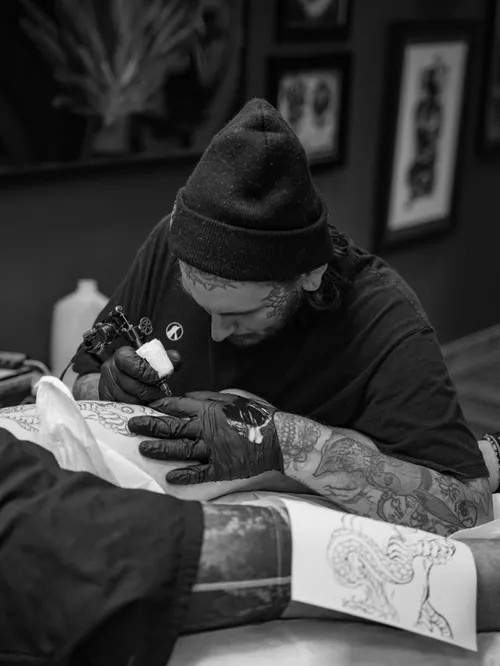
The short answer: For tattoo-specific design, BlackInk AI and Ink Studio AI are the best starting points — built around tattoo styles, placement and cover-ups, not general art. Add Stencil AI for stencils, Midjourney or Krea for concept work, Booksy for bookings, and Canva for flash sheets and social posts. Treat every output as a reference to redraw for line weight, spacing and ageing.
What are the best AI tools for tattoo artists in 2026?
| Tool | Best for | Pricing | Verdict |
|---|---|---|---|
| BlackInk AI | Tattoo designs, sleeves, cover-ups | 3 free credits; Pro $15/month or $72/year | Best all-round tattoo toolkit |
| Ink Studio AI | Photo-to-tattoo, no subscription | 1 free design; $12.99/7 days, $23.99/30 days | Best for a single project |
| Stencil AI | Photo-to-stencil conversion | $0.99 starter pack; Pro $29/month billed yearly | Best for stencil prep |
| Midjourney | High-quality concept reference | No free plan; from $10/month | Best quality, least tattoo-specific |
| Krea | Real-time sketch-to-image | Free, no commercial licence; Basic $9/month | Best free experimentation |
| Booksy | Bookings and reminders | From $29.99/month for one artist | Best for filling the chair |
| Canva | Flash sheets and social posts | Free; Pro $144/year | Best for marketing |
1. BlackInk AI — best for a tattoo-specific design toolkit
BlackInk AI is built only for tattoos, with style presets, placement templates, line-weight controls, a stencil converter, and cover-up and gap-filler workflows. Pro advertises unlimited designs and higher-resolution downloads. Free designs are public, and commercial use is addressed separately in its terms.
- Pros: Tattoo-specific styles and placement tools; cover-up workflows; unlimited Pro generation
- Cons: Free designs are public; check commercial terms carefully; output still needs a redraw
2. Ink Studio AI — best for photo-to-tattoo concepts without a subscription
Ink Studio AI combines text-to-tattoo generation, image-to-tattoo conversion, a body-photo placement mockup and stencil conversion. Its strength is turning a portrait, pet photo or sketch into a tattoo-style concept. Instead of a subscription, it sells short one-time passes. The result is a concept, not a finished stencil.
- Pros: Non-renewing access; photo conversion built in; first design free
- Cons: Premium tools use limited credits; no true 3D preview; passes expire
3. Stencil AI — best for turning references into stencils
Stencil AI converts a photo or artwork into clean line work in Outline, Standard or Hatching styles, then lets you retouch it, size it and print true to size. Its Tattoo Mode keeps stencil and reference together at the chair.
- Pros: Purpose-built for stencils; retouch editor; $0.99 starter pack to test it
- Cons: Credits are spent per stencil; big pieces work better split into motifs; no text-to-design generation
4. Midjourney — best for high-end concept reference
Midjourney is the strongest general generator here for mood, composition and style reference before you draw your own version. It has no tattoo presets or stencil tools. There is no free plan, and work on Basic and Standard is public — private concepts need Pro at $60/month.
- Pros: Excellent art quality; commercial rights on paid plans; fast iteration
- Cons: No free tier; nothing tattoo-specific; privacy costs extra
5. Krea — best for real-time, sketch-led exploration
Krea’s real-time canvas updates the image as you sketch or type — useful in a consultation when a client only has a vague idea. It bundles multiple image models in one place. The free plan carries no commercial licence, so client work needs a paid plan.
- Pros: Free daily units, no card needed; live sketch-to-image; many models included
- Cons: No commercial use on Free; premium models burn units fast; not tattoo-specific
6. Booksy — best for bookings and reminders
Booksy handles the business side: online booking, a marketplace listing, payments and automated reminders to cut no-shows. It starts at $29.99/month for one artist, with extra staff charges. Optional Boost takes a one-time 30% commission on a new client’s first Boost visit, so read that first.
- Pros: Booking, reminders and payments in one app; marketplace brings clients
- Cons: Per-artist fees add up; Boost commission is steep; consent forms are basic
7. Canva — best for flash sheets and social marketing
Canva covers the work around the tattoo: flash sheets, lettering tests, mood boards, Instagram posts and price lists. Its AI tools sit inside a full editor, with a limited AI allowance on the free plan. It will not produce a tattoo-ready design alone.
- Pros: Free plan; strong lettering and layouts; easy client sharing
- Cons: Not a tattoo generator; Pro is $144/year; AI allowance is limited
Frequently asked questions
Can an AI-generated design go straight onto skin?
No. AI output can have broken symmetry, joined lines, illegible lettering and detail too fine to heal well. Redraw it with workable line weight and spacing.
What is the cheapest way to start?
Krea is free, Ink Studio AI gives one free design, BlackInk AI gives three free credits, and Stencil AI has a $0.99 starter pack.
Can I use AI designs for paid client work?
It depends on the plan. Midjourney and Krea include commercial rights on paid plans only, while BlackInk AI covers professional use separately in its terms.
Do I still need to draw the final design myself?
For most artists, yes. These tools speed up concepts and stencil prep, but the final design remains the artist’s job.