
Quick verdict
PlanRadar Review 2026: Plan-Pinned Tickets, Reports and an AI Assistant
Updated October 13, 2026 – Tested Intelligence
Quick verdict: PlanRadar is a documentation and communication platform built around one idea: pin a ticket to the exact spot on a plan, attach photos, video or a voice note, and track it to close-out. Its AI Assistant and approval workflows for RFIs, submittals and change orders sit on Pro and above, from $159 per user per month billed annually – capable, but not cheap at team scale.
What it is
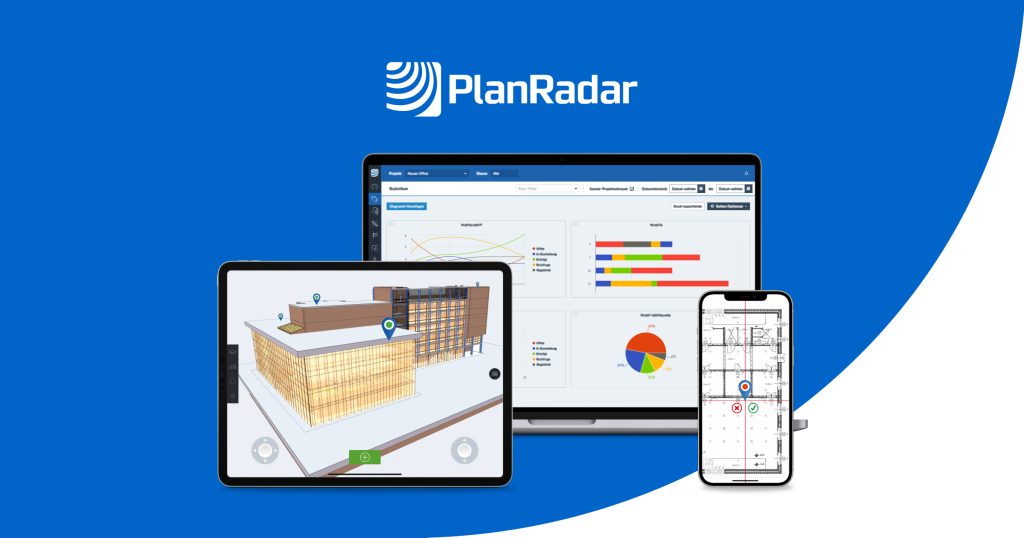
PlanRadar is a cloud platform for documentation, communication and reporting on construction and real estate projects, used on web, iOS, Android and Windows, including offline working with sync later. Instead of long email chains, work lives in tickets placed on digital plans or BIM models, each with an assignee, priority, deadline and a full record of updates.
Around the tickets sit the paperwork tools: customisable forms and checklists for inspections and site diaries, report templates, scheduling in a Gantt view, and document management. Trade coverage of its SiteView launch made the same point – visual documentation that feeds the core ticketing record, not a separate archive.
Key features
- Tickets pinned to plans or BIM models, with photos, videos, voice notes, priorities and deadlines
- Custom forms, checklists and report templates, including project reports from your own PDF forms on Pro
- Approval workflows for RFIs, submittals, change orders and more (Pro and Enterprise)
- AI Assistant on Pro and Enterprise, plus AI form creation, voice-to-ticket capture and document insights
- SiteView add-on: walk the site with a 360-degree camera and images are auto-mapped onto the 2D plan, with date comparison
- Document management with Microsoft 365 integration; document versioning is Enterprise-only
- Unlimited subcontractors and watchers on every plan, plus offline mode and API access on Pro and above
Pricing
PlanRadar publishes per-user pricing. On annual billing the vendor lists Basic at $32 per user per month, Starter at $107, and Pro at $159; monthly billing is higher (listings show $35, $119 and $179). Enterprise is a personal quote. The catch is caps and gates: Basic allows one user and 10 plans, Starter 30 plans per user, and Pro 100 plans per user plus one BIM model per user. The AI Assistant, approvals and document management only arrive at Pro, and SiteView is a paid add-on – price on request.
Who it’s for
Contractors, developers, consultants and owners who run heavy defect, inspection, snagging and handover workloads and want every issue tied to a plan location with a clean audit trail. Unlimited subcontractors and watchers suits projects where many outside parties need visibility without a licence each.
Who should skip it
Teams whose main pain is drawing markup or deep PDF review should look at a drawing-first tool instead. Small crews should do the maths: if you need the AI Assistant and approvals, you are buying Pro for everyone who creates tickets, and plan caps can push a project up a tier.
Pros
- Plan-pinned tickets make location, responsibility and status clear – strong for defects and punch lists
- Forms, reports and approvals live in the same record as field data
- Unlimited subcontractors and watchers lowers the barrier to bringing trades in
- Offline working, a 30-day trial and ISO 27001 certification are confirmed on the vendor site
Cons
- Useful features are tier-gated: AI Assistant, approvals and document management require Pro; versioning requires Enterprise
- Plan caps per user (10 Basic, 30 Starter, 100 Pro) can bite on drawing-heavy projects
- SiteView is a paid add-on with pricing on request
- Per-user Pro pricing adds up fast for large teams, even with subcontractors free
FAQ
What does PlanRadar do?
It manages documentation and communication through tickets pinned to plans, with photos and voice notes, plus forms, reports, scheduling, document management and approvals for RFIs and submittals.
How much does PlanRadar cost?
On annual billing: Basic $32 per user per month (one user, 10 plans), Starter $107 (30 plans per user) and Pro $159 (100 plans per user, AI Assistant included). Enterprise is quoted; SiteView is a paid add-on.
Can subcontractors use PlanRadar for free?
Yes. Every plan includes unlimited subcontractors and watchers, per the vendor pricing page, although people creating tickets need paid licences.
Bottom line
PlanRadar earns its place on communication-heavy projects: the ticket-on-a-plan model is simple for field teams to use, and the reporting and approval layers turn field data into documents the office can act on. Trial it on a real snagging workflow, count your plans honestly, and budget Pro.