
Quick verdict
Arkio Review 2026: Collaborative Design and Review in VR, at Full Scale
Updated October 13, 2026 – Tested Intelligence
Quick verdict: Arkio is the design-review tool for people who think better standing inside the building. Teams meet in the same scene – some in VR headsets, others on desktop, tablet or phone – sketch massing together, walk the model at 1:1 scale, and send work back to Revit, Rhino or SketchUp. It is a concept and review tool, not a BIM authoring replacement.
What it is
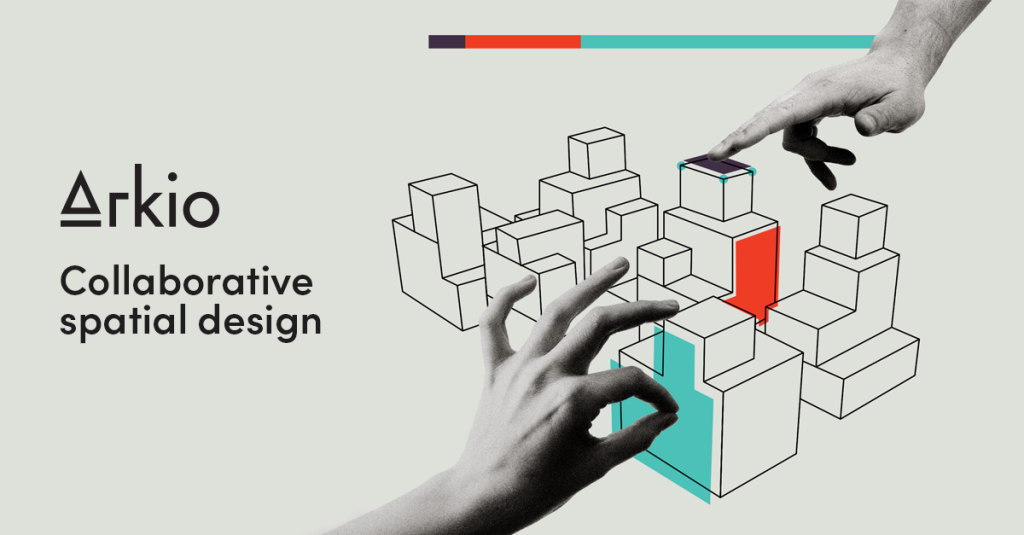
Arkio is built by an Iceland-based company and was designed, as AEC Magazine’s coverage put it, as a design tool made specifically for architectural work inside VR – including its own solid modelling kernel, with booleans, optimised to run in real time even on standalone Quest headsets. Models can be viewed like a tabletop miniature or jumped into at human scale.
The round-trip is the professional hook. Import models from Revit, Rhino, SketchUp and Archicad through Arkio’s plugins, sketch options over them in a shared session, then export your geometry back to your authoring tool. Arkio 2.0, released in August 2025, added an AI camera for generated renders, layers, voice-transcribed notes, presentation mode and cloud scene sharing.
Key features
- Multi-user scenes across Meta Quest, PC, Mac, iOS and Android – VR and non-VR users together, up to 24 users per the vendor’s app listing
- Built-in modelling with a solid kernel: create and edit massing and interiors at model scale or 1:1
- Plugin workflows for Revit, Rhino, SketchUp and Archicad, with export back to the authoring tool
- AI camera: generate rendered views from your scene as collaborative frames (AI credits are plan-based, renewing monthly)
- Markups, text and voice-transcribed notes and issues shared through Arkio Cloud
- Sections, sun studies, layers, maps and surrounding 3D buildings for context
Pricing
Arkio’s pricing page structures four tiers: Starter is free; Plus, Pro and Enterprise are paid. Pro installs on two devices for one user at a time; Enterprise uses floating licences shared by concurrent users. Plugin imports require Pro or Enterprise, and a Pro trial includes 20 AI credits. One directory listing (TrustRadius) shows Plus $8, Pro $45 and Enterprise $85 per month – directory-sourced; confirm current amounts on Arkio’s pricing page.
Who it’s for
Architects and design teams whose bottleneck is decisions, not drafting: early-stage massing, option reviews with clients who cannot read plans, and stakeholder walkthroughs where scale and sightlines are the argument.
Who should skip it
Teams needing detailed BIM authoring, documentation or clash-managed coordination should skip it as a primary tool – that work stays in Revit. Firms with no appetite for headsets will use only half the product, though desktop and mobile apps still work without VR.
Pros
- Designing together inside the model catches scale and spatial problems screens miss
- Cross-device meetings lower the barrier – clients join from a phone, not a headset purchase
- Revit, Rhino, SketchUp and Archicad round-tripping keeps it in the professional workflow
- Free Starter plan, and AI rendering built in rather than bolted on
Cons
- Concept-stage tool: geometry created here still needs development in your BIM author
- Plugin imports – the core professional workflow – sit behind paid Pro or Enterprise plans
- Headset hardware limits how heavy a model a standalone Quest session can handle smoothly
- AI renders consume monthly credits, so heavy visualisation use is a plan consideration
FAQ
What does Arkio do?
It gives teams a shared, immersive design space: import BIM models, sketch together in VR, AR or on regular devices at tabletop or 1:1 scale, capture notes and AI renders, and export back to Revit, Rhino or SketchUp.
How much does Arkio cost?
Starter is free. Paid Plus, Pro and Enterprise plans add plugin imports, larger meetings and AI credits; one directory listing shows $8, $45 and $85 per month respectively – check Arkio’s pricing page for current figures.
Do I need a VR headset to use Arkio?
No. Arkio runs on PC, Mac, tablets and phones, and mixed meetings are the norm – one person walks the model in a headset while others follow and edit from other devices.
Bottom line
Arkio does one job unusually well: making early design decisions together, in the space, before they harden into rework. It will not replace your BIM author or coordination platform, and does not pretend to. As a review layer on top of them – starting free – it is an easy pilot for any Revit or SketchUp team.